Mode indication
8.8.light
light
Procedures15
Store Hook switch
Mode indication
d
Ho
A
Where in error
Derrick
Hoisting
Telescoping
Outrigger
Acceleration cylinder
Mode indication Where in error
T
S Slewing
Link
Procedures1
Fork end
Pin
Procedures
11.12Pin
Full stroke2mm
Accelerator cable
Procedures13
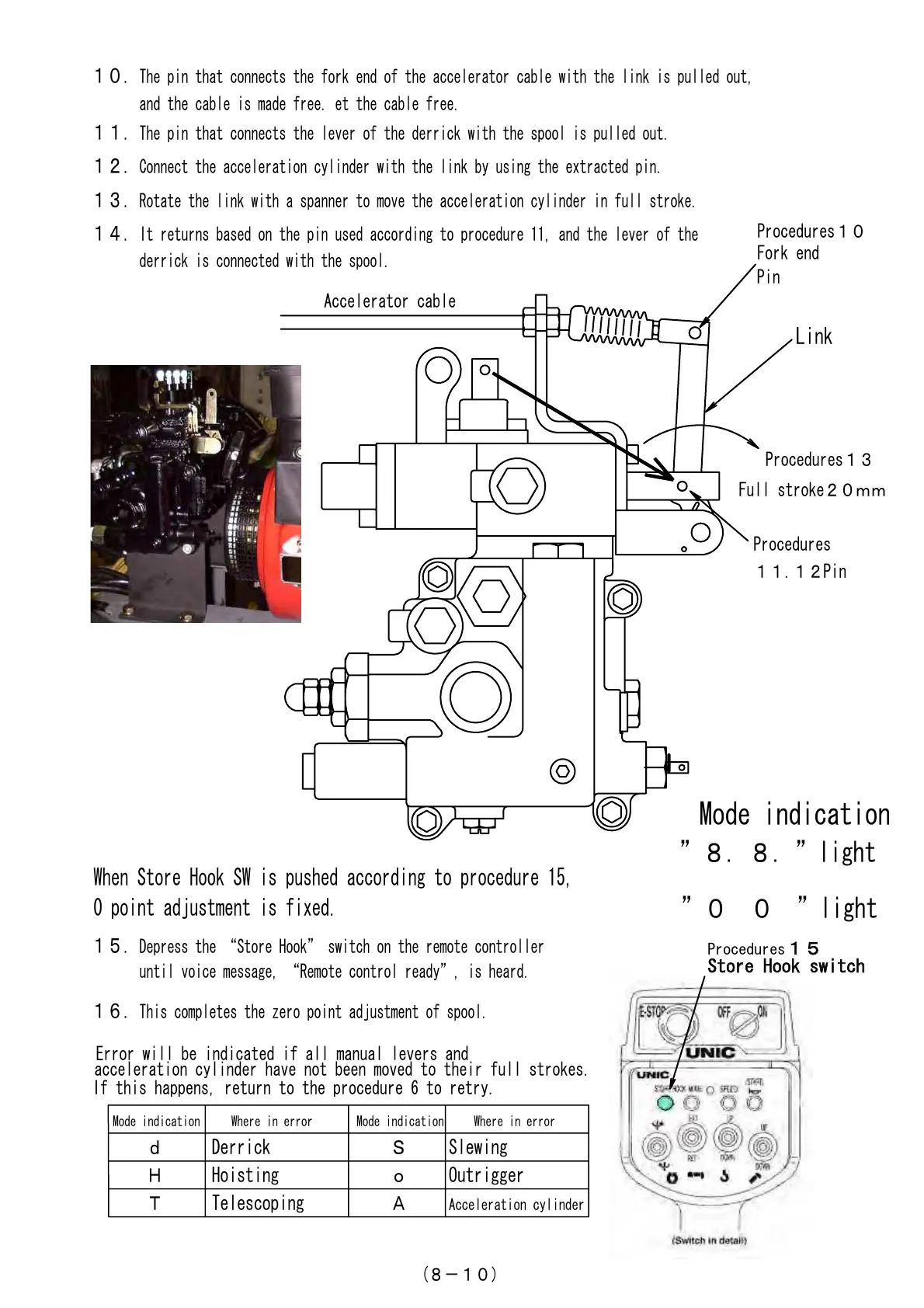
1.The pin that connects the fork end of the accelerator cable with the link is pulled out,
and the cable is made free. et the cable free.
11.The pin that connects the lever of the derrick with the spool is pulled out.
12.Connect the acceleration cylinder with the link by using the extracted pin.
13.Rotate the link with a spanner to move the acceleration cylinder in full stroke.
14.It returns based on the pin used according to procedure 11, and the lever of the
derrick is connected with the spool.
15.Depress the Store Hook switch on the remote controller
until voice message, Remote control ready, is heard.
16.This completes the zero point adjustment of spool.
When Store Hook SW is pushed according to procedure 15,
0 point adjustment is fixed.
Error will be indicated if all manual levers and
acceleration cylinder have not been moved to their full strokes.
(8-1)
If this happens, return to the procedure 6 to retry.
Courtesy of Machine.Market


 To Next Page
 Loading...