8-16)
"A" blinks Beep
Normal mode
Mode indication Voice
Hook store adjustment mode
PWM adjustment mode
"4" blinks
PWM initial value)
1
Procedure
Normal mode Radio control
ready
"2 "blinks
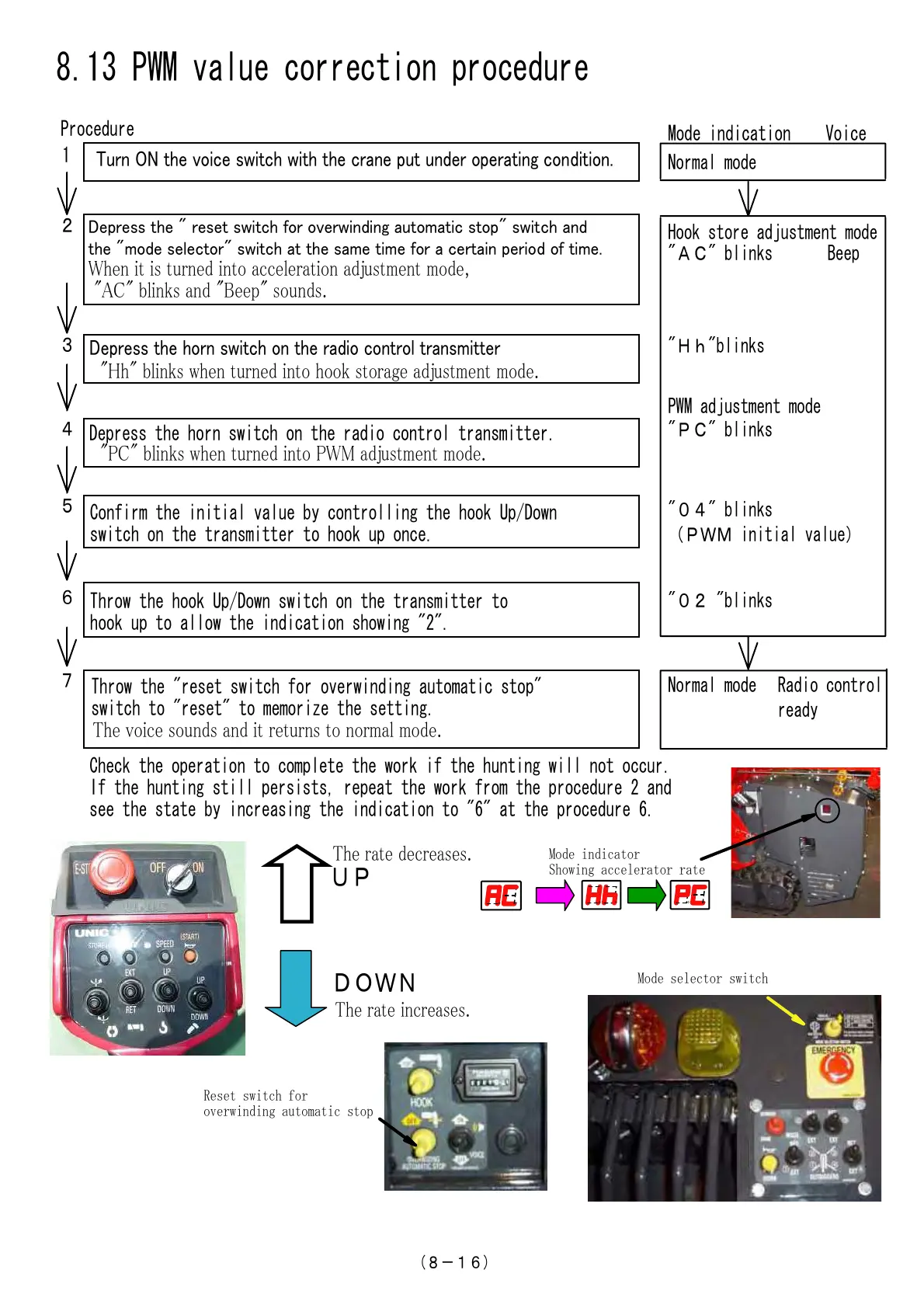
8.13 PWM value correction procedure
Tr ON te oice witc wit te crae t er oerati coitio.
2
Dere te " reet witc for oerwii atoatic to" witc a
te "oe elector" witc at te ae tie for a certai erio of tie.
W aa a ,
"A" a "" .
"Hh"blinks
3
5
Confirm the initial value by controlling the hook Up/Down
switch on the transmitter to hook up once.
6
Throw the hook Up/Down switch on the transmitter to
hook up to allow the indication showing "2".
7
Throw the "reset switch for overwinding automatic stop"
switch to "reset" to memorize the setting.
Check the operation to complete the work if the hunting will not occur.
If the hunting still persists, repeat the work from the procedure 2 and
see the state by increasing the indication to "6" at the procedure 6.
T a a .
T a a.
T a a.
UP
DOWN
Mode indicator
Showing accelerator rate
Mode selector switch
Reset switch for
overwinding automatic stop
Dere te or witc o te raio cotrol traitter
"H" w a a .
"P" blinks
4
Depress the horn switch on the radio control transmitter.
"P" w PWM a .
Courtesy of Machine.Market


 To Next Page
 Loading...