EasyManua.ls Logo

Uniden 9035 - User Manual

Uniden 9035
68 pages
Print Icon
To Next Page IconTo Next Page
Loading...
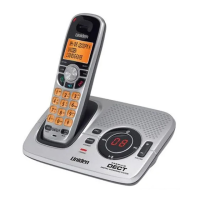
DECT Elite 9035
DECT Elite 9035+1
DECT Elite 9035+2
DECT ELITE OM.indb 1 13/3/08 3:16:43 PM

Table of Contents

Questions and Answers

  • S
    Sarah ArmstrongSep 10, 2025
    Why is my Uniden Telephone charge LED not illuminating?
    • A
      ashley91Sep 10, 2025
      To troubleshoot why the charge LED won’t illuminate when the handset is placed in the cradle of your Uniden Telephone, check the AC adapter connection. Re-seat the handset in the cradle. Clean the charging contacts on the handsets.
  • J
    Joseph CarlsonAug 22, 2025
    Why is my Uniden Telephone answering system not working?
    • M
      Matthew DawsonAug 22, 2025
      If the answering system on your Uniden Telephone isn't working, check the AC adapter connection and ensure it is properly connected. Also, verify that the answering system is turned on.
  • M
    mcguiremarkAug 25, 2025
    What to do if my Uniden 9035 Telephone has severe noise interference?
    • J
      Jason EscobarAug 25, 2025
      To minimize noise interference on your Uniden telephone, keep all handsets away from microwave ovens, computers, wireless LAN stations, remote control toys, wireless microphones, alarm systems, intercoms, room monitors, fluorescent lights, and electrical appliances. Additionally, try moving the base to another location or turning off the source of interference.
  • C
    Christopher LoweAug 26, 2025
    What to do if my Uniden Telephone answering system does not record any messages?
    • R
      Rhonda SpenceAug 26, 2025
      If your Uniden Telephone answering system isn't recording messages, the memory may be full, so delete some or all of the saved messages. Also, check to see that the message record time is not set to announce only.
  • J
    Jennifer BlairAug 28, 2025
    How to fix Uniden 9035 if a single handset can’t make or receive calls?
    • S
      Sandra Huerta MDAug 28, 2025
      If a single Uniden telephone handset can’t make or receive calls, check the battery pack connection. Charge the battery for 15 to 20 hours. Move the handset closer to the base. Ensure the line is not in use. Reset the handset.
  • M
    Michael TaylorAug 29, 2025
    What to do if my Uniden 9035 Caller ID does not display?
    • P
      Paula NicholsAug 29, 2025
      If the Caller ID is not displaying on your Uniden Telephone, check to see if the call was placed through a switchboard. Also, ask your telephone company to verify that your Caller ID service is current, as there may be a problem with your service.
  • S
    Samuel ConleySep 18, 2025
    What does it mean when Uniden 9035 asks to confirm the deregistration?
    • M
      Megan KennedySep 18, 2025
      The selected handset will clear its registration information only from the base it is currently connected to, and then delete the link to the base from its own memory. When the base information is deleted, the handset displays HANDSET NOT REGISTERED-PLACE HANDSET ON BASE TO REGISTER.
  • A
    April JarvisSep 12, 2025
    Why are messages incomplete on my Uniden 9035?
    • L
      Linda PalmerSep 12, 2025
      If messages are incomplete on your Uniden Telephone, the incoming messages may be too long, so ask callers to leave a brief message. The memory may also be full, so delete some or all of the saved messages.
  • J
    Jeffrey WaltersSep 8, 2025
    How to fix Uniden 9035 Telephone if a handset can make calls, but it doesn’t ring or receive a page?
    • A
      Angela LaraSep 8, 2025
      If a handset can make calls but doesn’t ring or receive a page on your Uniden Telephone, ensure that the ringer isn’t turned off.
  • W
    wwangSep 5, 2025
    What to do if I can’t hear base or handset speaker during call screening or message playback on my Uniden 9035?
    • D
      Denise MartinezSep 5, 2025
      If you cannot hear the base or handset speaker during call screening or message playback on your Uniden Telephone, adjust the speaker volume on the base or handset. Also, check to see if the call screen feature is set to on.

Summary

Welcome

Installing the Phone

Choosing the Best Location

Guidelines for selecting an optimal placement for the phone base.

Installing the Battery

Step-by-step guide to installing the handset battery pack.

Connecting the AC adapter

Instructions for connecting the AC adapter to the base and charging cradle.

Charging the Handset

Procedure for placing the handset in the cradle for charging.

Connecting to the Phone Line

Steps to connect the phone line to the base unit.

Testing the Connection

How to verify the phone is connected and functioning correctly.

Installing the Belt Clip

Instructions on how to attach and remove the belt clip accessory.

Expanding Your Phone

Adding accessory handsets

Information on adding more handsets to the system.

Registering accessory handsets

Steps to register new handsets to the base unit.

Registering the handset to another base

Process for registering a handset to a different base station.

Selecting the base

How to choose which base station the handset connects to.

Getting to Know Your New Phone

Features

Overview of the phone's capabilities and functions.

Answering system features

Details of the integrated answering machine functions.

Terminology Used in this Manual

Manual Conventions

Parts of the Handset

Parts of the Base

Using the Interface

Reading the Handset Display

Explanation of icons and information shown on the handset display.

Using the Four-way Function Key

How to navigate menus and features using the four-way key.

Using the Handset Menu

Instructions for accessing and navigating the phone's menu system.

Entering Text from Your Handset

Method for inputting text using the phone's keypad.

Basic Setup

Setting the Day & Time

Procedure to set the current date and time on the phone.

Activating Personal Settings

How to assign custom ring tones and colors to contacts.

Activating the Key Touch Tone

Option to enable or disable the sound made when pressing keys.

Name Tag

Feature to display contact names based on Caller ID.

Insert 0

Setting to automatically add '0' or '00' to dialed numbers.

Setting Up the Phonebook

Creating Phonebook Entries

Step-by-step guide to adding contacts to the phonebook.

Finding a Phonebook Entry

How to search for and locate contacts in the phonebook.

Editing an Existing Phonebook Entry

How to modify saved contact details in the phonebook.

Storing Caller ID or Redial Numbers in the Phonebook

Procedure to save incoming call or redial numbers into the phonebook.

Deleting a Single Phonebook Entry

Steps to remove a specific contact from the phonebook.

Deleting all Phonebook Entries

How to erase all entries from the phonebook simultaneously.

Copying Phonebook Entries to Another Handset

Transferring contacts between different handsets.

Customizing Your Handsets

Changing the Handset Banner

How to personalize the name displayed on the handset.

Selecting a Ringer Tone

Choosing different sounds for incoming calls.

Activating AutoTalk

Feature to answer calls automatically by lifting the handset.

Activating Any Key Answer

Option to answer calls by pressing any key on the keypad.

Color Scheme

Customizing the display's background color.

Wallpaper

Selecting background images for the handset display.

Adjusting the Display (LCD Contrast)

Changing the brightness and contrast of the handset screen.

Activating Handset Keypad Lock

How to lock the handset's keypad to prevent accidental use.

Using Your Phone

Making a call

Steps for initiating a call from the handset or speakerphone.

Answering a call

How to receive incoming calls on the handset.

Hanging up

Procedure to end an ongoing call.

Making a Call from the Phonebook

Dialing numbers directly from saved phonebook entries.

Chain dialing from the phonebook

Saving and using sequences of digits for automated dialing.

Switching to the Handset Speakerphone During a Call

Changing between normal call mode and speakerphone mode.

Using Caller ID, Call Waiting, and Redial Lists

Using the Caller ID List

How to view information about incoming calls.

Making a Call from a Caller ID Record

Dialing a number directly from a Caller ID entry.

Deleting Caller ID Numbers

How to remove Caller ID records from the list.

Using Call Waiting

How to handle incoming calls when already on a call.

Redialing a Number

Quickly redialing the last dialed numbers.

Deleting a Redial Record

How to remove entries from the redial list.

Adjusting the Ringer, Earpiece and Speaker Volume

Adjusting the Ringer Volume

Setting the volume level for incoming call alerts.

Muting the Ringer (One call only)

Temporarily silencing the ringer for an ongoing call.

Adjusting the Earpiece Volume

Setting the volume for listening to callers in the earpiece.

Adjusting the Speaker Volume

Setting the volume for the handset speakerphone and base speaker.

Adjusting the Audio Tone

Customizing the sound quality for the earpiece.

Using Hold, Conference and Transfer

Finding a Lost Handset

How to locate a misplaced handset using the base.

Placing a Call on Hold

Temporarily pausing an active call.

Conferencing

Setting up three-way conference calls with multiple participants.

Transferring a Call

Moving an active call from one handset to another.

Answering a transferred call

How to accept a call that is being transferred to your handset.

Using Special Features

Privacy Mode

Preventing other handsets from joining or interrupting calls.

Using the Intercom

Talking between handsets without using the phone line.

Making an intercom page

Initiating an intercom call to another handset.

Answering an intercom page

How to respond to an intercom request from another handset.

Muting the Microphone

Temporarily silencing the handset microphone during a call.

Setting Up the Answering System

Recording a Personal Greeting

How to record your own outgoing message for the answering system.

Selecting a Greeting

Switching between pre-recorded and personal greetings.

Deleting Your Personal Greeting

Removing your custom greeting from the answering system.

Setting the Number of Rings

Configuring how many times the phone rings before the answering system answers.

Setting the Record Time (or Announce only)

Adjusting the duration for callers to leave messages.

Activating the Message Alert

Enabling a tone notification for new voice messages.

Activating the Base Call Screen

Listening to callers leave messages without picking up the call.

Using the Answering System

Turning Your Answering System On and Off

Instructions for enabling or disabling the answering system.

Reviewing Messages

How to listen to stored voice messages from the base or handset.

Screening Calls

Listening to callers leave messages in real-time.

Remote Answering System Operation

Manage messages and settings remotely by phone, including PIN setup and dial-in.

Maintenance

Specifications

Technical details and operating parameters of the phone.

Battery Information

Details about battery life, charging, and handling.

Low battery alert

Notification when the handset battery is critically low.

Cleaning the charging contacts

How to clean contacts for a proper battery charge.

Battery replacement and handling

Information on battery lifespan and safe handling practices.

Power Failures

How power outages affect the phone and precautions.

Troubleshooting

Common Issues

Solutions for frequently encountered problems with the phone.

Resetting the Handset

Steps to reset the handset to its default settings.

Resetting the Handset Without the Base

How to reset a handset when the original base is unavailable.

Changing the Line Mode for Multiple Extensions

Adjusting phone line signaling for multi-extension setups.

Traveling Out of Range

What happens and how to reconnect when handset moves out of base range.

Liquid Damage

Instructions for dealing with water or liquid exposure to the phone.

Precautions!

General Precautions

Important safety warnings and advice for using the phone.

Important Safety Instructions

General safety guidelines for electrical equipment usage.

One Year Limited Warranty

Uniden 9035 Specifications

General IconGeneral
TypeCordless
Handsets1
Caller IDYes
Phonebook Capacity50
Answering MachineNo

Related product manuals