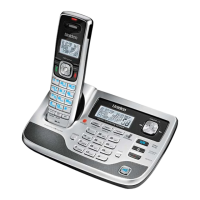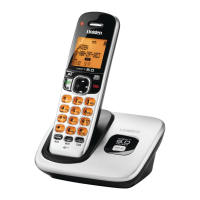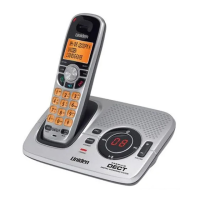
EasyManua.ls Logo

Uniden DECT2035 - User Manual

Uniden DECT2035
72 pages
Print Icon
To Next Page IconTo Next Page
Loading...
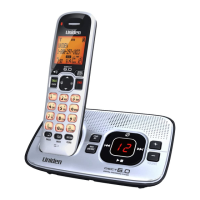
DECT2035
DECT2035+1
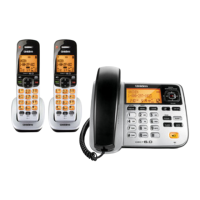
DECT2035+2
DECT 2035+1 OM.indb iDECT 2035+1 OM.indb i 15/7/08 11:59:34 AM15/7/08 11:59:34 AM

Table of Contents

Questions and Answers

  • J
    Jessica JohnsonSep 23, 2025
    What to do if Uniden Telephone has liquid damage?
    • J
      Jason JohnsonSep 23, 2025
      If the handset or base of your Uniden Telephone is exposed to moisture or liquid, but only the exterior plastic housing is affected, wipe off the liquid and use as normal. If moisture or liquid has entered the plastic housing (i.e., liquid can be heard in the phone or has entered the handset battery compartment or vent openings on the base), follow the steps to dry the device.
  • C
    Christina MartinezAug 23, 2025
    How to fix Uniden Telephone handset not working?
    • L
      lawsonkimberlyAug 23, 2025
      If your Uniden Telephone handset is not working, check the battery pack connection. Charge the battery for 15-20 hours. You can also try resetting the handset.
  • A
    Adam WhiteAug 25, 2025
    How to fix weak audio on Uniden DECT2035?
    • C
      Chad ColeAug 25, 2025
      To resolve a weak or hard-to-hear audio issue on your Uniden Telephone, try adjusting the volume of the earpiece or the audio tone. Also, try moving around while on a call or moving closer to the base to see if the sound improves. Ensure the handset’s battery is fully charged.
  • R
    Rachel KimAug 27, 2025
    How to eliminate static from Uniden DECT2035 line?
    • L
      larsonsheilaAug 27, 2025
      To address noise or static on the line with your Uniden Telephone, check nearby for common interference sources. Try moving the handset away from any suspected source, or move the source itself so it is not between the handset and the base.
  • J
    jacobdiazAug 27, 2025
    What to do if Uniden DECT2035 Telephone handset says Unavailable?
    • J
      jessicabishopAug 28, 2025
      If your Uniden Telephone handset displays 'Unavailable', move the handset closer to the base. Check if another handset has Privacy Mode turned on. Also, ensure that the base is properly plugged in.
  • K
    Karen CooperSep 18, 2025
    How to fix Uniden DECT2035 charge LED not working?
    • J
      James ParkSep 18, 2025
      If the charge LED won’t illuminate when the handset is placed in the cradle of your Uniden Telephone, check the AC adapter connection and re-seat the handset in the cradle.
  • K
    Kyle MooreSep 15, 2025
    What to do if Uniden Telephone handset has liquid damage?
    • N
      Nathaniel BlakeSep 15, 2025
      If you are experiencing liquid damage to your Uniden Telephone handset, remove the battery cover and leave it off for ventilation. Disconnect the battery pack, leaving the cover off and the pack disconnected for at least 3 days. Once completely dry, reconnect the battery pack and cover. Recharge the handset’s battery pack for 15 to 20 hours before using.
  • B
    Brittany FullerSep 16, 2025
    What to do if Uniden DECT2035 Telephone base has liquid damage?
    • D
      Deborah HendersonSep 16, 2025
      If you are experiencing liquid damage to your Uniden Telephone base, disconnect the AC adapter from the base to cut off electrical power and disconnect the telephone cord. Let it dry for at least 3 days.
  • K
    Katherine MorrisSep 6, 2025
    Why Uniden DECT2035 Telephone handset can make calls but doesn't ring?
    • D
      Darren HodgeSep 6, 2025
      If a handset can make calls, but it doesn’t ring or receive a page on your Uniden Telephone, make sure the ringer isn’t turned off.
  • M
    Mitchell WhiteSep 3, 2025
    Why Uniden Telephone answering system records incomplete messages?
    • P
      Patricia WilsonSep 4, 2025
      If messages are incomplete on your Uniden Telephone answering system, the incoming messages may be too long, so ask callers to leave a brief message. The memory may also be full, so delete some or all of the saved messages.

Summary

Phone Installation and Setup

Choosing the Best Location

Guidelines for placing the phone base to ensure optimal performance and avoid interference.

Installing the Battery and Connecting Power

Step-by-step instructions for installing the handset battery and connecting the AC adapter.

Connecting to the Phone Line and Testing

Procedures for connecting the phone to the telephone line and verifying the connection.

Expanding Your Phone System

Instructions for adding accessory handsets and managing multiple bases.

Understanding and Customizing Your Phone

Phone Features and Components

Overview of phone features, answering system functions, and parts of the handset/base.

Navigating the User Interface

Details on display icons, four-way function key, handset menu, and text entry.

Basic Setup and Customization

Setting day/time, personalizing rings, key tones, and name tagging.

Phonebook Management and Calling

Creating, finding, editing, and deleting phonebook entries; making calls from phonebook.

Advanced Call Handling and Special Features

Caller ID, Call Waiting, and Redial

Using Caller ID lists, handling call waiting, and redialing numbers.

Audio Adjustments and Call Management

Adjusting volumes, and handling calls with hold, conference, transfer.

Special Features (Privacy, Intercom)

Using Privacy Mode, Intercom for internal communication.

Answering System Operation

Setting Up the Answering System

Recording greetings, setting rings, record time, and message/call screen alerts.

Using the Answering System

Turning system on/off, remote operation, reviewing messages, screening calls, PIN settings.

Maintenance, Troubleshooting, and Safety

Wall Mounting and Maintenance

Instructions for wall mounting the base, specifications, battery care, and cleaning contacts.

Troubleshooting Common Issues

Solutions for common problems like no display, no calls, static, or liquid damage.

Important Safety Precautions

Essential safety instructions, warnings, and precautions for using the phone equipment.

Warranty Information

One Year Limited Warranty Details

Details of the limited warranty, coverage, exclusions, and claim procedure.

Uniden DECT2035 Specifications

General IconGeneral
TypeCordless Phone
TechnologyDECT 6.0
ExpandableYes
Caller IDYes
Call WaitingYes
SpeakerphoneYes
Handset LocatorYes
DisplayLCD
Answering MachineNo
IntercomYes
Headset Jack2.5mm
Battery LifeUp to 10 hours talk time
RangeUp to 500 feet
Handsets1

Related product manuals