EasyManua.ls Logo

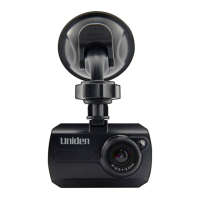
Uniden CAM250 - User Manual

Uniden CAM250
20 pages
Print Icon
To Next Page IconTo Next Page
Loading...
CAM250
Issue 1, July 2015
© 2015 Uniden America Corporation
Irving, Texas
OWNER’S MANUAL
AUTOMOTIVE VIDEO RECORDER
Question and Answer IconNeed help?

Do you have a question about the Uniden CAM250 and is the answer not in the manual?

Summary

IMPORTANT SAFETY INSTRUCTIONS

PRODUCT OVERVIEW

Key Features

Lists essential capabilities like HD recording, infrared night vision, and G-Sensor.

WHATS IN THE BOX

CONTROLS AND INDICATORS

INSTALLATION AND TURNUP

Attach Windshield Mount

Step-by-step instructions for securely mounting the device.

Install MicroSD Card

Guidance on inserting and removing the necessary memory card.

Powering Up the Device

Procedures for connecting power and turning on the CAM 250.

BATTERY OPERATION

OPERATING THE CAM 250

Record Mode Operations

Instructions for starting, stopping, and managing video recordings.

Photo Mode Operations

Guide on how to take still snapshots of live video.

Playback Mode Operations

Instructions for reviewing recorded videos and snapshots.

CONNECTING TO A PC

Mass Storage Mode

How to access and manage files on the SD card via PC.

PC Camera Mode

Instructions for using the CAM250 as a webcam.
TROUBLESHOOTING

TECHNICAL SPECIFICATIONS

FCC;INDUSTRY CANADA INFORMATION

ONE-YEAR LIMITED WARRANTY

Summary

IMPORTANT SAFETY INSTRUCTIONS

PRODUCT OVERVIEW

Key Features

Lists essential capabilities like HD recording, infrared night vision, and G-Sensor.

WHATS IN THE BOX

CONTROLS AND INDICATORS

INSTALLATION AND TURNUP

Attach Windshield Mount

Step-by-step instructions for securely mounting the device.

Install MicroSD Card

Guidance on inserting and removing the necessary memory card.

Powering Up the Device

Procedures for connecting power and turning on the CAM 250.

BATTERY OPERATION

OPERATING THE CAM 250

Record Mode Operations

Instructions for starting, stopping, and managing video recordings.

Photo Mode Operations

Guide on how to take still snapshots of live video.

Playback Mode Operations

Instructions for reviewing recorded videos and snapshots.

CONNECTING TO A PC

Mass Storage Mode

How to access and manage files on the SD card via PC.

PC Camera Mode

Instructions for using the CAM250 as a webcam.

TROUBLESHOOTING

TECHNICAL SPECIFICATIONS

FCC;INDUSTRY CANADA INFORMATION

ONE-YEAR LIMITED WARRANTY

Uniden CAM250 Specifications

General IconGeneral
BrandUniden
ModelCAM250
CategoryDVR
LanguageEnglish

Related product manuals