EasyManua.ls Logo

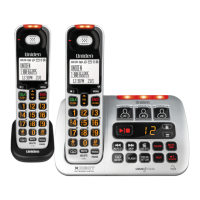
Uniden XDECT SSE35 Series - User Manual

Uniden XDECT SSE35 Series
36 pages
Print Icon
To Next Page IconTo Next Page
Loading...
1
XDECT SSE35
Series
For more exciting new products please visit our website:
Australia: www.uniden.com.au
New Zealand: www.uniden.co.nz

Questions and Answers

  • S
    Sydney MyersAug 1, 2025
    What to do if Uniden XDECT SSE35 Cordless Telephone handset is not working?
    • D
      Donald WilsonAug 1, 2025
      If a handset of your Uniden Cordless Telephone is not working, you should: * Charge the battery for 15-20 hours. * Check the battery connection.
  • L
    Lori MeyerAug 7, 2025
    How to fix Uniden XDECT SSE35 when no handsets can make calls?
    • A
      Amy WrightAug 8, 2025
      If no handsets of your Uniden Cordless Telephone can make or receive calls: * Check the telephone cord connection. * Disconnect the base AC adaptor for a few minutes; then reconnect it.
  • R
    Rose KennedyAug 13, 2025
    What to do if Uniden XDECT SSE35 Cordless Telephone can make calls but won't ring?
    • B
      bmcgeeAug 13, 2025
      If your Uniden Cordless Telephone handset can make calls but doesn’t ring, ensure that the ringer is turned on.
  • E
    ejohnsonAug 19, 2025
    Why do callers sound weak on my Uniden XDECT SSE35?
    • A
      ashley40Aug 19, 2025
      If callers sound weak or soft on your Uniden Cordless Telephone, try these steps: * Move the handset closer to the base. * Keep the handset’s battery fully charged. * Increase the earpiece volume.
  • T
    Tracy TuckerAug 25, 2025
    How to fix noise or static on Uniden Cordless Telephone line?
    • N
      ngarciaAug 25, 2025
      If you experience noise or static on your Uniden Cordless Telephone line: 1. Check for interference from appliances (microwave ovens, TVs, etc.) or wireless devices (baby monitors, WiFi equipment, etc.). Move the handset or base away from the interference source. 2. Try to adjust the audio tone by pressing TONE during a call to cycle through Low Tone, Natural Tone (recommended for hearing aid users), or High Tone.

Summary

Important Safety Instructions

Installing Your Phone

Setup Procedures

Instructions on charging the battery, connecting the phone cord, and testing the connection.

Using the Menus

Handset Setup Menu

System Configuration Menus

Using Your Phone

Basic Call Operations

How to make, answer, hang up, and manage calls using the handset.

Caller ID and Call Waiting

Managing Call Lists

How to access and manage Caller ID and Redial lists.

Phonebook and Chain Dialing

Using Special Features

Audio Boost and DND Mode

Explains the audio boost function and how to activate/deactivate Do Not Disturb mode.

Call Blocking

Multi-Handset Features

Privacy Mode and Call Transfer

How to use privacy mode and transfer calls between handsets.

Intercom and Other Features

Using the Answering System

Answering System Settings and Options

Options for configuring the answering system, like security code, ring time, and record time.

Answering System Operations

Accessing and Managing Greetings

How to access messages and record/switch/delete personal greetings.

Message Playback and Management

Remote Answering System Access

Important Information and Troubleshooting

General and Audio Problem Solving

Solutions for general phone issues, no calls, no ring, and audio problems like noise or weak sound.

Specific Troubleshooting Areas

Caller ID, Multi-handset, and Answering System Issues

Troubleshooting for Caller ID, call transfers, handset availability, and answering system malfunctions.

System Maintenance

One-Year Limited Warranty

Warranty Terms, Exclusions, and Covered Parts

Outlines the terms, conditions, exclusions, and covered parts of the product warranty.

Obtaining Warranty Service

Warranty Remedies and Consumer Rights

Describes remedies under warranty and consumer protection laws.

Warranty Service Procedure and Contacts

Instructions on how to obtain warranty service, including contact information.

Uniden XDECT SSE35 Series Specifications

General IconGeneral
BrandUniden
ModelXDECT SSE35 Series
CategoryCordless Telephone
LanguageEnglish

Related product manuals