
 Need help?
Do you have a question about the UNIMO Technology H.264 Real Time DVR and is the answer not in the manual?
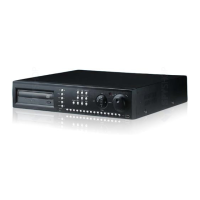
Explains the purpose and operation of buttons and LEDs on the front panel.
Details the various input/output ports and connectors on the rear of the device.
Step-by-step guide for powering the device on and off, including password entry.
Covers menu setup for recording parameters like resolution, quality, and conditions.
Instructions on how to play back recorded video data directly or via search.
Explains the different search modes available for recorded data.
Guides users through camera settings like name, screen adjustment, and PTZ setup.
Covers resolution, quality, speed, and recording conditions setup for each channel.
Details network setup including DDNS, IP address, DHCP, and PPPoE configurations.
Covers system-wide settings like DVR name, password, date/time, and language.
Details the RAMS software for remote access, monitoring, recording, and backup.
 General
| Video Compression | H.264 |
|---|---|
| Operating System | Embedded Linux |
| Video Input | BNC |
| Video Output | BNC, VGA, HDMI |
| Audio Input | RCA |
| Audio Output | RCA |
| USB Interface | USB 2.0 |
| Video Input Channels | 4/8/16 |
| Hard Drive Support | SATA HDD |
| Network Interface | RJ45 |
| Mobile Support | iOS, Android |

 To Next Page
