Need help?
Do you have a question about the UNIMO Technology UDR-816 and is the answer not in the manual?
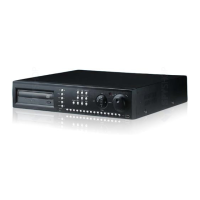
Explains the buttons, LEDs, and ports on the DVR's front interface.
Details the connectors and I/O ports on the DVR's rear panel.
Describes the remote controller and included accessories for operation.
Instructions for powering the DVR on and off safely.
Configuration of recording parameters like resolution and quality.
Steps to view and play recorded video files.
Various ways to search recorded video and event data.
How to back up recorded data to external media.
Introduction to software for remote access and management.
Configuration options for cameras and their specific settings.
Detailed settings for video recording parameters.
Configuration for events like motion detection and alarms.
Options to configure playback behavior and parameters.
Adjustments for screen output, resolution, and icons.
Setup for IP, DDNS, E-mail, and other network features.
General system configurations including date, time, and language.
Interface for managing and performing data backups.
Accessing and reviewing system event logs.
Displays system information like disk status and version.
Options for configuring search functions.
Features for changing and managing camera views.
Comprehensive guide to playing recorded footage.
Introduction to RAMS PRO for DVR control and monitoring.
Software to play back recorded images from backups.
Instructions for accessing the DVR via a web browser.
Overview of mobile apps for remote DVR viewing.
Step-by-step instructions for updating the DVR firmware.
Detailed hardware and feature specifications of the DVR.
Tables showing recording duration based on quality, FPS, and HDD.
 General
| Audio Output | 1 channel |
|---|---|
| USB Interface | 2 x USB 2.0 |
| Compression | H.264 |
| Network Interface | RJ45 |
| Operating Humidity | 10% ~ 90% |


 To Next Page