Service Manual
10
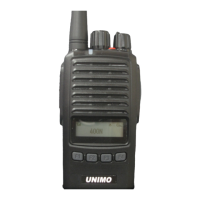
Menu Button
By pressing the menu button and entering, you can search, change, and set various function
s..
Function Button
In the CPS program, users can use the functions they need by assigning them to buttons..
EXT Speaker & Microphone Jack
You can connect and use external accessories (external speaker & microphone, earphones, et
c.) through the speaker & microphone jack located on the side of the terminal. Terminal pro
gramming is possible using a CPS program cable or cloning cable.
3.2 Status Display
Status LED
Users can recognize the current status of the terminal through the status display LED locat
ed at the top of the terminal. The status display is as follows
◼ Red LED on: Transmitting.
◼ Green LED on: Receiving.
◼ Blinking Red LED: Low Battery Level.
Graphic LCD display
By using a graphic type LCD, various special characters can be expressed freely, and the ra
dio's screen can be used in more diverse ways, making it convenient to use.
The LCD screen can display 12 English characters. In this area, you can select and display
a group, channel number, frequency, or pre-programmed channel name. Additionally, when usin
g menu mode, various information can be displayed and selected.
In addition, it contains 7 icons that allow you to intuitively recognize the terminal's usa
ge information and status, and you can use them to recognize the terminal's status.


 To Next Page
 Loading...