Service Manual
20
t, the channel changes to the next channel (channel number increases) with a “beep” sound.
If you press and hold the channel up/down button, the channel changes quickly and there is
no “beep” sound.
5.5 Change RF Power
Transmission output can be selected as high output or low output mode.
In a good communication environment, you can extend battery usage time by changing to low o
utput mode.
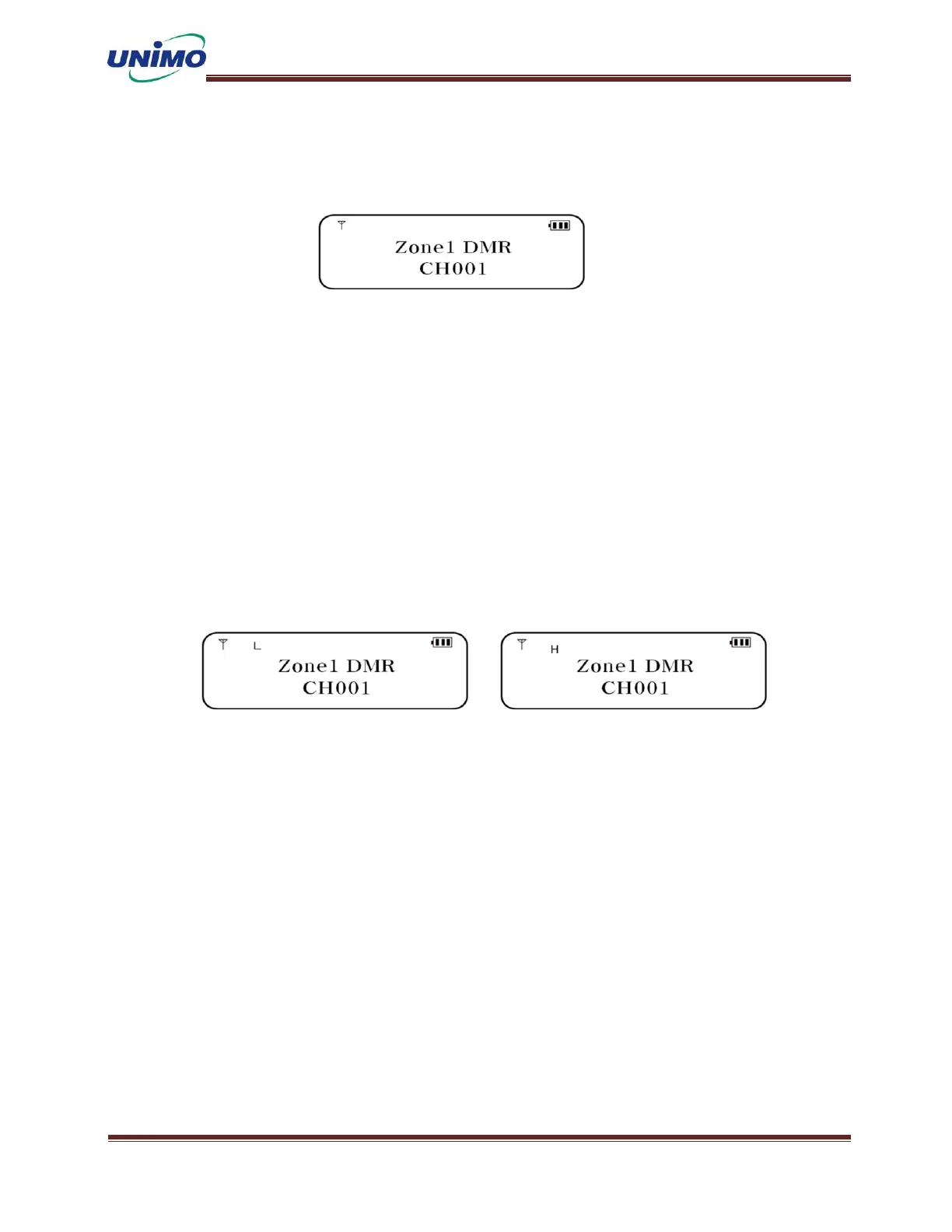
For channels saved in high output mode, the “H” icon lights up on the LCD.
For channels selected in low output mode, the “L” icon lights up on the LCD.
The transmission output mode can be set in advance using the CPS program, and can be change
d by the user through menu mode or a set button.
< LOW POWER > < HIGH POWER >
5.6 Channel Scan
In call waiting mode, press the SCAN button. The SCAN function is executed with a “beep”
sound. Channel numbers for which scanning is set are displayed sequentially. To cancel the
function, press the MENU button again or turn the power off and then on.
SCAN channels can be set in advance using the CPS program..



 To Next Page