Service Manual
29
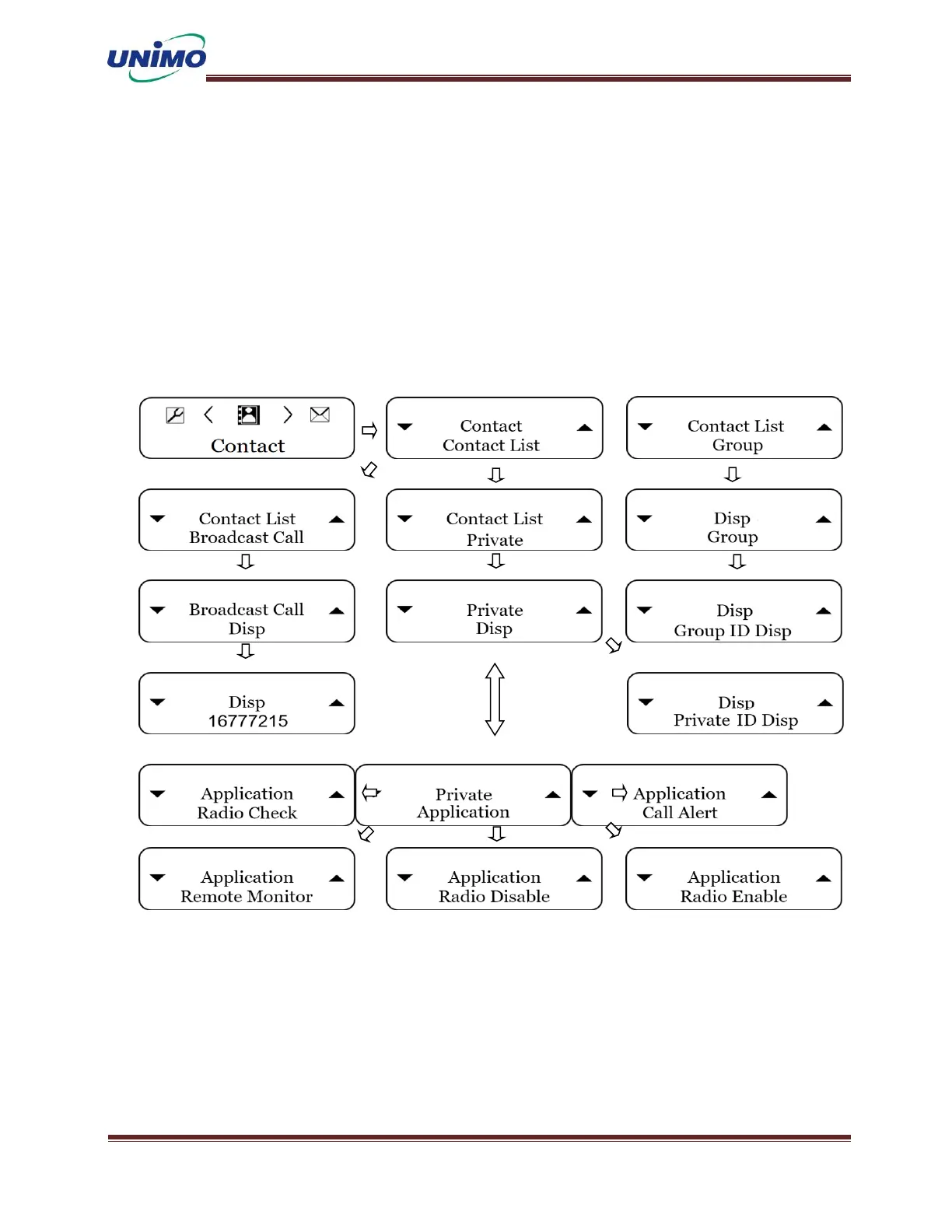
Contact
A total of 50 IDs are available for this equipment, and each phone number can be set in
the CPS program and menu.
◼ ‘MENU’ button (LCD display: “Contact”)
◼ ‘MENU’ button again (LCD display: “Contact List”) and the ID will be displayed.
◼ the ‘MENU’ button again (LCD display: “ID Display”)
◼ Use the ‘UP, DOWN’ keys to check the desired ID.
◼ Press the ‘ESC’ button to exit the menu mode.



 To Next Page