UBio-X Pro Lite User Guide
21
UNIONCOMMUNITY Co., Ltd.
Addr : 12F, Munjeong Daemyeong Valeon bldg, 127 Beobwon-ro Songpa-gu,
Seoul, Korea (zip code : 05836)
Tel : +82-2-6488-3000, Fax : +82-2-6488-3099
E-Mail :sales@unioncomm.co.kr; http://www.unioncomm.co.kr
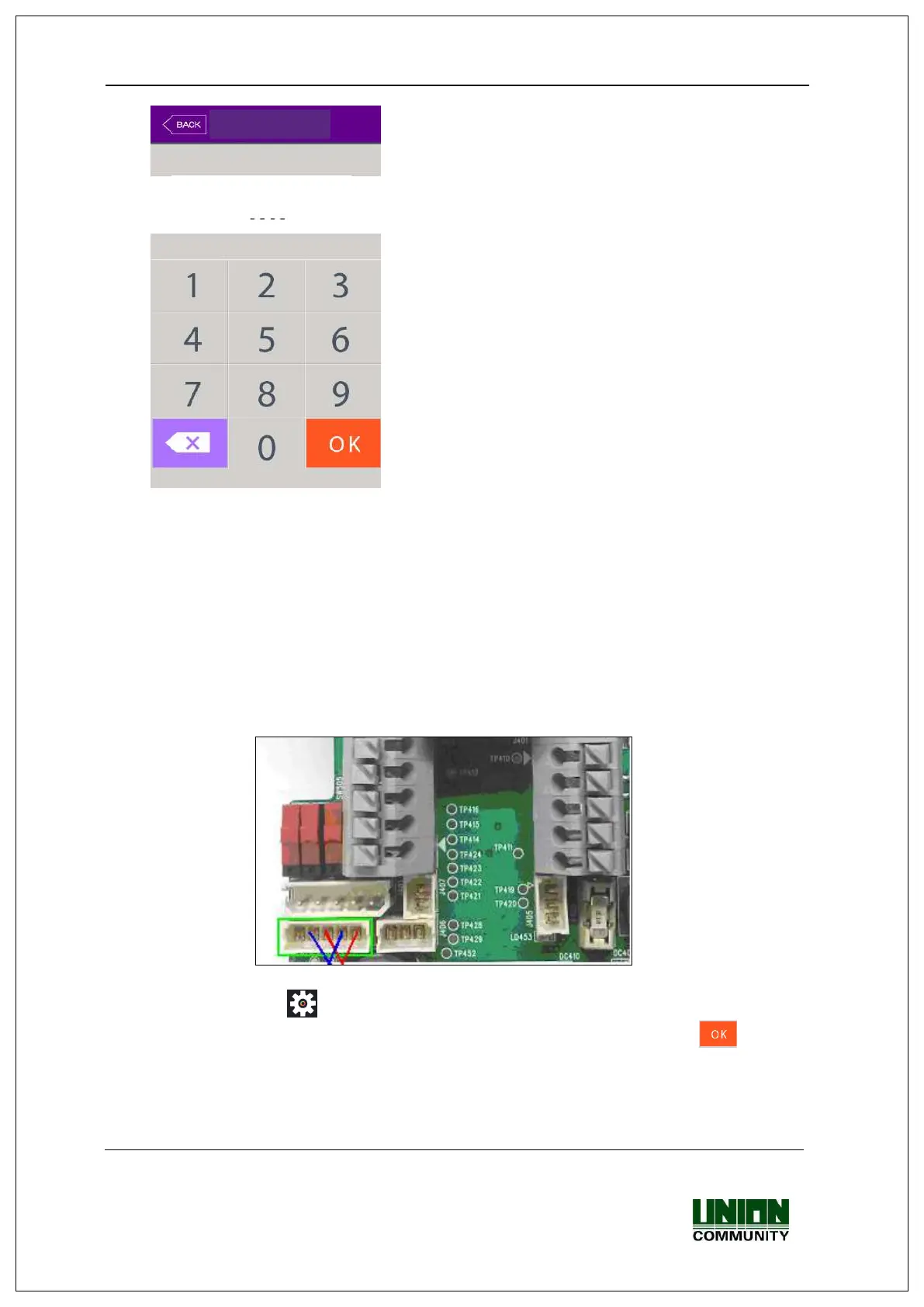
▶ Administrator authorization
If you enter the administrator ID, the administrator
authorization is fulfilled along with the authorization
method of the administrator such as card, fingerprint,
face, or password.
The administrator authorization only appears when
the registered administrator exists. The
authorization is fulfilled only once when entering the
menu mode and you can access to all the menu until
you quit the main menu.
<Fig. 3-2>
3.1.3. How to enter the menu without administrator authorization
It is how to enter the menu when the fingerprint or face authorization is impossible because
the administrator card registered in the terminal was lost or there is no administrator.
① Open the cover by removing the bracket at the backside of the terminal
② With the opened cover, connect the 5pin connector number 1 with 3, and 2 with 4 at
the bottom of the backside of the terminal.
<Fig3-3>
③ Click the icon at the basic window to enter the administrator authorization
window in <Fig. 3-2>, and fill the administrator ID with ‘0’ and click [ ] button,
then you can enter the menu window.
▶ Be sure to remove the connection pin of the connector after modifying the setting value.


 To Next Page
 Loading...