Need help?
Do you have a question about the Unisurf USFT51L10BLK and is the answer not in the manual?
Lists the items included in the tablet's packaging.
Instructions for fully charging the device battery before first use.
Steps to properly insert a memory card into the designated slot.
Procedures for turning the device on/off and activating flight mode.
Identifies physical buttons, ports, and indicators on the tablet.
Explains how to scroll through different home screen panels and view indicators.
Guide on adding application icons and widgets to the home screen.
Describes the purpose and functions of the buttons in the task bar.
Explains icons displayed in the status bar and how to access notifications.
How to manage automatic screen rotation and lock/unlock the device.
Using the on-screen keyboard for text input and changing methods.
Options for uninstalling, managing apps, and customizing device preferences.
Setting screen locks, passwords, and performing a factory data reset.
Step-by-step instructions for configuring email accounts on the device.
Instructions for creating, setting up, and managing Gmail accounts and messages.
Steps for writing, attaching files, and sending emails.
Navigating websites, managing browser windows, and bookmarks.
Guide on searching and downloading applications via the Google Play Store.
Organizing files, viewing images, and basic photo operations.
Cropping, applying effects, and setting images as wallpaper or contacts.
Instructions for playing video content on the device.
Managing music files, creating, and deleting playlists for listening.
Steps and modes for capturing images using the device camera.
Detailed instructions for recording video clips and camera settings.
Using the calendar to view dates, create events, and set reminders.
Procedures for setting, managing, and stopping alarms.
Storing, browsing, and managing files and folders on the device.
Recording voice memos using the built-in sound recorder application.
Utilizing the device as a basic calculator for arithmetic operations.
Connecting the tablet to a computer for file transfer via USB.
Steps to activate and connect to available Wi-Fi networks.
Setting up and establishing virtual private network connections.
Sharing the device screen wirelessly to a larger display.
Safety rules for operating the device during flights.
Precautions for using the device while driving.
Potential interference issues with other electronic equipment.
Safety procedures for use in areas with explosive atmospheres.
Guidelines regarding pacemakers and other sensitive medical devices.
Safe usage practices in various operating environments.
Following regulations in restricted or posted areas.
Recommends using only manufacturer-approved accessories for device longevity.
Protecting the device from humidity, dust, and extreme temperatures.
Instructions to prevent damage from drops, impacts, and metal objects.
 General
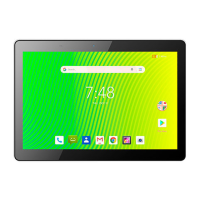
| Color | Black |
|---|---|
| Processor | Quad-Core |
| RAM | 2 GB |
| Storage | 32 GB |
| Display Size | 10.1 inches |
| Operating System | Android |
| Resolution | 1280 x 800 |

 To Next Page