EA300 User’s Manual
1.4 Getting Started
1.4.1 Installing the Battery
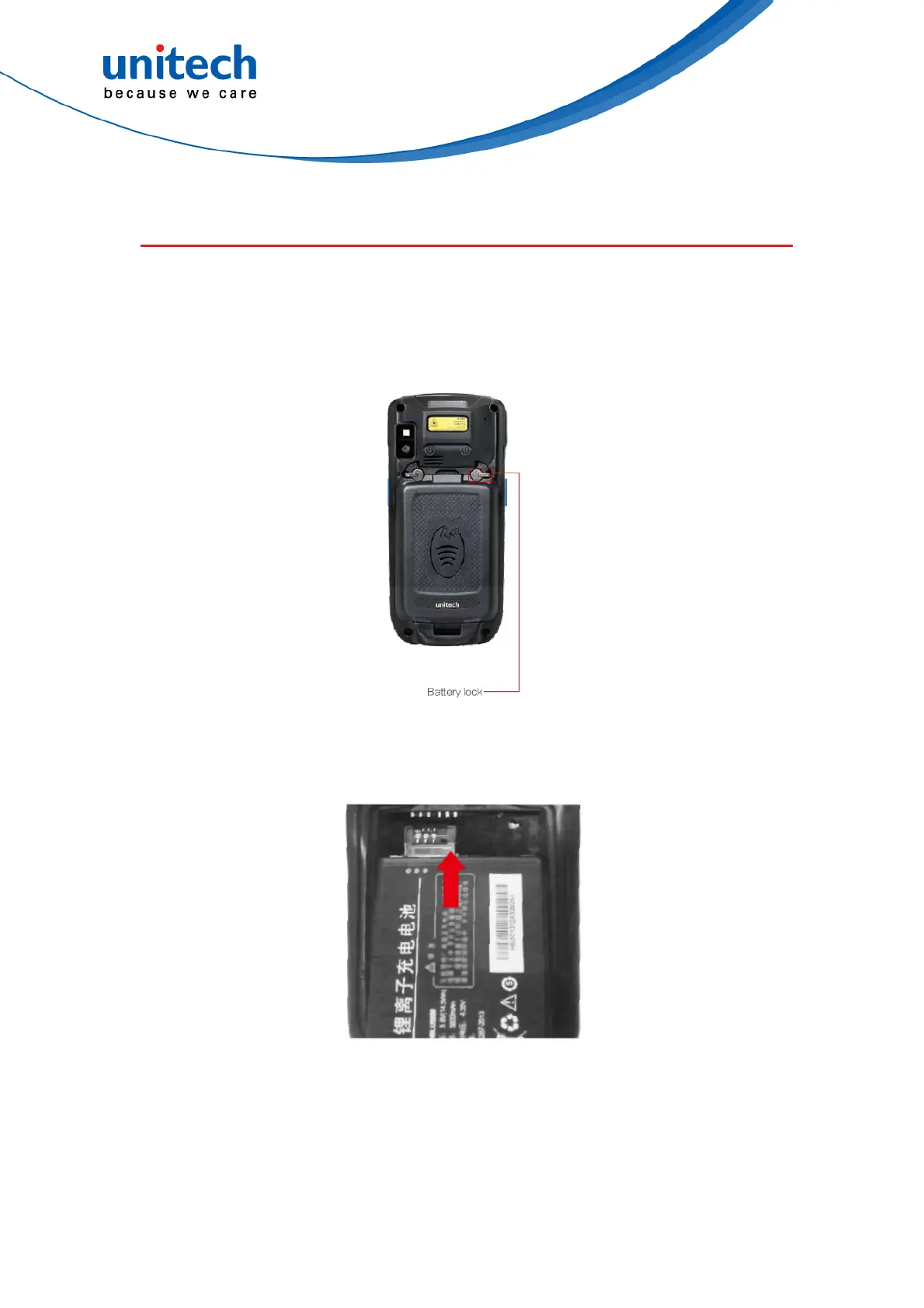
1. To loosen the two knobs on the battery cover. And lift up the battery cover
to remove it.
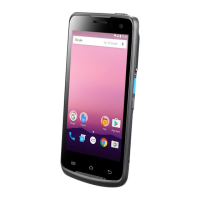
2. Slide the battery into the battery compartment and making sure the battery
contacts are aligned with the contacts in the compartment.
Close the battery cover and tighten the two knobs on the battery cover.
8
© 2018 unitech Electronics Co., Ltd. All rights reserved.
unitech is a registered trademark of unitech Electronics Co., Ltd.



 To Next Page