EasyManua.ls Logo

Universal Audio Apollo X6 - User Manual

Universal Audio Apollo X6
47 pages
Print Icon
To Next Page IconTo Next Page
Loading...
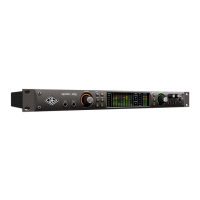
Apollo x6 Hardware Manual
Thunderbolt 3 Audio Interface
www.uaudio.com
Manual Version 180828

Questions and Answers

  • J
    Joseph GonzalesAug 18, 2025
    Why is the Universal Audio Accessories HOST indicator unlit or red?
    • A
      Ashley FloresAug 18, 2025
      The HOST indicator might be unlit or red due to several reasons. First, check the Thunderbolt 3 connections. Then, make sure the Apollo X software is installed. If the issue persists, power the Apollo X off and on, and restart your computer. If that doesn't work, reinstall the Apollo X software or try using a different Thunderbolt 3 cable.
  • L
    Laura RodriguezAug 20, 2025
    What to do if my Universal Audio Accessories unit won’t power on?
    • J
      jacob57Aug 20, 2025
      If your unit won’t power on, check the power supply connections at both the power supply input and the back of the unit. Ensure the power switch is in the UP position. Also, verify that AC power is available at the wall socket by plugging in another device.
  • R
    riveralisaAug 23, 2025
    How to fix audio glitches and dropouts during playback with Universal Audio Accessories?
    • W
      william52Aug 23, 2025
      If you are experiencing audio glitches or dropouts during playback, try increasing the audio buffer size setting. Also, confirm your clocking setups by checking cable connections and ensuring all device clocks are synchronized to one master clock device.
  • K
    Kevin LandryAug 26, 2025
    What to do if I can't hear anything from my Universal Audio Accessories monitor output?
    • R
      Ralph WhiteAug 26, 2025
      If you're not getting any sound from your monitor output, first, check the connections, power, and volume of your monitoring system. Make sure the monitor knob is turned up and that the monitor outputs are not muted (push the monitor knob). Finally, check if the monitor LEDs are active to ensure signal flow.
  • C
    cherylvangAug 27, 2025
    Why can't I hear my mic or line input(s) on my Universal Audio Apollo X6 Accessories?
    • B
      Bradley Jones DDSAug 28, 2025
      If you can't hear your mic or line inputs, first ensure the mic/line switch setting is correct for the channel. Also, confirm that nothing is plugged into the channel’s Hi-Z input and that the MUTE is not engaged in the Console input channel strip.
  • C
    cliffordpughAug 30, 2025
    How to stop static or white noise from Universal Audio Accessories when nothing is plugged in?
    • B
      Bobby OrozcoAug 30, 2025
      If you hear static or white noise when nothing is plugged in, mute or lower the preamp gain to the minimum on all unused preamp channels, as mic preamps can emit noise even without a connected device. Also, some UAD plug-ins model the noise characteristics of the original equipment; you can defeat the noise model in the UAD plug-in GUI or mute the channel containing the plug-in to temporarily eliminate the noise.
  • O
    oconnorjohnSep 1, 2025
    Why can't I hear my Hi-Z input(s) on Universal Audio Apollo X6 Accessories?
    • R
      Rachel WagnerSep 2, 2025
      If you're having trouble hearing your Hi-Z inputs, first confirm that the volume on the connected device is turned up. Also, ensure that the Hi-Z input cable is a 1/4” TS cable only (not TRS), and that MUTE is not engaged in the Console input channel strip.
  • R
    Robert KingSep 4, 2025
    What to do if Universal Audio Apollo X6 preamp controls have no effect on channel?
    • M
      Marc ValenzuelaSep 4, 2025
      If the preamp controls aren't affecting the channel, make sure the desired channel is selected for control by pushing the PREAMP knob. Remember that preamp controls are only available for preamp channels.
  • I
    ihowardSep 7, 2025
    Why can I only adjust preamp input channels on my Universal Audio Apollo X6?
    • B
      Belinda AlexanderSep 7, 2025
      Signal levels for all non-preamp inputs, including digital inputs, are adjusted at the device connected to those inputs.
  • R
    Richard VillarrealSep 9, 2025
    What to do if my Universal Audio Apollo X6 Accessories is behaving unexpectedly?
    • N
      Nathaniel KennedySep 9, 2025
      As a last resort, perform a hardware reset on the unit by following these steps: 1. Power off Apollo X 2. Press and hold the PREAMP, LOW CUT, and POLARITY controls 3. Power on Apollo X while continuing to hold all three controls 4. After all front panel LEDs flash rapidly (after several seconds), release the controls

Universal Audio Apollo X6 Specifications

General IconGeneral
BrandUniversal Audio
ModelApollo X6
CategoryAccessories
LanguageEnglish

Related product manuals