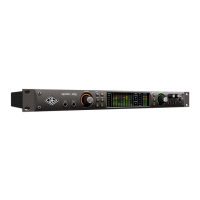
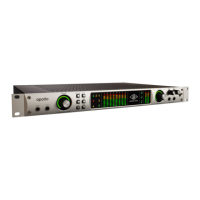
Apollo x6 Hardware Manual Front Panel 18
(13) Channel 1 & 2 Select Indicators
The currently selected preamp channel is indicated by the illuminated numbers above
level meters 1 and 2. When a preamp channel (or channels, when stereo linked) is
selected, its channel number is illuminated. The currently selected channel increments
when the PREAMP knob (#4) is pressed.
(14) Channel Level Meters
The 10-segment LED channel meters display the input or output signal peak levels for
analog channels 1 – 6. Input or output metering is selected with the METER switch
(#20). The input/output state is shown by the METER indicators (#17).
The dB values of the meter LEDs are indicated between the meters for channels 4 and 5.
When digital clipping occurs in input (when 0 dBFS is exceeded), the red “C” (clip) LED
illuminates.
Note: The LED meters for channels 7 and 8 are not functional.
Input Channel Meters
When set to INPUT, the channel meters display the signal peak input levels for analog
channels 1 – 6 at the input to the A/D converters.
Avoid digital clipping at the channel’s A/D converter by reducing the output level of the
device connected to the channel’s input, and/or in the case of channels 1 and 2, by
reducing the preamp gain and/or engaging the Pad (#9) and readjusting gain as needed.
Output Channel Meters
When set to OUTPUT, the channel meters display the signal peak output levels for analog
channels 1 – 6 at the output of the D/A converters.



 To Next Page