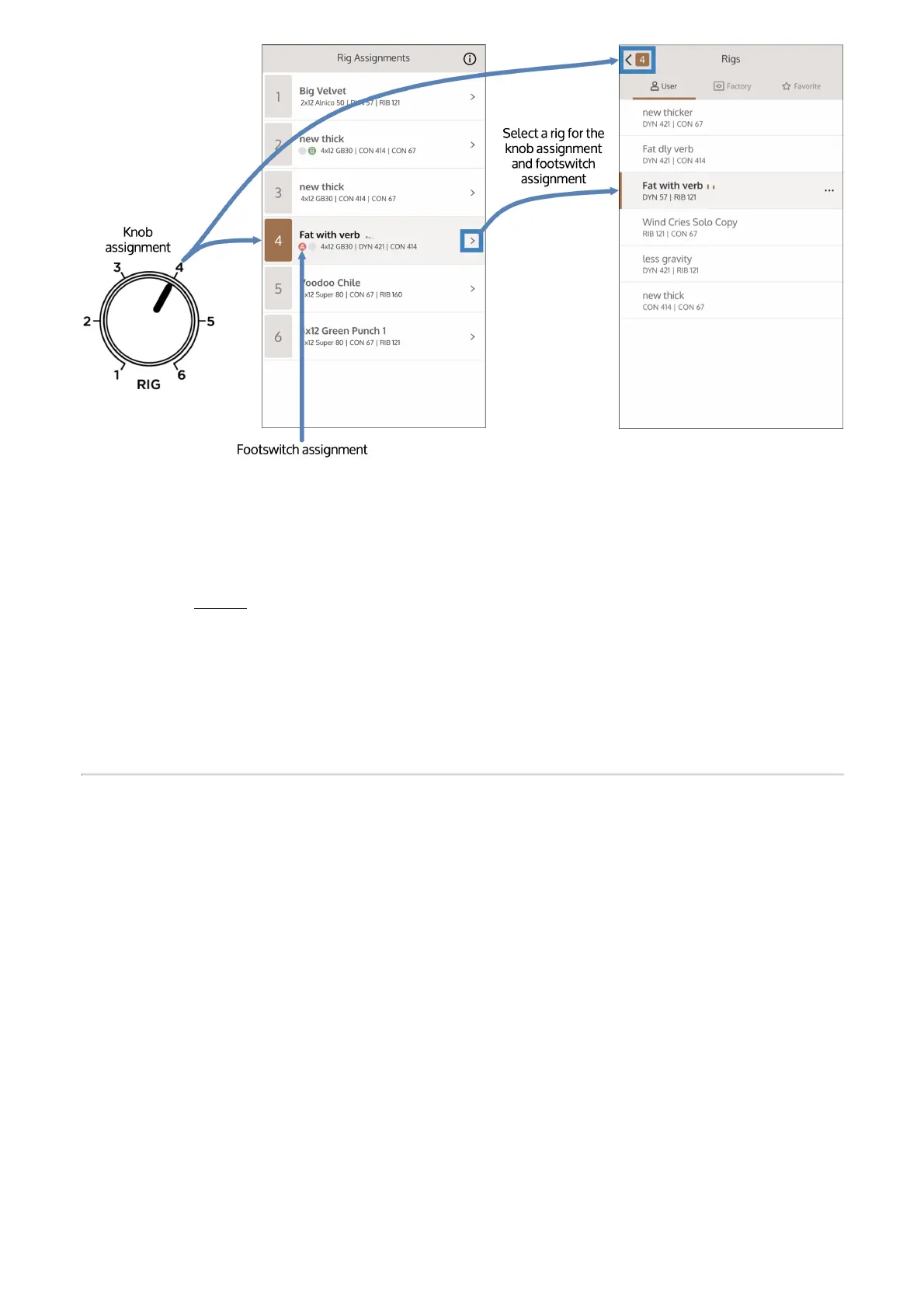
You can make changes to an active Rig using the knobs and switches. To save your changes on
the fly, press and hold the footswitch. Rigs saved this way are saved in a modified state; you can
permanently save these Rigs in the UAFX Control App. For more information on saving OX
Stomp Rigs, go here. You can also make deeper changes to a Rig using the UAFX Control app.
If you power off your OX Stomp, and then power it back on, the settings for each footswitch and
the Rig knob are recalled exactly as you left them, even if the knobs have moved.
OX Stomp Controls
Note that the knobs and switches on OX Stomp edit the currently selected Rig only. You can
save a Rig by pressing and holding the active footswitch until it blinks rapidly, or from within the
UAFX Control app.
Room
This control adjusts the amount of mic'd studio ambience and air. Increase this knob for more
room ambience, or decrease for a drier close-mic'd tone.



 To Next Page