To favorite or unfavorite a Rig, tap Favorite or Unfavorite.
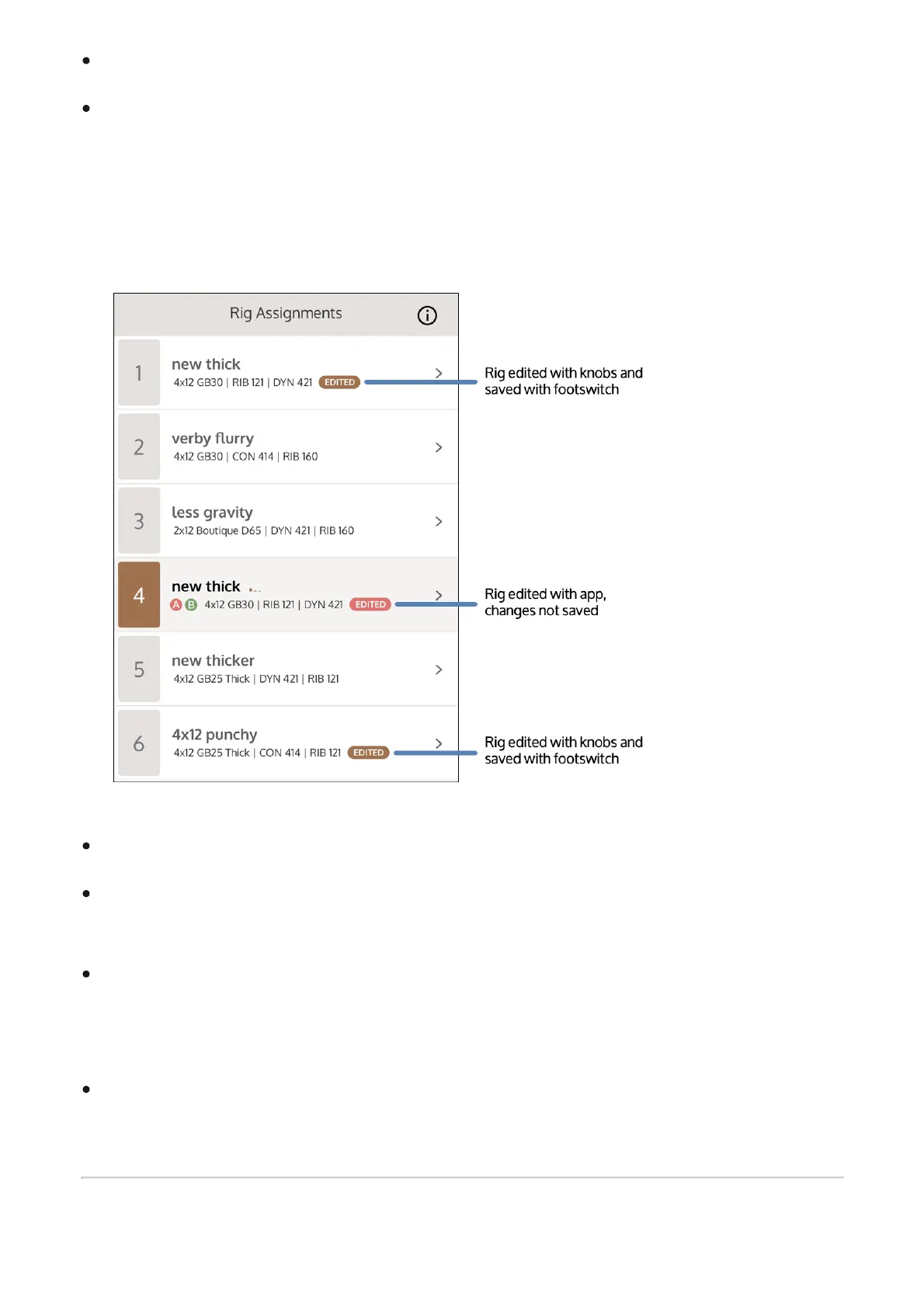
After you load a Rig, you can edit it by changing the knob and switch settings, or by editing
in the UAFX Control app. When a preset has been changed, the EDITED label appears next
to the name in the preset list. EDITED appears in a brown highlight when changes have
been saved with the footswitches. EDITED appears in a red highlight when changes have
been made in the app, and have not been saved.
To save a Rig, tap Save.
To save a copy of the Rig, tap Save A Copy. A Rig with the same name, and "Copy"
appended, is saved to the top of the User list.
To delete a Rig, tap Delete, then tap Confirm Delete when prompted. You can also swipe a
user Rig in the User and Favorite lists to the left, and tap the X, to delete. Note that factory
Rigs cannot be deleted.
Deleted user Rigs can be restored using the app's backup/restore features.



 To Next Page