Universal Remote Control, Inc.
www.universalremote.com
OCE-0030A Rev 09(10/18/07)
UR2-CBL-CV04
Operating Instructions
For CABLEVISION
Remote Control
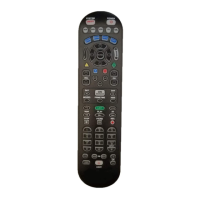
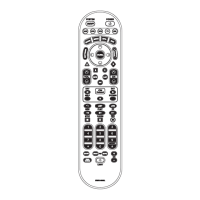
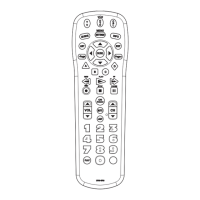
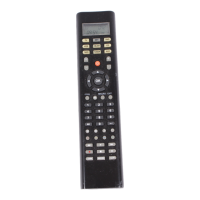
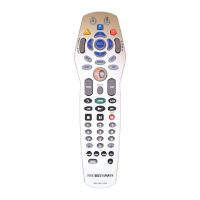
The remote control is designed to operate the
Scientific-Atlanta Explorer 8000, Pioneer
Voyager DVR and the Pace Micro DVR Series
set top boxes and the majority of TV's on the
market.
Introduction
1
Default State :
Device Default: Scientific-Atlanta Explorer
8000
Volume Default : TV volume and mute through
the TV, with the option of controlling volume
and mute through the Cable. Refer to Section D
for programming the volume and mute through
your Cable.
Operations
4
Replacing Batteries
2
Before you program or operate the remote control,
you must install two AA alkaline batteries.
STEP1
Remove the battery compartment cover
on the back of your remote control.
STEP2
Check battery polarity carefully, and
install the batteries as shown in the
illustration below.
STEP3
Replace the battery compartment cover.
Button Functions
3
Programming the Remote Control.
5
A. Three-Digit Code Programming Method.
The remote control can be programmed by pressing in a three digit code number that
corresponds to particular manufacturers and brands of TV.
The three-digit code numbers are listed in the code table of the instruction manual.
STEP1 Turn on the TV you wish to program.
STEP2 Press the [TV] button and the [SEL] button simultaneously for 3 seconds. The iO button
will turn on indicating the unit is ready to be programmed.
*Tip : The iO button will light on for 20 seconds. The next step must be entered while the iO button is on.
STEP3 Point the remote control toward the
TV and enter the three-digit code
number assigned to your brand
from the code tables.
*Tip : The TV will turn off when the correct
three-digit code number has been
entered. You can verify you have
selected the correct code by pressing
the [MUTE] button, the TV should turn
on or turn off.
*Note : If there is more than one three-
digit number listed for your brand,
try one code number at a time until
your TV turns off.
STEP4 Store the three-digit code number
by pressing the [TV] button once
again. The iO button will blink
twice to confirm that the code
has been stored.
*Note : Try all the functions on the remote
control. If any of the functions do not
work as they should, repeat from
Step 2 using the next three-digit code
number from the same brand list.
B. Auto Search Method.
If the three-digit code numbers assigned to
your brand do not turn off your TV or the
code tables do not list your brand, you can
use the Auto Search Method to find the
correct three-digit code number for your
TV by the following steps:
STEP1 Turn on the TV you wish to operate.
STEP2 Press the [TV] button and the [SEL]
button simultaneously for 3 seconds.
The iO button will turn on.
*Tip : The iO button will light on for 20 seconds.
The next step must be entered while
the iO button is on.
STEP3 Press the [CH+] or [CH-] button one
step at a time or keep it pressed.
The remote will emit a series of
Power ON/OFF commands. Release
the [CH+] or [CH-] button as soon as
the TV turns off.
*Tip : You can verify that you selected the
correct code by pressing the [MUTE]
button. The TV should either turn on or
turn off.
STEP4 Press the [TV] button to store the
code. The iO button will blink twice
to confirm that the code has been
stored.
www.universalremote.com

 Need help?
 General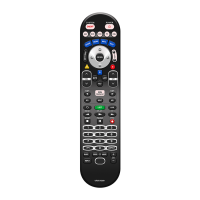




 To Next Page