System Settings Menu
Page 9
MX-980 OWNERS MANUAL
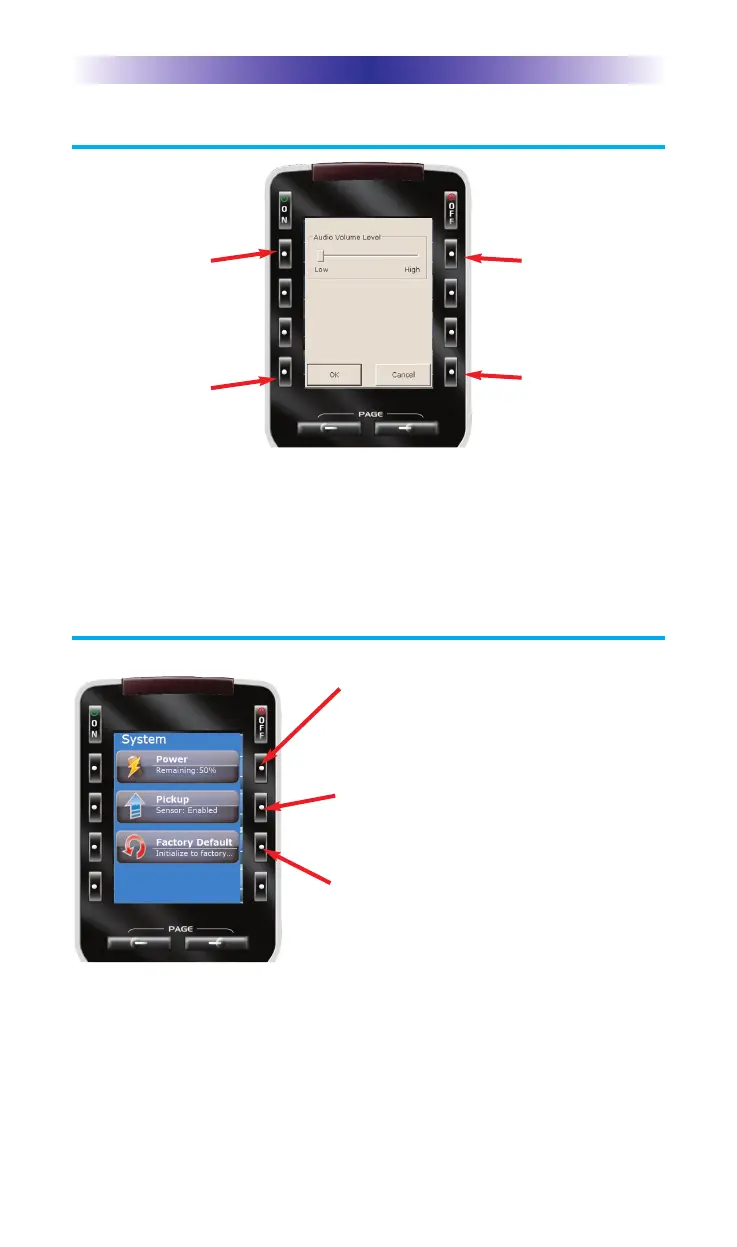
Sound Volume
Press this button
to raise the vol-
ume.
Press this button
to cancel any
changes you’ve
made and return
to the Main
Setting menu.
Press this button
to lower the vol-
ume.
Press this button
to save any
changes you’ve
made and return
to the Main
Setting menu.
POWER- Displays the current power
remaining and enables you to set the
level that triggers a warning when you
are using the MX-980.
PICKUP - The MX-980 normally turns
itself on when its angle is changed. This
can be disabled for diagnostic purposes.
FACTORY DEFAULT - WARNING!
This setting is for service use. Your
installer can erase all programming per-
manently, before downloading your
configuration back into the MX-980 via
his/her PC. This button may have been
disabled by your installer as a safety
measure.











 To Next Page