EasyManua.ls Logo

uniwatt UT202NP - User Manual

uniwatt UT202NP
12 pages
Print Icon
To Next Page IconTo Next Page
Loading...
S
Y
S
T
È
M
E
Q
U
A
L
I
T
É
C
E
R
T
I
F
I
É
-
R
E
G
I
S
T
E
R
E
D
Q
U
A
L
I
T
Y
S
Y
S
T
E
M
INS-UT202NP-0919
UT202NP
WWW.UNIWATT.CA
CONTACT@STELPRO.COM
1-844-STELPRO
UNIWATT is a line of products manufactured by Stelpro. For more information
please contact customer service.
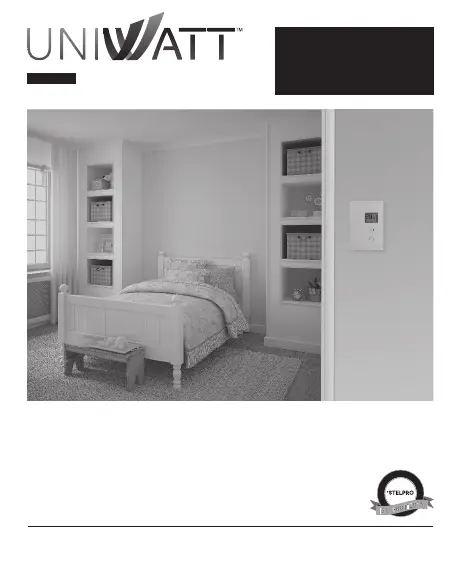
UT202NP SERIES
OWNER'S MANUAL
NON PROGRAMMABLE
ELECTRONIC THERMOSTAT
THANK YOU FOR YOUR PURCHASE!
QUESTION? PROBLEM? CONTACT STELPRO CUSTOMER SERVICE.

Questions and Answers

  • M
    manuelfergusonAug 12, 2025
    What to do if my uniwatt Thermostat display indicates E3?
    • S
      smithjenniferAug 12, 2025
      If your uniwatt Thermostat displays E3, it indicates a defective part or a condition needing verification, potentially overheating. First, verify that the installed load does not exceed the maximum load specified for the thermostat. If the load is within the limits and the error persists, contact customer service.
  • A
    Ashley FrenchAug 16, 2025
    What to do if my uniwatt Thermostat display indicates E1, E2, or E4?
    • C
      Christina StricklandAug 16, 2025
      If your uniwatt Thermostat displays E1, E2, or E4, this indicates a faulty thermal sensor. Contact customer service for assistance.
  • W
    William ReyesAug 20, 2025
    Why is the displayed ambient temperature incorrect on my uniwatt Thermostat?
    • R
      Robert FrazierAug 20, 2025
      If the ambient temperature displayed on your uniwatt Thermostat is incorrect, check for any air streams or heat sources located near the thermostat. Correct the situation by removing the source of the air stream or heat.
  • S
    Sergio HolmesAug 25, 2025
    Why does my uniwatt Thermostat display turn off and on again?
    • L
      lewismackenzieAug 25, 2025
      If the display of your uniwatt Thermostat turns off for a few minutes and then turns back on, it means the thermal protection of the heating unit has been triggered due to overheating. Make sure that the heating unit is in good working order and that there is enough free space around the unit, according to the manufacturer's instructions.
  • P
    paulmooreAug 27, 2025
    How to fix a uniwatt Thermostat when the display doesn't turn on?
    • G
      Gregory NunezAug 27, 2025
      If the display on your uniwatt Thermostat does not turn on, you should: - Check if the thermostat is properly connected. Refer to the installation section. - Verify the power supply at the electrical panel. - Check if the heating unit has a switch and ensure it is turned on.
  • A
    Ann PhillipsAug 31, 2025
    How to stop my uniwatt Thermostat from always heating?
    • O
      Oscar BakerAug 31, 2025
      If the heating is always on with your uniwatt Thermostat, check if the thermostat is properly connected. Refer to the installation section for guidance.
  • T
    Troy JonesSep 3, 2025
    What to do if uniwatt Thermostat indicates heating is on but it's not?
    • L
      Laura RogersSep 3, 2025
      If your uniwatt Thermostat indicates that heating is on, but the heating does not run, check if the thermostat is properly connected. Refer to the installation section.
  • M
    Mrs. Amy JonesSep 7, 2025
    Why does my uniwatt Thermostat display have low contrast when heating is on?
    • G
      Gerald CookSep 7, 2025
      If your uniwatt Thermostat display has low contrast when heating is on, it means that the load is lower than the minimum load. Install a heating unit that meets the thermostat's load limits.

Summary

WARNING

General Safety Instructions

Important safety instructions for installation and operation, including electrical connections and maintenance.

DESCRIPTION

Product Functionality and Compatibility

Explains the thermostat's function, accuracy, compatible load range, and details incompatible installations.

Included Parts

Lists the components included in the thermostat package, such as the thermostat unit, screws, and wire connectors.

INSTALLATION

Selecting Thermostat Location

Guides on choosing the optimal location for thermostat mounting, avoiding altered temperature readings.

Mounting and Electrical Connections

Details the steps for securely mounting the thermostat and making correct electrical connections.

Finalizing Installation Steps

Covers opening, wiring management, securing the thermostat, closing the door, and powering on.

OPERATION

Temperature Set Points Adjustment

Explains how to adjust the desired temperature set point using the thermostat's buttons, including range and increments.

Display Settings and Indicators

Instructions on switching temperature units and understanding the heating power indicator and frost-free warning.

SECURITY MODE

Activating and Deactivating Security Mode

Step-by-step guides to activate the security mode for setting a maximum temperature limit and how to deactivate it.

Parameter Saving and Power Failures

Explains how thermostat parameters are saved in memory and recovered after power interruptions.

TROUBLESHOOTING

Common Display and Operation Issues

Addresses problems like display not turning on, intermittent display, low contrast, weak luminosity, and heating system malfunctions.

Temperature Reading and Error Codes

Covers issues like incorrect ambient temperature, thermostat heating up, and interpretation of error codes E1, E2, E3, E4.

TECHNICAL SPECIFICATIONS

Voltage and Load Capacity

Details product code, supply voltage, and load limits at 120V and 240V.

Environmental and Operating Conditions

Covers storage and operating temperatures, humidity, and pollution degree.

Electrical and Safety Ratings

Details load control type, frequency, software class, impulse voltage, and overload protection.

LIMITED WARRANTY

Warranty Terms and Conditions

States the unit has a 2-year warranty and outlines the conditions required for its validity and limitations.

uniwatt UT202NP Specifications

General IconGeneral
Branduniwatt
ModelUT202NP
CategoryThermostat
LanguageEnglish