EasyManua.ls Logo

unni UN0581 - User Manual

unni UN0581
13 pages
Print Icon
To Next Page IconTo Next Page
Loading...
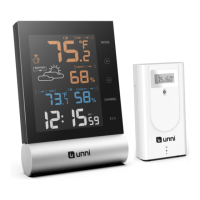
Digital Wireless Weather Station
OPERATING INSTRUCTION
Base unit: UN0581
Wireless sensor: UN02
If you want to know about our features or support solutions, please let us know! We really
hope that owning an Unni Technology product is not only a practical experience, but also a
pleasure.
Please email us at: unni_technology@hotmail.com

Questions and Answers

Summary

Package Included

Technical Data

Base Unit Technical Data

Details on the base unit's specifications including power supply, temperature and humidity ranges, and resolution.

Wireless Sensor Technical Data

Specifications for the wireless sensor, covering battery type, temperature range, protection rating, transmission frequency, and range.

Product Functions

Weather Station Functions

Features of the main weather station unit, including display capabilities for temperature, humidity, and trends.

Wireless Sensor Functions

Features of the wireless sensor, such as its transmission range and mounting options.

Weather Station Overview

Operating Elements and Parts

How to Set Up

Insert Batteries

Instructions for correctly inserting batteries into the wireless sensor and the weather station unit.

Setting the Weather Symbol

Procedure for setting the weather symbol on the weather station upon initial power-up.

Pairing the Outdoor Sensor

Advanced Display Features

Mold Indicator Explanation

Details on the mold indicator, its relation to temperature and humidity, and possible display readings.

Dew-Point Display

Explanation of the dew-point display, including its meaning and how values are shown.

Heat Index Information

Information on the heat index, its calculation based on temperature and humidity, and display variations.

Daily Max;Min Data

Other Functions

Low Battery Indicator

Information on the low battery indicator for the weather station and sensor, and steps to resolve.

Weather Trend Display

Explanation of how temperature and humidity trends are displayed using arrows.

Weather Forecast Icons

Details on weather forecast icons, their calibration period, and accuracy.

Temperature Alarm

Adding Extra Sensors

Sensor Placement Guide

Weather Station Placement Guide

Resetting the Weather Station

Care and Maintenance

Safety Precautions

Unpacking and Checking

FCC Compliance Statement

Disclaimers

Trouble Shooting

Warranty and Support

unni UN0581 Specifications

General IconGeneral
Brandunni
ModelUN0581
CategoryWeather Station
LanguageEnglish

Related product manuals