EasyManua.ls Logo

unni UN0585 - User Manual

Default Icon
20 pages
Print Icon
To Next Page IconTo Next Page
Loading...
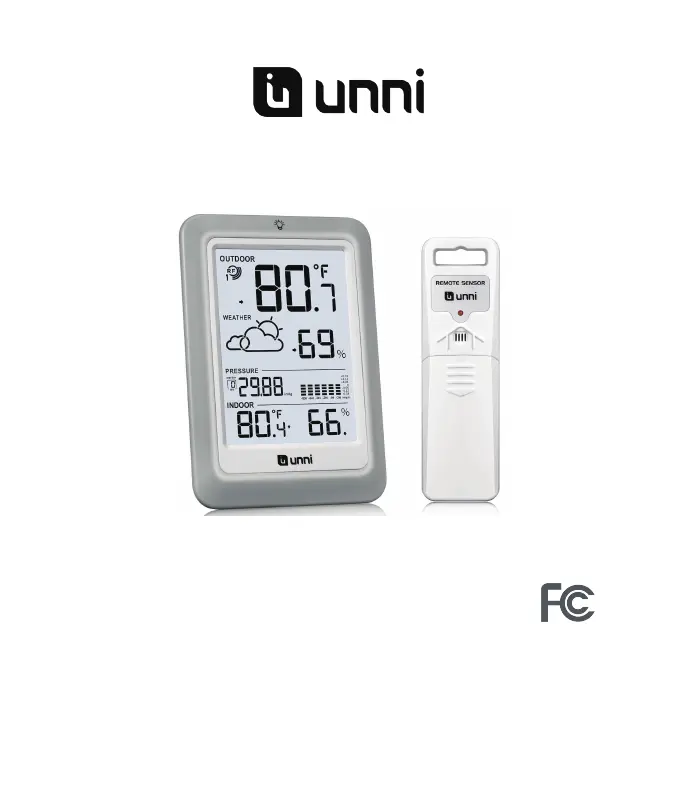
Digital Wireless Weather Station
OPERATING INSTRUCTION
Base unit: UN0585
Wireless sensor: UN02
If you want to know about our features or support solutions, please let us know! We
really hope that owning an Unni Technology product is not only a practical
experience, but also a pleasure.
Pleaseemail us at: unni_technology@hotmail.com

Questions and Answers

Summary

Product Information

Package Contents

Lists all items included in the weather station package.

Technical Specifications

Details base unit and wireless sensor technical data, ranges, and accuracy.

Device Overview and Features

Weather Station Functions

Outlines key functionalities of the weather station.

Wireless Sensor Functions

Outlines key functionalities of the wireless sensor.

Display Layout

Diagram and labels for all parts of the weather station display.

Setup and Initial Configuration

Base Unit Controls

Identifies and explains the function of buttons on the base unit.

Wireless Sensor Setup

Explains the controls and setup for the remote wireless sensor.

Initial Setup Steps

Guide for inserting batteries and initial configuration.

Sensor Pairing Process

Instructions on how to connect the wireless sensor to the base station.

Data Monitoring and Advanced Functions

Pressure Data and History

Viewing pressure history graphs and specific past readings.

Max;Min Data Tracking

Viewing and resetting maximum and minimum temperature/humidity records.

Trend Indicators

Explanation of arrows indicating temperature and humidity changes.

Weather Forecast Symbols

Interpreting the symbols used for weather forecasting.

Temperature and Frost Alerts

Details on frost risk alerts and snowflake symbol display.

Adding More Sensors

Information on expanding the system with more wireless sensors.

Placement, Maintenance, and Troubleshooting

Optimal Sensor Placement

Guidelines for placing the outdoor sensor for best performance.

Base Unit Placement

Recommendations for positioning the main weather station.

Factory Reset

Steps to restore the weather station to factory settings.

Care and Maintenance

Advice on cleaning and battery handling for longevity.

Troubleshooting Common Issues

Solutions for common problems like wireless interference or display issues.

Safety, Compliance, and Support

Safety Guidelines

Important safety advice for using the device.

FCC Compliance

Statement regarding compliance with FCC regulations.

Warranty and Support

Information on product warranty and how to get support.

unni UN0585 Specifications

General IconGeneral
Brandunni
ModelUN0585
CategoryWeather Station
Display TypeLCD
Power SourceBattery
Battery TypeAAA
Battery Quantity2
Wireless TransmissionYes
ClockYes
CalendarYes
AlarmYes
Transmission Range30 meters

Related product manuals