19
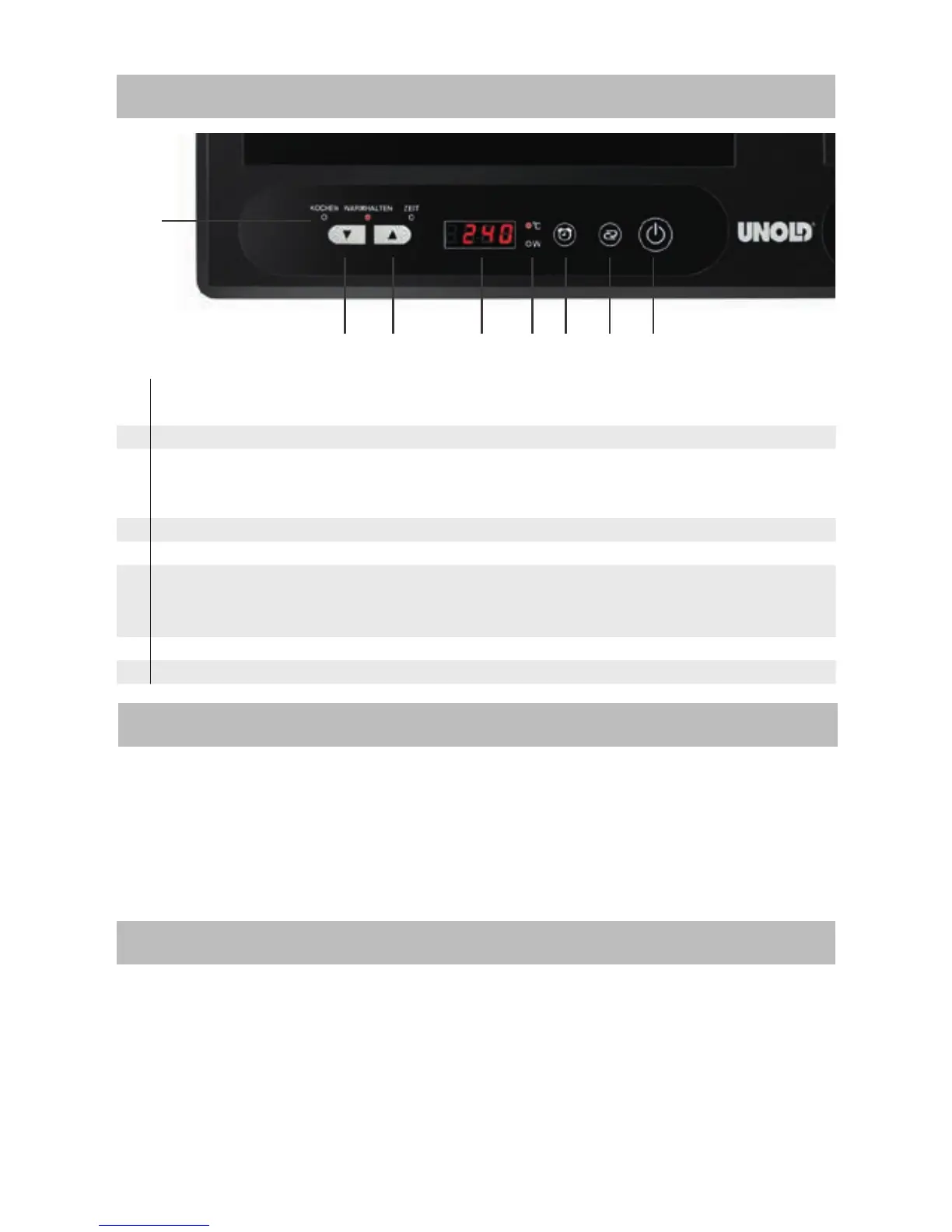
CONTROL PANEL
2 3 4 5 6 7
8
1
1 Indicator lamp: Cook/Keep warm/Time
2 Minus - button
3 Plus + button
The Plus and Minus buttons can be used for time settings, heating power
or temperature.
4 Display
5 °C/Watts display
6 Time button
You can use the timer to set the cooking duration. The time should not ex-
ceed 4 hours without interruption.
7 Function button
8 ON/OFF button
PREPARING THE APPLIANCE FOR OPERATION
1. Remove all packaging materials
and transport safety devices.
2. Wipe off the appliance with a
damp cloth.
3. Place the appliance on a level,
solid and dry surface with suffici-
ent clearance on all sides.
4. Plug the power cord into an elec-
trical outlet.
OPERATION OF THE INDUCTION BURNER
The double induction cooker features two separate burners which can be opera-
ted independently of each other. The left burner can be operated at maximum
power of 1,800 watts and the right burner at a maximum power of 1,600 watts.
If you use the temperature control, the maximum possible temperature for each
side is 240°C.
1. Plug the power cord into an elec-
trical outlet. A signal tone con-
firms that the appliance has been
switched on and the display lights
up. Then both displays show – –


 To Next Page