a.
Connect Projector to Wi-Fi router.
There are two methods to connect the projector to Wi-Fi router.
Method 1: Connect to Wi-Fi router through system menu
(1)
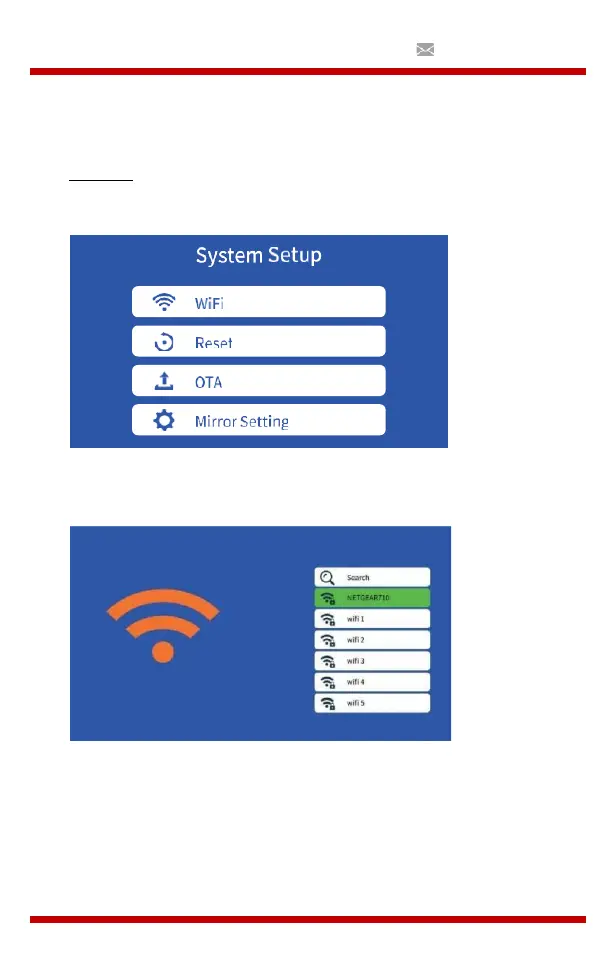
Select “Settings”
(2)
Select WiFi from System Setup menu, The projector will then scan
for nearby Wi-Fi connections.
(3)
Select the correct Wi-Fi from the search result list and enter the
password to connect.


 To Next Page