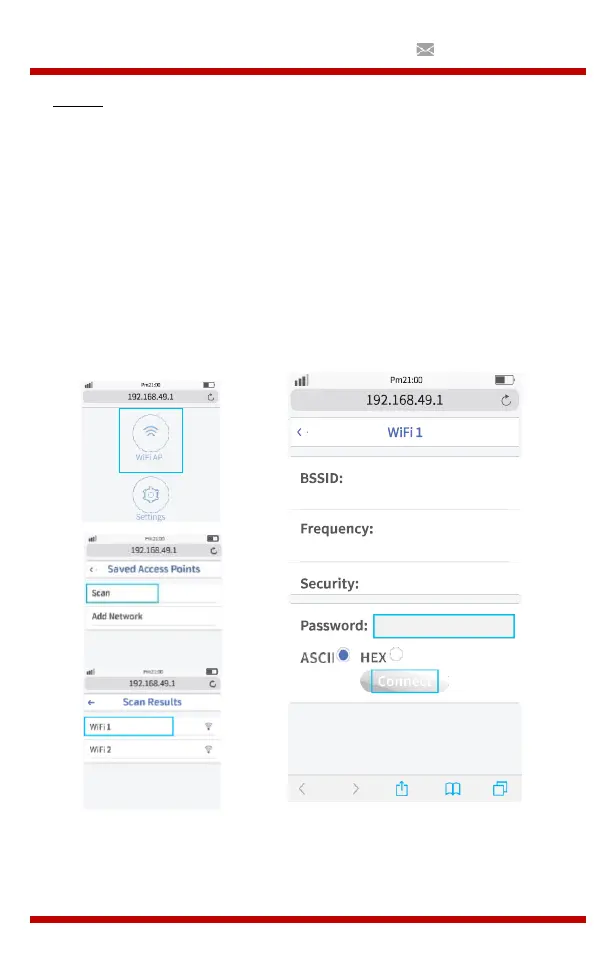
Method 2: Connect to Wi-Fi Router through browser.
(1)
Select iOS Screen function.
(2)
onnect your smart phone or laptop to the Wi-Fi of the projector,
for example: UPLIVING-B09586, select it and enter password
12345678, then the connection will be established.
(3)
pen the browser on your smartphone or laptop, visit
http://192.168.49.1 then you will see the projector configuration
page.
(4)
Choose WiFi AP- > Scan, select your Wi-Fi router's name from the list
and enter the correct password, then tap “Connect” to continue.
(5)
Your projector will then connect to the Wi-Fi router..


 To Next Page