b.
Android Display
Android has two connection methods
Method 1: Wireless connection (recommended)
(1)
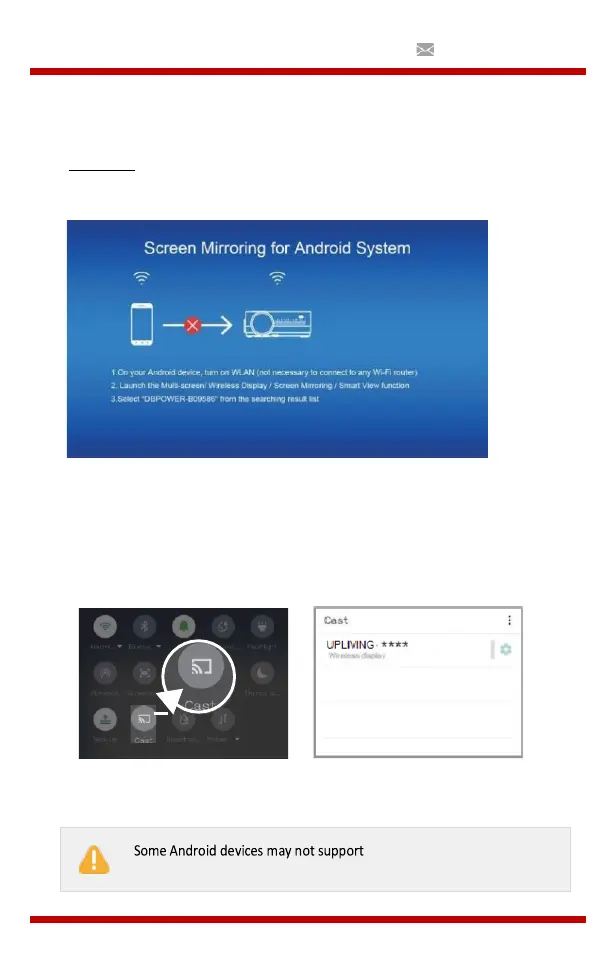
Select the Android display function.
(2)
Enable the WLAN on the Android device
(3)
Start the function Multi-screen / Wireless Display / Screen
Mirroring / Smart View / Cast (Image 1)
(4)
Select “UPLIVING-XXX” in the search results list (Image 2)
(Image 1)
(Image 2)
screen mirroring due to compatibility.


 To Next Page