Method 2: Cabled connection
(1)
Select Android Screen function
(2)
Search your Android device for developer options and enable USB
debugging.
(3)
Connect your Android device to the OUT5V port of the projector with the
ORIGINAL USB cable.
(4)
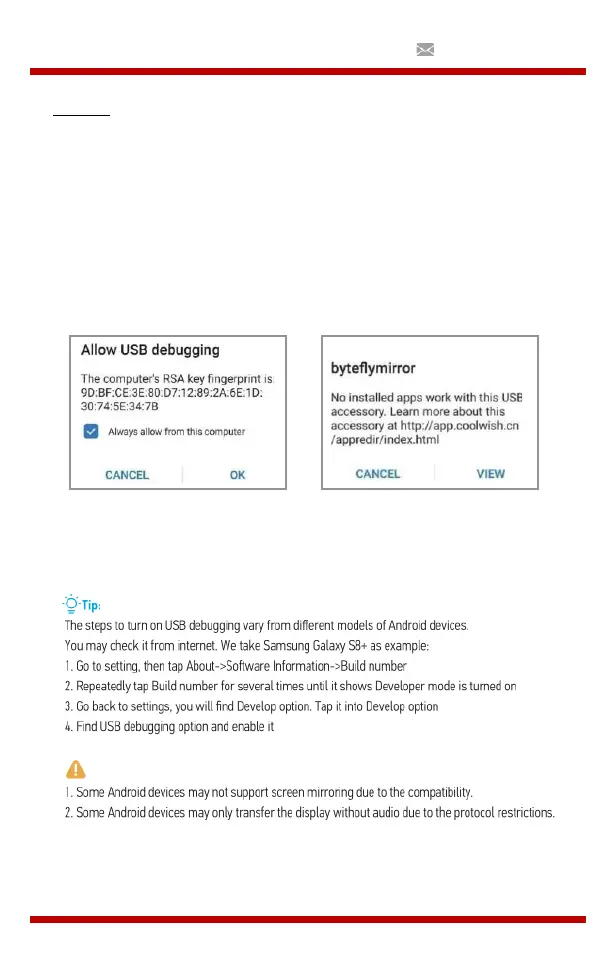
For the first time, your Android device will appear under the Allow USB
Debugging window”, select “Always allow via this computer” and press
“OK” to start screen mirroring.
(Image 1)
(Image 2)
Als uw Android-apparaat boven het “byteflymirror” venster verschijnt
(Afbeelding 2), tikt u gewoon op “ANNULEREN”(CANCEL).


 To Next Page