b.
iOS screen
“iOS Screen” has three different connection methods
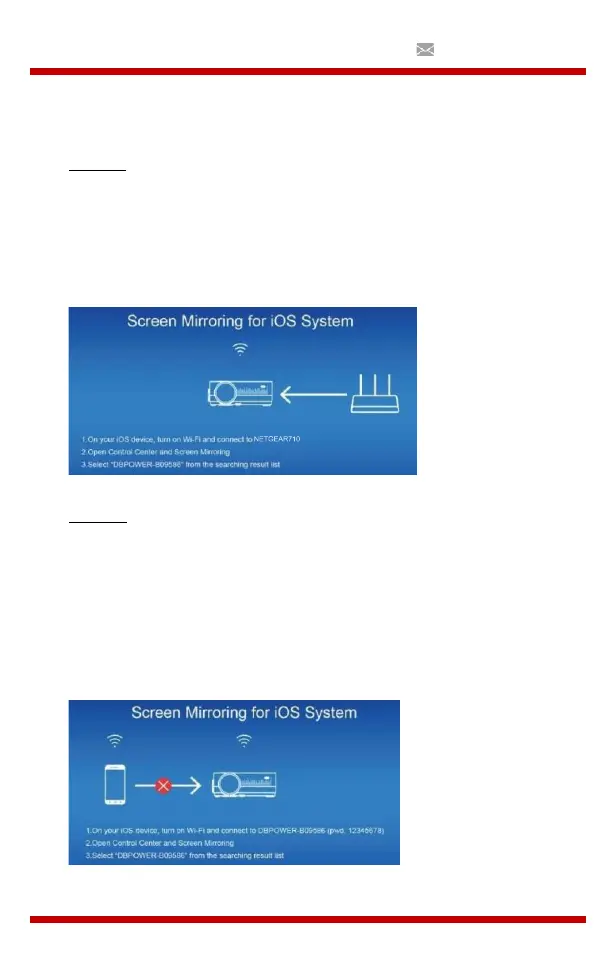
Method 1: Wireless connection with WiFi-router (Recommended)
(1)
Connect the projector to a WiFi router
(2)
Select the iOS screen function
(3)
Connect your iOS device to the same Wi-Fi router
(4)
Enable Screen Mirroring on your iOS device and select the
projector's device name.
Method 2: Wireless connection without Wi-Fi router
(1)
The projector does not need to connect to a WiFi router
(2)
Select the iOS screen function
(3)
Enable Wi-Fi on your iOS device and search for the network name of the
projector, for example: UPLIVING-B09586, select it and enter the password
12345678, then your iOS device will connect to the projector.
(4)
Enable Screen Mirroring on your iOS device and select the
projector's device name.


 To Next Page