Methode 3: Wired connection
(1)
Select the iOS screen function
(2)
Connect your iOS device to the OUT5V port of the projector with the
ORIGINAL USB cable
(3)
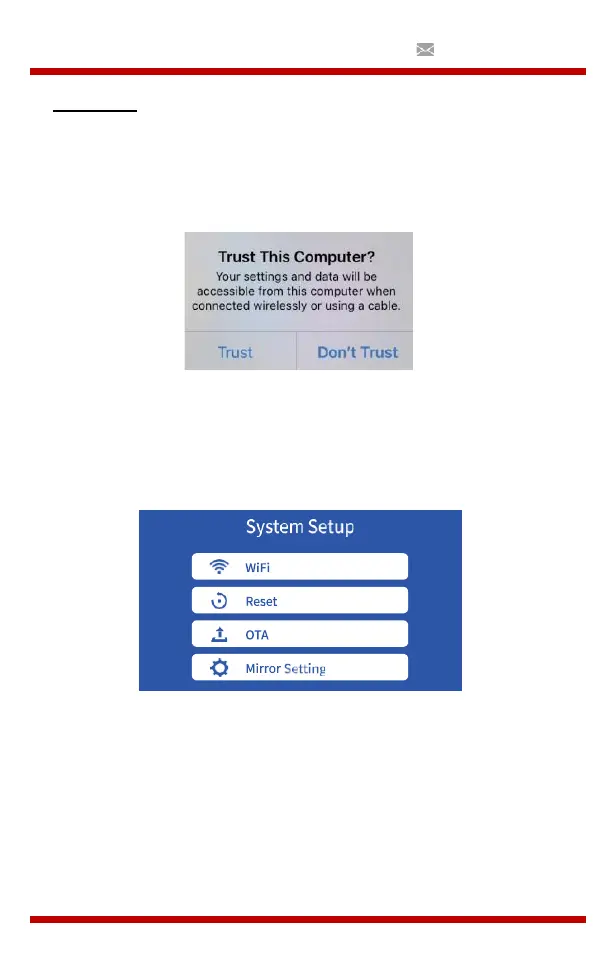
For the first time, your iOS device will show a trust prompt
(4)
Choose “Trust”, after which screen mirroring will start
d. Set-up
WiFi: Connect to the WiFi router
Reset: Restore the factory settings of the Screen Mirroring function
OTA: Online upgrade
Mirror Setting: Mirror mode / Airplay-mode


 To Next Page