_ 33
09
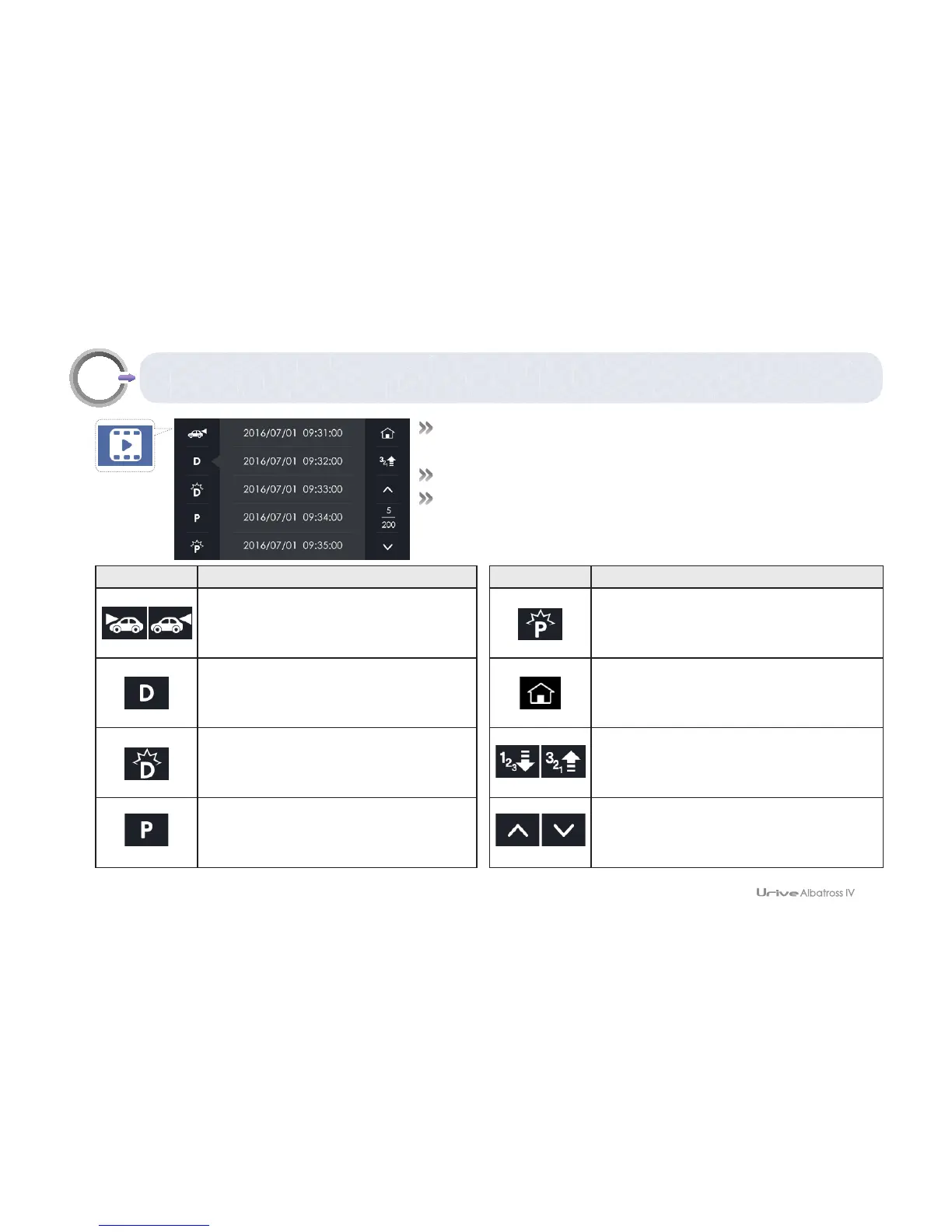
GUI – Image view
#
Video list: You can check the drive, event, parking motion, and
parking impulse video list, and play them back.
#
In the video list menu, video recording is stopped.
#
With no action for 2 minutes, it shifts to the real-time view.
Icon Meaning
Front·Rear video selection
You can set
the direction of the video. Touch this icon
to change it to another direction.
Driving video lists
Event video lists
Parking motion video lists
Icon Meaning
Parking impulse video lists
Shifts to the real-time view; starts to save
a video
Ascending/descending order
Touch the icon to toggle it.
Page up/down in the file lists



 To Next Page