_ 28
09
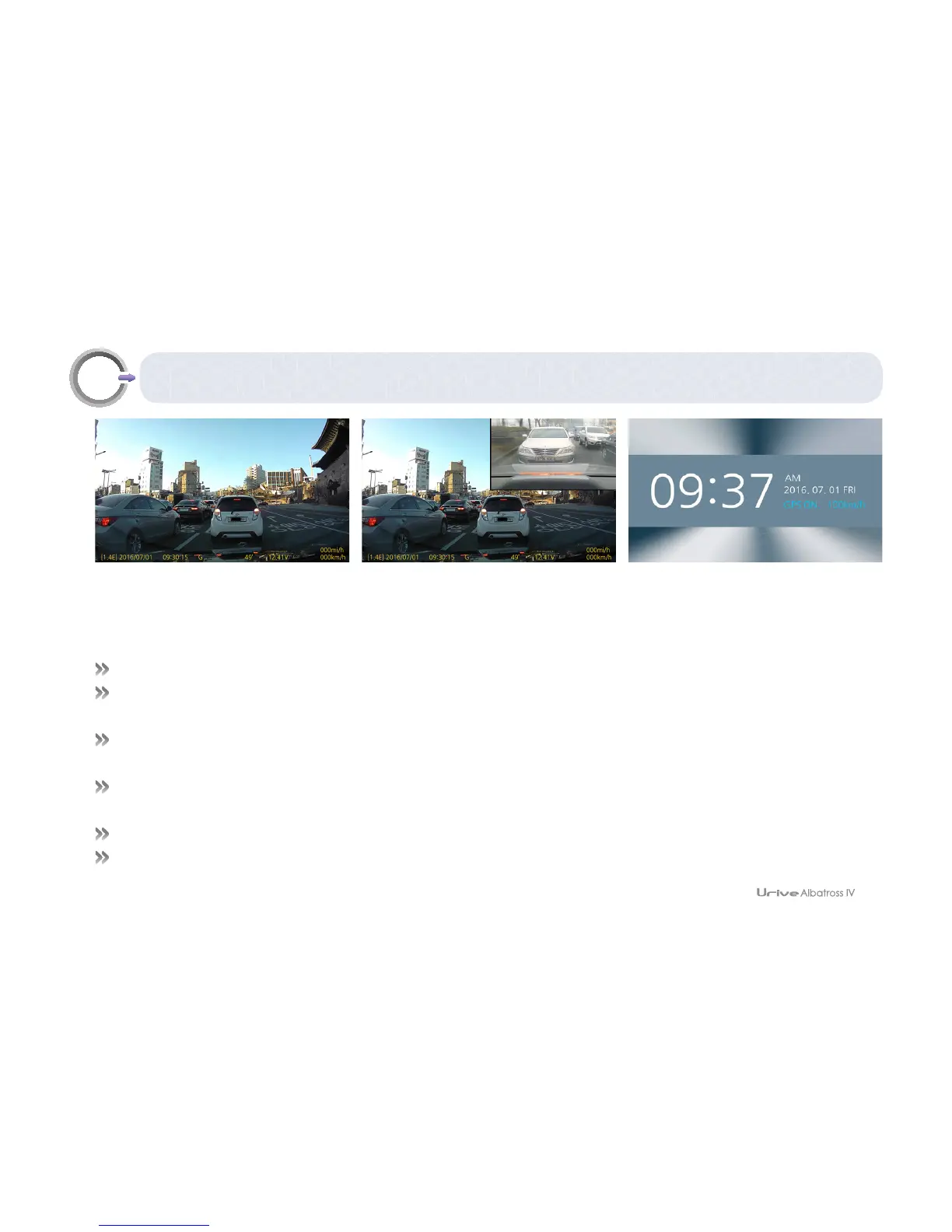
GUI – Real-time view
# After booting up to drive mode, real-time view is provided.
# The view screen shows a product’s firmware version, video recording time, image quality, GPS signal state, voice
recording state, product temperature, battery voltage, GPS speed(km/h and mi/h), and recording state(REC, EVT).
# In the screen setting, enable PIP to see the front and rear view images in PIP.
Disable the PIP to see either the front or rear view image. (Default: PIP OFF)
# Screen saver on: With no action in the real-time view screen, it shifts to the screen saver, which turns off the LCD in
2 minutes if there is no action again.
# Screen saver off: With no action in the real-time view screen for 2 minutes, the LCD is turned off.
# Use the reversal switch of rear camera to horizontally reverse the image.
[Real-time view] [Real-time view — PIP mode] [Screen saver]



 To Next Page