_ 36
09
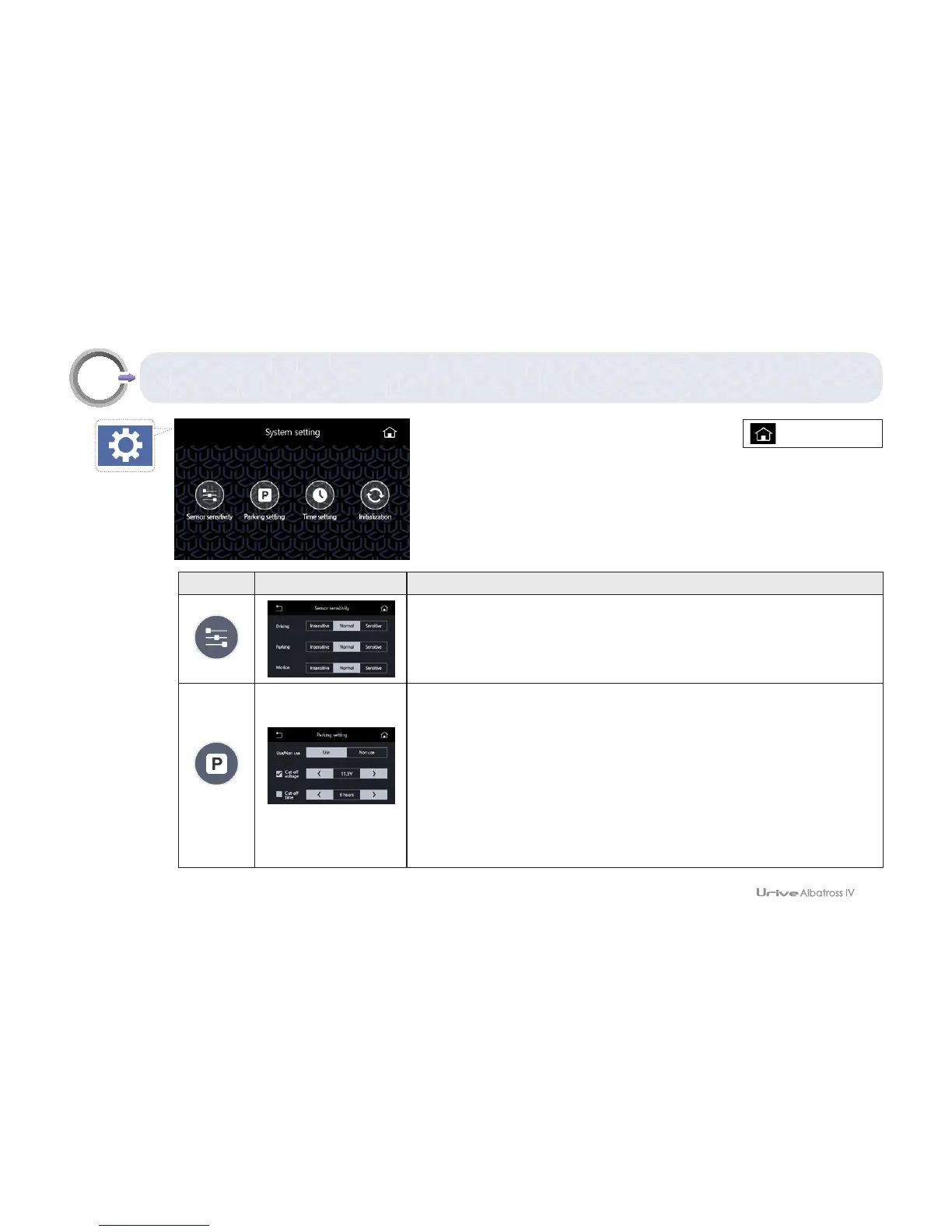
GUI – System setting
Icon detail Meaning
Sensor sensitivity
This menu sets the sensitivity recognized as an impulse or a motion
for each mode.
Parking setting
To prevent battery discharge, this menu sets the conditions of turning
the black box off in the parking mode. Set to “Non Use” in the parking
setting. Then, recording would not performed in the parking mode.
(If a driver switches off the ignition, the product power is also turned
off.)
* If the parking setting is changed, the SD card should be formatted.
•Insomeproductsforspecialsale,theparkingmonitoringmenudoesnotexist.By
default,theparkingmonitoringfunctionisincluded.
[Real-time view]



 To Next Page