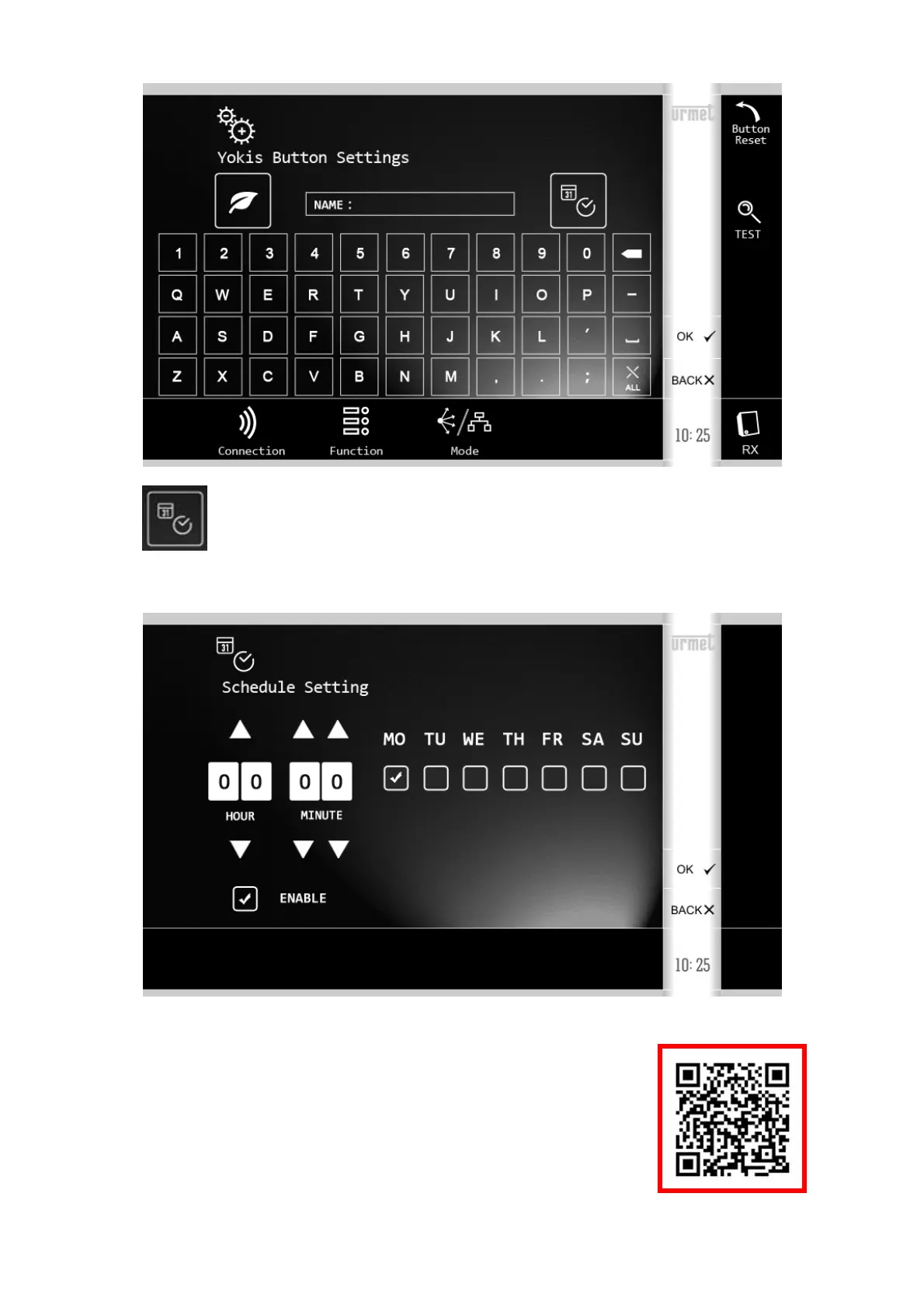
Select the button that you wish to schedule, e.g. the first one. You will display:
Tap the icon
and select the scheduling time and days in the following screen:
NOTE THAT the scheduling only becomes active if the 'Enable' box is ticked, too.
To return to the Home Page, press 'OK' twice to confirm the changes and then 'BACK' twice.
For more information scan the QR Code
below with your smartphone or tablet:
DS1722-080A 10 LBT20132





 To Next Page