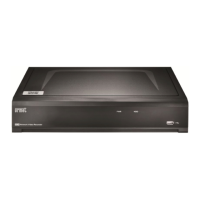
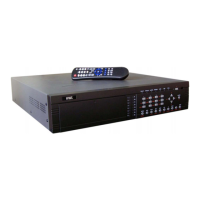
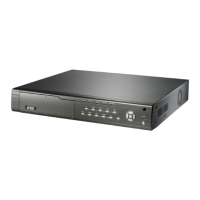
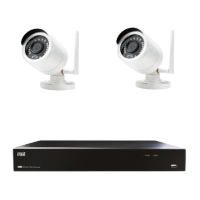
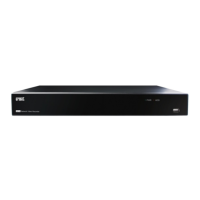
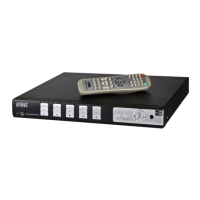
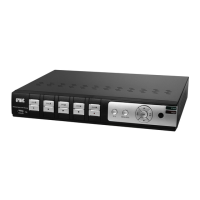
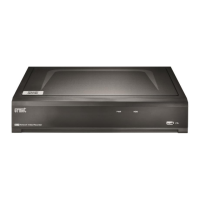
This document describes the URMET NVR Series PRO, a digital video recorder designed for recording images from multiple cameras onto an internal hard disk. It supports various models: 1098/324P, 1098/328P, 1098/326P, and 1098/334.
Function Description
The NVR offers three simultaneous modes: recording, playback, and network transmission. It utilizes H.265+, H.264+, H.265, and H.264 (retro-compatible) video compression, supporting up to 8MP (4K) resolution. The system runs on an integrated real-time operating system.
Key Functions:
- Live: Provides double video output (VGA or HDMI) for monitoring, supports URMET UVS Client Software and MP live surveillance, and includes zoom in/out, auto sequence, and Picture-in-Picture (PIP) display.
- Record: Supports H.265 video compression with adjustable quality, resolution, and frame rate. Multiple recording modes are available: continuous, programmed, manual, on alarm (if available), motion detection, and remote activation.
- Capture Images: Automatically or manually captures images or snapshots from individual channels.
- Recording Storage: Supports high-capacity SATA hard disks for real-time recording.
- Play: Allows playback of recorded files with single and multiple channel search.
- Backup: Facilitates NVR backup to USB flash drives, removable disks, recorders, and networks.
- Alarm Setting: Manages alarms from the hard disk, input video signals, and external alarm inputs (on available models).
- Operation via Network: Supports remote monitoring by authorized users for system safety.
- Operation with Mouse: Enables quick menu navigation using a mouse.
- PTZ Control: Supports PTZ camera operations via RS-485.
Important Technical Specifications
The NVR models vary in channel support and network bandwidth.
General Specifications (1098/324P, 1098/328P, 1098/326P):
- Video Inputs: 4CH (1098/324P), 8CH (1098/328P), 16CH (1098/326P).
- Video Outputs: 1 CH VGA (up to 1080p), 1 CH HDMI (up to 4K).
- Audio Inputs/Outputs: 1-CH Line In RCA / 1-CH RCA Audio Out.
- Display Resolution / Frame Rate: Supports various resolutions from 1024x768 up to 3840x2160@25fps per single IP channel.
- Recording Resolution: 8MP (4K), 5MP, 3MP, 2MP (1080P), 1.3MP (960P), 1.0MP (720P).
- Max. Local Playback Channels: 4ch (1098/324P), 8ch (1098/328P), 16ch (1098/326P).
- Bandwidth (IN / OUT): 50/65 Mbps (1098/324P), 128/128 Mbps (1098/328P), 112/96 Mbps (1098/326P).
- Max Internal Hard Disk Supported: 1 HD Sata (max. 6TB for 1098/324P), 1 HD Sata (max. 10TB for 1098/328P/1098/326P).
- Equipped with: 1000 GB Hard Disk (1098/324P), 2000 GB Hard Disk (1098/328P/1098/326P).
- I/O Alarm: 4-CH Inputs, 1-CH Output (1098/324P), 8-CH Inputs, 1-CH Output (1098/328P/1098/326P).
- USB Ports: 2 x USB 2.0.
- Ethernet: 1 RJ45 10/100 Base-T (1098/324P), 1 RJ45 100/1000 Base-T (1098/328P/1098/326P).
- PoE Ports: 4 (1098/324P), 8 (1098/328P), 16 (1098/326P).
- Total PoE Power (Watt): Max. Total 45W (1098/324P), Max. Total 83W (1098/328P), Max. Total 164W (1098/326P).
- Operating Temperature / Humidity: 0°C~+40°C / less than 90%RH.
- Cooling Fan: NO (1098/324P), YES (1098/328P/1098/326P).
- Dimensions (LxHxP): 300X53X227 mm.
- Weight: ~2 kg.
Specifications (1098/334):
- Video Inputs: 32CH.
- Video Outputs: 2 CH HDMI (up to 4K).
- Bandwidth (IN / OUT): 640 Mbps.
- Max Internal Hard Disk Supported: 4 HD Sata (max. 12TB).
- Equipped with: 2000 GB Hard Disk.
- I/O Alarm: 16-CH Inputs, 1-CH Output.
- USB Ports: 1 x USB 2.0 on front panel / 2 x USB 3.0 on rear panel.
- Ethernet: 2 RJ45 100/1000 Base-T.
- PoE Ports: NO.
- PSU: DC12V / 5A.
- Cooling Fan: YES.
- Dimensions (LxPxH): 378X325.8X66 mm.
- Weight: ~3 kg.
Usage Features
The NVR is designed for user-friendly operation with a comprehensive OSD menu and remote access capabilities.
Initial Setup:
- First login requires setting a custom password for privacy. Security questions can be configured for password recovery.
- A Wizard menu guides users through basic configurations like network parameters, date/time, IP channel search, HDD setup, video output resolution, and P2P remote connection.
Live Interface and Pop-up Menu:
- Displays camera titles and status icons indicating recording, motion detection, PIR events, intelligent video analysis, I/O alarm triggers, and HDD status (error, not formatted, full, read-only, not found).
- Preview Playback events: Pop-up window or event bar on LIVE Preview with playback options.
- Quick Add menu to add IP cameras.
- Taskbar provides quick access to Main Menu, shutdown options, live view layouts, quick playback, quick backup, audio volume, stream switching (mainstream/substream), image format, view effect modes, channel reordering, function enable/disable, manual record/alarm, system information, and AUX Monitor.
- Camera Quick Toolbar (accessed by clicking on a live channel) offers manual recording, snapshot, 5-minute playback, PTZ control, zoom, image color adjustment (HUE, BRIGHT, CONTRAST, SATURATION & SHARPNESS), HD/SD stream switching, camera light, camera siren, and two-way audio.
Channel Settings:
- IP Channels: Search and add IP cameras from the local network, with options for auto-assigning IP addresses, deleting cameras, and importing/exporting IPC info (1098/334 only). Supports Manual and Auto POE modes, including EPoE for extended distances.
- Live: Configure display parameters like channel name, date/time format, monitor refresh rate, and menu transparency.
- Image Control: Adjust IP camera image quality parameters (HUE, BRIGHT, CONTRAST, SATURATION & SHARPNESS).
- PTZ: Configure PTZ camera settings including communication protocol, baud rate, data bit, stop bit, parity, cruise mode, and address.
- Video Cover Settings (Privacy Zone): Create up to four privacy zones of any size and location on the camera image.
- Motion: Configure motion detection parameters, including sensitivity and detection area.
- PIR: Define methods and actions for PIR alarm detection, including sensitivity and monitoring area.
- ROI (Region Of Interest): Configure parameters for specific areas of interest, allowing high-resolution video streams for portions of the image.
- Thermal: Set up thermal camera parameters.
Record Settings:
- Encode: Configure video recording and network transmission quality (Mainstream, Substream, Mobile Stream, Audio) including resolution, frame rate, video encode type (H.264, H.265, etc.), bitrate control (CBR/VBR), and bitrate mode.
- Record: Enable/disable recording, select stream mode (Dualstream for Mainstream and Substream), and enable PreRecord for recording before an alarm event.
- Record Schedule: Define daily and hourly schedules for normal, motion, I/O alarm, PIR, and thermal recording.
- Capture: Configure image acquisition parameters for alarm conditions, including enable/disable automatic capture, stream type, normal/alarm interval, and manual capture.
- Capture Schedule: Configure time slots and days for the capture function.
Alarm Configuration:
- Set notifications for various alarm events: Motion, PIR, I/O Alarm, Thermal, Combination Alarm, PTZ Linkage, Exception, Alarm Schedule, Voice Prompts, Deterrence, Siren, Disarming.
- Actions include Buzzer, Alarm Out, Latch time, Record, Post Recording, Show Message, Send Email, FTP Picture/Video Upload, Picture/Video to Cloud, Full screen, and Voice Prompts.
- Voice Prompts: Upload customized alarm voice messages (MP3, WMA, WAV) or convert text to audio.
- Deterrence: Configure actions to deter abnormal behavior (light signaling, strobe frequency, sensitivity).
- Siren: Configure acoustic warnings (siren level, duration).
- Disarming: Set actions in the event of deactivation.
AI (Intelligent Analysis):
- Setup:
- Face Detection: Detects faces of moving people in a predefined area, with settings for snap mode, min/max pixel, face enhance, detection mode, rule kind, and detection range.
- PD & VD Pedestrian & Vehicle Detection: Configures recognition for vehicles and persons, with settings for switch, level (Low/Middle/High), and scene (Indoor/Outdoor).
- PID Perimeter Intrusion Detection: Detects objects entering/lingering in a virtual area, with settings for rule number, rule switch, rule type (A→B, B→A, A↔B), IVA lines, and area.
- LCD Line Crossing Detection: Detects objects crossing a virtual line, with settings similar to PID.
- CC Cross Counting: Counts objects/people crossing virtual lines, with settings for switch, sensitivity, rule number, rule switch, rule type, IVA lines, and area.
- HM Heat Map: Sets rules for areas with most visitors, with settings for rule number, rule switch, and detection area.
- CD Crowd Density Detection: Detects crowding in a specific area, with settings for switch, sensitivity, min/max pixel, max detection, detection range, rule number, rule switch, and visible area.
- QD Queue Length Detection: Sets rules for queue length and dwell time, with settings similar to CD.
- LPD License Plate Detection: Detects and backs up number plates, with settings for snap mode (Default, Realtime, Interval), min/max pixel, sensitivity, detection type, detection mode, and detection range.
- RSD Rare Sound Detection: Detects specific background noises (dog barking, child crying, gunshot).
- SOD Stationary Object Detection: Detects objects left or lost in a predefined area.
- Sound Detection: Detects sound, with settings for rise/decline sensitivity and sound intensity.
- Video Tampering: Detects lens occlusion, with settings for sensitivity.
- Schedule: Programs intelligent analysis functions in time slots.
- Recognition:
- Model Configuration: Enables face recognition and displays implemented models.
- Database Management: Manages databases of authorized/forbidden faces, including import/backup, group name management (Allow List, Block List, Stranger), and editing group settings.
- License Plate Management: Manages lists of allowed/forbidden number plates, including import/export from CSV or capture.
- Alarm: Configures alarm parameters for AI functions (FD, Face Recognition, AD, LPR, PD&VD, PID, LCD, CC, CD, QD, LPD, RSD, SOD, Sound Detection, Video Tampering).
- Statistics: Views and exports statistics for FR, PD & VD, CC, and HM functions by day, week, month, or year.
Network Configuration:
- General Settings: Configure IP network access (DHCP, PPPoE, Static), Client Port, HTTP Port, Gateway, DNS, Encryption, Internal PoE Interface, Web Compatibility Mode, Channels Video Encryption Transmission. 1098/334 models support Single/Double Address Mode for network cards and Default Route.
- DDNS Set: Configure Dynamic DNS for remote NVR access, supporting various providers (DDNS_3322, DYNDNS, NO_IP CHANGEIP, DNSEXIT, URMETDDNS).
- Email: Configure email parameters for alarm notifications (Encryption, SMTP Port, SMTP server, Username, Password, Sender, Receiver1/2/3, Interval, Test Email).
- Email Schedule: Define time slots for sending email notifications based on event type (Event, AI, PIR, Thermal).
- IP Filter: Configure Whitelist and Blacklist for IP addresses.
- Voice Assistant (Beta Version): Connects NVR to GoogleCast or Amazon Fire TV Stick for real-time surveillance image transmission via voice control.
- Platform Access: Connects to third-party platforms (ECMS/NVMS) via Onvif protocol, with settings for authentication, protocol, username, and password.
- RTMP: Transfers data to a server using RTMP protocol, with settings for server address, stream type, and channel.
Device Settings:
- Disk Manage: Check and configure internal HDDs (format, disk type, overwrite settings). 1098/334 models support Disk Group for associating hard disks with IP cameras.
- S.M.A.R.T. (Self-Monitoring, Analysis and Reporting Technology): Displays technical information about HDDs and runs tests for disk errors.
- Cloud: Configure Cloud Storage parameters for Dropbox and Google Drive (Cloud type, activate cloud, status, capacity, overwrite, video type, driver name).
- FTP: Configure FTP server access for uploading images and recordings (Server IP, Port, Username, Password, Dir name, Normal Video Upload, Upload Alarm Video, FTP TEST).
- FTP Schedule: Define time slots for sending images/videos to FTP based on event type (Motion, I/O, PIR, AI, Thermal).
System Settings:
- General Settings: Configure NVR device name, device ID, language, video format, menu timeouts, web session timeout, preview session timeout, and startup wizard display.
- Multi-User Settings: Configure user names, passwords, and permissions (ADMIN, USER), including unlock pattern, and number of single user logins.
- Maintenance Settings:
- Log: View and backup system logs (motion alarms, system signals).
- Load Default: Restore NVR to factory settings.
- Reset Button: Erase recordings and reset to factory settings.
- Upgrade: Update NVR firmware via USB flash drive.
- Parameter Management: Export/import NVR settings to/from USB flash drive.
- Auto Reboot: Schedule periodic NVR reboots.
- Developer Mode: Save serial port logs to a USB stick.
- IP Camera Maintain: Update IP camera firmware, restore default settings, reboot IPC, and manage parameters.
- Information: View system information (device ID, model name, IP address, MAC address, firmware version, hardware version, P2P ID, QR code), channel information, record info, and network status.
Playback & Backup:
- Search Function: Search and play back recorded videos and snapshots based on date, search type (General, Events, Sub-periods, Smart, Pictures), and channel.
- Video Playback Controls: Enlarge full screen, rewind/fast forward (x2, x4, x8, x16), slow motion, play, pause, stop, play frame by frame, digital zoom, video clip backup, volume control, snapshot, default/customized tag, and original/stretched image format.
- Timeline: Displays continuous recordings with colored bars representing different recording types (green for continuous, yellow for motion, red for I/O, purple for PIR, blue for intelligent, orange for alarm, green for manual, rose for ANR, azure for thermal).
- Video Clip Backup: Save portions of video to USB flash drive or USB DVD Writer.
- Event Search, Playback & Backup: View a list of video recordings with channel, start/end time, and recording type. Save events to USB flash drive.
- Sub-periods Playback: Play multiple normal and motion event recordings from a single channel simultaneously, with video split evenly across screens.
- Smart Playback: Similar to sub-periods playback, but with smart search options.
- External File: Search and play back external files from USB flash drive or USB DVD Writer.
- Picture Search & View: Search, play back, and copy snapshots to USB flash drive or USB DVD Writer.
- Slice: Search, play back, and copy video by choosing video duration and time of shooting.
- AI Search: Search, play, and copy video based on intelligent analysis functions (Faces/Targets/People&Vehicles/PID&LCD/Repeat Viewers/Face Attendance).
Video Player (PC):
- Software "VideoPlayer_x.x.xx_xx_xx_xx.exe" for viewing backup files on PC.
- Minimum requirements: Intel Pentium 4 or higher, Microsoft Windows XP/Vista/7/8/10, 256MB RAM, 16MB video memory.
- Controls: Play list management (add/delete files, playback modes, filter by file name), hide/show play list, play controls (play, pause, stop, frame by frame, slow/fast motion), multi-screen playback, volume control, snapshot, save video clip, keep player on top, enlarge full screen, basic settings (on-top mode), capture settings (format, save path), and advanced setup (OSD language).
Maintenance Features
The NVR includes several features to ensure its longevity and proper functioning.
General Maintenance:
- Power: Check mains rating, switch off before unplugging, especially during recording or configuration.
- Safety: Keep away from rain, humidity, and heat sources. Do not open the device.
- Installation: Ensure proper airflow, avoid excessive dust, mechanical vibrations, shocks, and unstable surfaces.
- Cleaning: Use a dry cloth, or a neutral detergent if necessary. Avoid volatile liquids.
- Hard Disk: Sensitive to shocks, temperature differences, and vibrations. Backup important data before repairs.
- Image Recording: Designed for image recording, not as a burglar alarm. Test recording functionality.
- Privacy and Copyright: Users are responsible for complying with local laws regarding video monitoring and recording.
System Maintenance (via OSD menu and Web Client):
- Log: View system events, motion alarms, and system signals. Backup logs to USB.
- Load Default: Restore NVR to factory settings without erasing recordings.
- Reset Button: Perform a total reset, formatting the HDD.
- Upgrade: Update NVR firmware.
- Parameter Management: Export/import NVR configuration settings.
- Auto Reboot: Schedule periodic reboots for operational integrity.
- Developer Mode: Save serial port logs for debugging.
- IP Camera Maintain: Update IP camera firmware, restore default settings, and reboot IP cameras.
Troubleshooting:
- HDD Detection: Check power supply, data cables, and HDD compatibility.
- Password Recovery: Contact technical personnel for forgotten passwords.
- IP Camera Protocols: NVR can automatically recognize different IP camera protocols.
- Video Signal Issues: Check network cable and NTSC/PAL settings.
- Overheating: Ensure NVR is in a well-ventilated place.
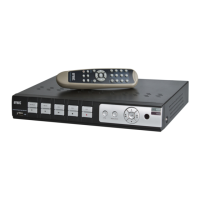
- Remote Control: Check IR receiver and batteries.
- HDD Removal: All data on HDD will be lost when NVR is started after HDD removal.
- Simultaneous Playback/Recording: System supports playback while recording.
- Deleting Records: Partial deletion may not be possible for file security; formatting HDD deletes all records.
- NVR Client Access: Check network settings, RJ-45 port, and login credentials.
- No Recordings: Check HDD connection, system time, and HDD health.
- PTZ Control Issues: Check PTZ working status, settings on IP camera and NVR, PTZ protocol, and address. Ensure 120Ω resistor is installed for multiple decoders.
- Dynamic Detection Issues: Check motion detection time, local settings, and sensitivity.
- Alarm Not Working: Check alarm settings, connection, and input signals.
- Buzzer Still Sounding: Check alarm settings, motion detection function, object motion, I/O alarm setting, and HDD alarm.
- Stopping Recording: Only manual recordings can be stopped directly. Scheduled/startup recordings require changing settings to "No Record" or "Off".
ActiveX Installation (for Web Client):
- Enable IE protection configuration.
- Add NVR IP address or DDNS portal to "Trusted Sites" in Internet Options.
- Set "Initialize and script ActiveX controls not marked as safe" and "Download signed ActiveX controls" to "Enable" or "Prompt" in Custom Level settings.

 Need help?
 General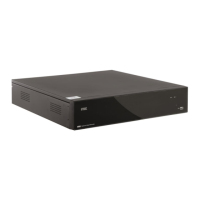


 To Next Page