EasyManua.ls Logo

urmet domus Sinthesi S2 - User Manual

urmet domus Sinthesi S2
12 pages
Print Icon
To Next Page IconTo Next Page
Loading...
sec.3h
−−−−
1
2 VOICE - Technical Manual
SECTION 3H
(REV. A)
CALL MODULE
Download from www.urmet.com Technical Manuals area.
SECTION CONTENTS
DIGITAL CALL MODULE
Ref.1083/19 (2 Modules) 2
PERFORMANCES ............................................................................2
DESCRIPTION OF TERMINALS .......................................................2
TECHNICAL CHARACTERISTICS ....................................................3
DEFAULT CONFIGURATION ...........................................................3
INSTALLATION .................................................................................3
Camera module connection .........................................................4
Product list ...................................................................................4
PROGRAMMING .............................................................................. 4
Con guration programming .........................................................4
Con guration parameter ...............................................................4
Name programming ......................................................................6
Programming of door opener code ..............................................6
Audio adjusting .............................................................................6
Call to users ..................................................................................7
Call by entering physical code .....................................................7
Call by entering logical code ........................................................7
Call by selecting name from repertory .........................................7
Call to switchboard .......................................................................7
Communication and door opening ...............................................7
Transmission of special codes ..................................................... 8
Lock management ........................................................................8
Entry of door opener codes ..........................................................8
“Postman” function ......................................................................8
Programming via Bluetooth ..........................................................8
CAMERA MODULE Ref. 1748/40 9
TERMINAL PINS DESCRIPTION ......................................................9
INSTALLATION .................................................................................9
VIEWING ANGLES .........................................................................11
REPERTORY MODULE Ref. 1148/50 11
BLIND MODULE Ref. 1148/59 11

Other manuals for urmet domus Sinthesi S2

Question and Answer IconNeed help?

Do you have a question about the urmet domus Sinthesi S2 and is the answer not in the manual?

Summary

Digital Call Module

Module Performance Features

Detailed list of the call module's capabilities and features.

Terminal Connections

Explanation of each terminal connection and its function.

Configuration Programming

Flowchart and steps for configuring the module's settings.

Detailed Configuration Parameters

Detailed explanation of various configurable parameters.

User Calling Methods

Methods for making calls to users via repertory or code.

Camera Module

Camera Module Installation

Step-by-step guide for installing the camera module.

Overview

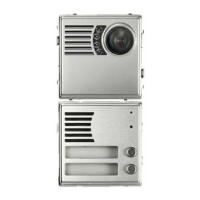
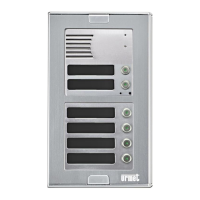
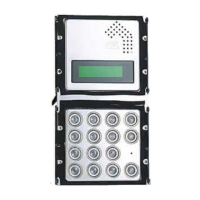
The Urmet Sinthesi S2 Call Module Ref. 1083/19 (2 Modules) is a digital call module designed for the 2Voice system, featuring a two-module Sinthesi structure. It boasts a new keypad design and higher quality finish. This digital call module can be paired with a camera module Ref. 1748/40 (colour device) to create video door phone call stations.

Function Description:

The call module allows users to call all potential system users (up to 128 users for 32 risers) by entering either a physical code (2 digits for the riser number and 3 digits for the apartment number) or a logical code (1 to 4 digits). It features a two-row, 16-character LCD display for user repertory and an alphanumeric keypad. The module supports a 4200-name repertory, where each name can be assigned a 4-digit door-opener code. Additionally, it allows for the association of 4-digit logic call codes to names and supports up to 100 door-opener codes not associated with names. Name selection can be done using arrow keys or by searching by initial letter.

The module manages the main entrance electric lock with capacitance discharge and holding current, and also provides a changeover relay output. It includes an output contact for controlling a driveway electric lock. The door-opener pulse can be configured as unrestricted or protected by a secret feature. A "Postman" function allows direct opening of the main entrance with a key on programmed days and times. Direct calls to the switchboard are possible by pressing two buttons simultaneously. The module also manages a main entrance Hall button and a main entrance door detector. It includes video input for a surveillance camera and T signal management for the Ref. 1083/69 video switch. Speaker and microphone volume can be adjusted via trimmers. The device is compatible with "T" function hearing aids for hearing-impaired users. Furthermore, it is Bluetooth programmable using portable devices equipped with dedicated software.

Important Technical Specifications:

  • Power Voltage (LINE): 36-48 Vdc
  • Power Voltage (+ -): 36-48 Vdc
  • Stand-by Consumption: Max 85 mA
  • Max. Consumption (Video Call): 220 mA
  • Lock Output SE+ e SE-: Capacitance discharge 22-24 Vdc + holding current max 200 mA
  • Lock Relay C/NC/NO: Max 24 V 5A
  • Lock Relay SE2: Max 24 V 300 mA
  • Working Temperature Range: 10 °C ÷ +50 °C
  • ILA: Speech output for hearing-impaired European law SOCU0611477A

Default Configuration:

  • Language: Italian
  • Module Type: Main
  • Module ID: 0
  • Code Type: Physical code
  • Device Type: Video
  • Busy Time: 30s
  • Interruption: Not enabled
  • Main Entrance Lock Time: 1s
  • Type of Main Entrance Door-opener: Secret
  • Vehicle Entrance Door-opener Time: 1s
  • Type of Vehicle Entrance Door Opener: Secret
  • Password: 1000
  • Number of Surveillance Cameras: 0
  • Key Click: Yes
  • Postman Function: No

To restore default values, the device can be powered while holding down the X, 8, and 6 keys.

Installation:

The module should be installed at a height of 1.55-1.60 m. For disabled or special needs users (D1 type - elderly, and D2 type - lower limb motor difficulties), the center of the device must be arranged at a height between 75 cm and 140 cm from the floor, in accordance with technical standard CEI 64-21:2016-12. The installation process involves fitting the module holder frame into the flush-mounting box, then fitting the modules into the frame. Wires are connected, the frame is closed, and finally, the panel is fitted onto the frame. The panel is positioned on the frame and secured with screws.

Programming:

Access to the configuration and programming menu is gained by entering the code 99999, followed by the password (default 1000). The menu allows for:

  • Module Type: Setting the module as main or secondary. Secondary modules can have different numbers (0 or 1) within the same riser column.
  • Module ID: Setting a number from 00 to 03 for a main module or 00 to 31 for a secondary module.
  • Code Type: Choosing between physical codes (5-digit ccnnn) or logical codes (1-4 digits). Logical codes require names to be programmed.
  • Device Type: Indicating if a local camera unit is connected (Video) or not (Audio). Up to 4 surveillance cameras can be connected.
  • Busy Time: Setting the guaranteed communication time (01, 10, 20, ..., 70 seconds).
  • Stopable: Configuring whether calls can interrupt an ongoing auto power-on or intercommunicating call.
  • Door Lock T1: Setting the maintenance time for the main entrance electric lock (1-90 seconds).
  • Door Opener 1: Configuring the main entrance electric lock control as "protected by privacy feature" or "unrestricted."
  • Door Lock T2: Setting the activation time for the vehicle entrance electric lock (1-90 seconds).
  • Door Opener 2: Configuring the vehicle entrance electric lock control as "private" or "unrestricted."
  • Password: Setting the password for accessing configuration and programming (1000-9999).
  • Control Cameras: Specifying the number of surveillance cameras connected.
  • LCD Contrast: Adjusting the display contrast.
  • Button Sound: Enabling or disabling button sound.
  • Day and Time: Selecting the day of the week and entering the time for the internal calendar.
  • Postman Function: Enabling this function allows direct opening of the main entrance on programmed days and times.

Name Programming:

The name programming menu allows users to enter, modify, delete, or delete all names in the repertory. Names can be up to 32 characters long. Physical and logical call codes, as well as door-opener codes, can be assigned to each name.

Programming of Door-Opener Codes:

This menu manages door-opener codes not associated with names. It allows for entering, modifying, deleting, or deleting all door-opener codes. Door-opener codes are 4-digit numbers (0001-9999), with codes 1-4999 opening the main entrance and 5000-9999 opening the vehicle entrance.

Audio Adjusting:

Audio levels are factory-trimmed and generally do not require adjustment. If necessary, a screwdriver can be used on the adjusting points.

Usage Features:

  • Calling Users: In stand-by mode, users can select a name from the repertory using arrow keys or enter a physical/logical code directly.
  • Communication and Door Opening: Once a call is established, the module displays "SPEAK PLEASE." Pressing the door opener button activates the corresponding output, displaying "COME IN PLEASE."
  • Transmission of Special Codes: By pressing the '0' key for 2 seconds, the module switches to special code mode, allowing users to enter a 3-digit code (1-255) to activate load driving outputs.
  • Lock Management: The module has three outputs for driving locks: SE+/SE- for main entrance electric lock, C/NC/NO for changeover driven in parallel with SE+/SE-, and SE2/SE2 for vehicle entrance electric lock external control.
  • Entry of Door-Opener Codes: Programmed door-opener codes (unrestricted or associated with names) can be entered to open the pedestrian (0001-4999) or vehicle (5000-5999) entrance.
  • Postman Function: If enabled, the main entrance can be opened by pressing the key on programmed days and times.
  • Programming via Bluetooth: The module is equipped with a Bluetooth receiver-transmitter for programming configuration, names, and door-opener codes using the 2Voice_Mobile software.

Maintenance Features:

  • Camera Module Ref. 1748/40: The camera unit features a 50Hz colour camera and white lighting LEDs. It is used in analogue systems with 5-wire coax cable and supports 2Voice digital systems. The camera orientation can be adjusted. If required, cross-slotted screws can be replaced with security screws.
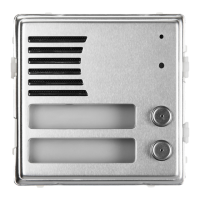
  • Repertory Module Ref. 1148/50: Used to indicate house numbers or other information. Power terminals ~0 and ~12 light the unit via LEDs. The procedure for fitting repertory tags is the same as for name tags.
  • Blind Module Ref. 1148/59: Used to fill unused spaces in modular applications or for other applications like burglar alarms and automatic gates.

urmet domus Sinthesi S2 Specifications

General IconGeneral
TypeVideo Intercom
InstallationSurface mount
MaterialPlastic
CameraYes
Night visionYes
Power consumption5W
CompatibilityUrmet 2-Wire system

Related product manuals