EasyManua.ls Logo

UROVO RFDT50 - User Manual

Default Icon
31 pages
Print Icon
To Next Page IconTo Next Page
Loading...
USER GUIDE
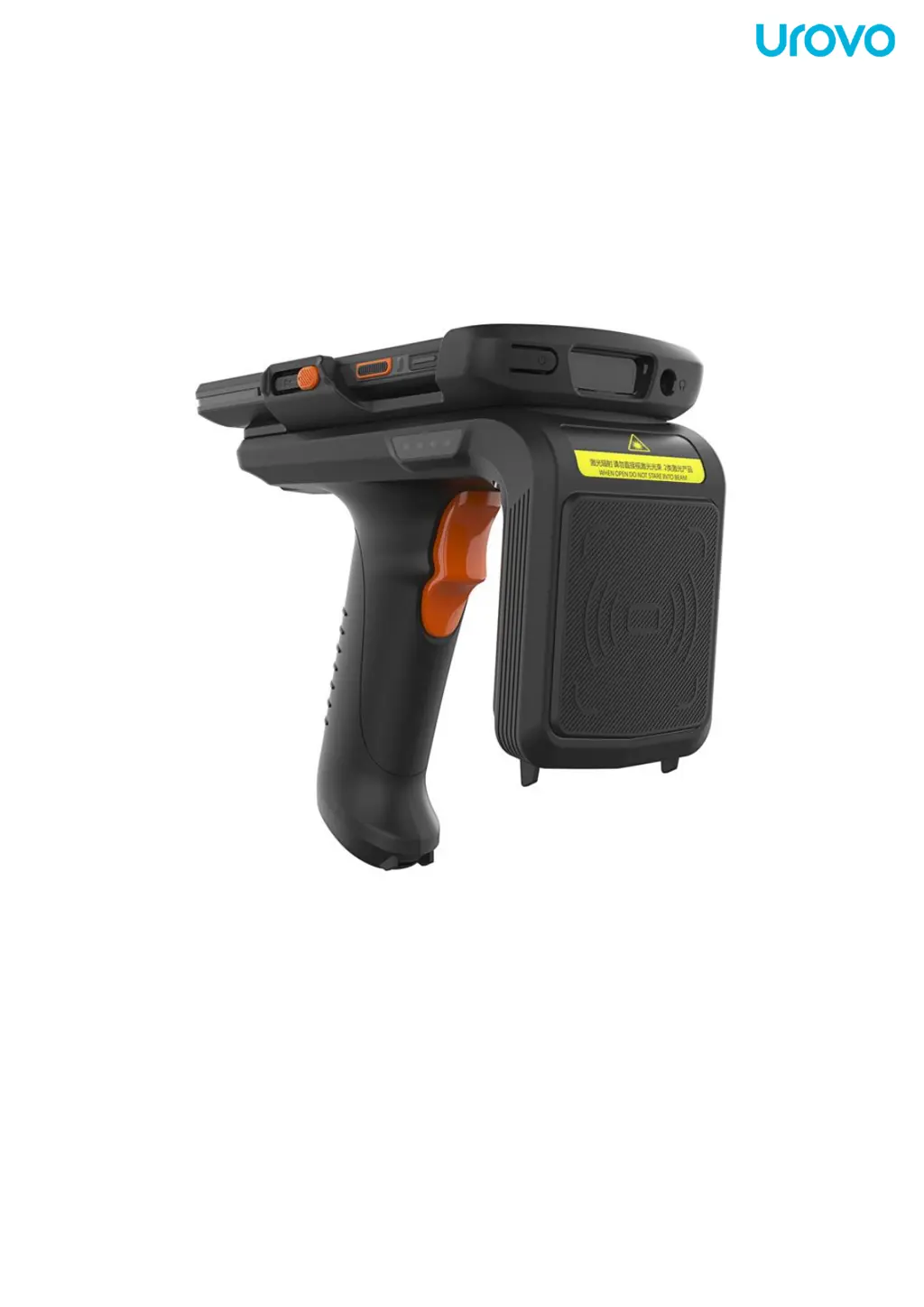
RFDT50 UHF Pistol Grip

Other manuals for UROVO RFDT50

Questions and Answers

Summary

About the RFDT50 User Guide

Introduction to RFDT50 Usage

Information on usage of RFDT50 mobile computer and its accessories.

Chapter Descriptions Overview

An overview of the topics covered within the user guide.

Sign Convention Explanation

Explains the formatting conventions used throughout the document.

Relevant Documents List

Lists related documentation such as Quick Start Guide and RFDT50 Brochure.

Service Information and Support

Details on obtaining network support services and contacting the support center.

Document Feedback Instructions

Instructions for users to provide comments, questions, or advice on the guide.

Chapter I: RFDT50 Start Guide

Start Guide Introduction

Describes product information and provides initial usage instructions for the device.

Unwrap and Check Accessories

Steps for unpacking the device and verifying all included accessories.

RFDT50 Side View Identification

Identifies key components on the side of the RFDT50 device.

RFDT50 Top View Identification

Identifies components such as PSAM card slot and Pogopin contact on the top.

RFDT50 Back View Identification

Identifies the Type-C interface located on the back of the device.

RFDT50 Installation Guide

Step-by-step instructions for assembling the RFDT50 device with its pistol grip.

RFID Function Activation

Instructions on how to power on the RFID module using the power button and status light.

RFID-Demo Application Usage

Guide on using the RFID-Demo app to scan RFID tags.

RFID Scan Message Details

Explains the information shown in the scan message screen, including unique tags and read rates.

RFID Module Selection Options

Options for selecting between long-distance and short-distance RFID modules.

RFID Scan Data Field Definitions

Defines the meaning of data fields like DATA(USER), COUNT, and RSSI in the scan results.

Tag Management Functions

Accessing and utilizing tag management functions like read, write, lock, and kill.

RFID Tag Read and Write Operations

Procedures for reading and writing data to RFID tags, including parameter requirements.

RFID Tag Locking Procedures

Steps and considerations for locking RFID tags, including password usage.

RFID Tag Destruction (Kill) Process

Process for destroying RFID tags, requiring a specific kill password.

RFID Tag Selection by EPC Code

Method to select and operate on a specific tag using its EPC code.

RFID Scan Filtering Options

Details on the four types of filters available for tag scanning.

RFID Profile Mode Settings

Explanation of different scanning modes like Fast Read, Balanced, and Tag Focus.

RFID Location Tracking Function

Function to display the relative position between the reader and a selected tag.

RFID Signal Intensity Monitoring

Real-time display of signal intensity to gauge tag proximity and signal strength.

RFDT50 Device Settings

Export Scan Data to Excel

How to export current tag scanning data into an Excel file format.

Firmware Version Information

Displays the current firmware version installed on the device.

Operating Temperature Display

Shows the current operating temperature of the device's modules.

Sound Settings Configuration

Configuration option to enable or disable beeping sounds during scanning.

RF Output Power Adjustment

Setting for adjusting the RF output power level of the reader.

Antenna Sensitivity Adjustment

Adjustment of antenna sensitivity threshold for tag reading.

Fast Read TID Configuration

Configuration for enabling fast reading of Tag Identifiers (TID) on supported tags.

RF Communication Link Setup

Selection of appropriate RF communication link configurations for different tag types.

Reader Status Monitoring

Displays the current operational status of the RFID reader.

Reader Identification Mark Setup

Configuration for reader identification marks or characters.

RS-485 Reader Address Configuration

Setting the unique address for the reader in RS-485 communication.

RF Spectrum Settings

Setting the RF spectrum standard and frequency ranges for operation.

Handle Indicator Control

Manages the flashing indicator light on the removable pistol grip handle.

Chapter III: Maintenance and Troubleshooting

General Maintenance Guidelines

Provides guidance on how to maintain the RFDT50 device for optimal performance.

Cleaning the RFDT50 Housing

Instructions on how to clean the exterior housing of the RFDT50 device.

RFDT50 Troubleshooting Guide

Lists common problems with RFDT50, their causes, and recommended solutions.

Battery Charging Procedures

Battery Charging Precautions

Essential warnings and safety guidelines for charging the device's battery.

Charging Methods Overview

Overview of different methods available for charging the device.

USB Charging Procedure

Instructions on how to charge the device using a USB Type-C cable.

Desktop Charger Charging Procedure

Steps for charging the device and battery using a desktop charger base.

Chapter II: RFDT50 Accessories

Accessory Introduction

Introduces the accessories that complement the RFDT50 device.

Standard Accessories List

Lists the standard accessories included with the RFDT50 package.

Optional Accessories List

Lists optional accessories available for purchase, such as a single charger.

UROVO RFDT50 Specifications

General IconGeneral
ModelRFDT50
Device TypeBarcode Reader
Operating SystemAndroid
Touch PanelCapacitive
Barcode ScannerYes
Scanning Capability1D/2D Barcodes
NFCYes
Wi-Fi802.11 a/b/g/n/ac
Battery Capacity4000 mAh
Battery TypeLi-ion
Operating Temperature-20°C to 50°C
Storage Temperature-40°C to 70°C
SealingIP65
Memory (RAM)4 GB
Memory (ROM)64 GB
Display Size5.5 inch
Resolution1280 x 720
Rear Camera13 MP
Scan EngineHoneywell N6603
Durability1.5m drop resistance
Dimensions15mm