USB 7124 - 7125 - 7126
Professional Power Amplifiers
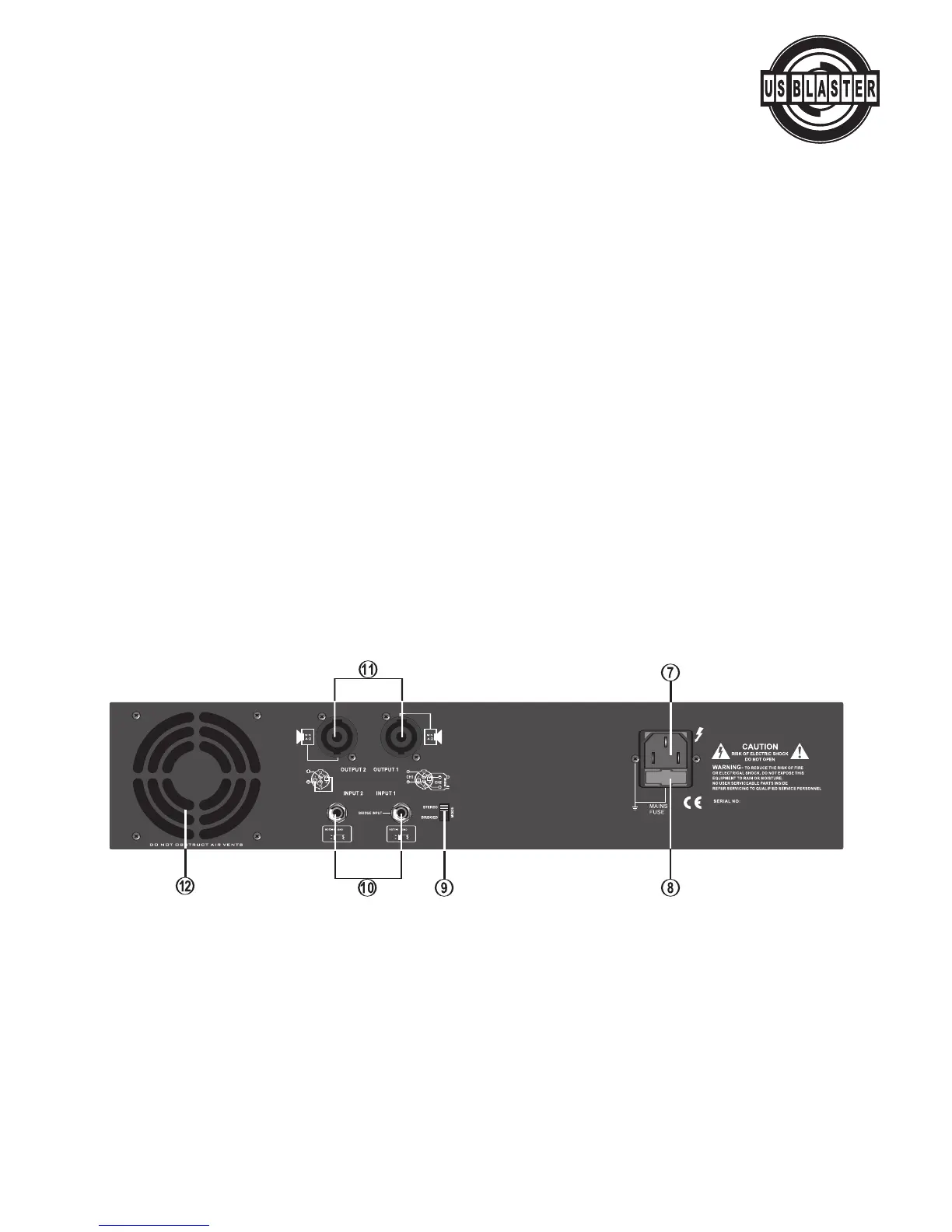
Rear panel
7. POWER CONNECTOR
The cord connector is used to connect an AC power source to your power amplifier.
(CAUTION : Always operate the unit with the AC ground wire connected to the electrical system
g
round)
8. FUSE
Fuse holders for 5A-1OA / 250V fuses. If these fuses continuously blow, shut off the unit and have it
serviced by qualified service personnel.
9. MODE SELECTOR SWITCH
These US Blaster amplifiers offer 2 modes of operation: STEREO & BRIDGED.
10. INPUT CONNECT
ORS
Connect your input signal to these unballanced 1/4" TRS input jacks.
11. L/R CHANNEL OUTPUT CONNECTORS Connect to your speaker box
12.FAN
The fan speed is varied continuously and automatically to maintain the proper internal operating tem-
perature.
© US Blaster Europe BV


 To Next Page