32
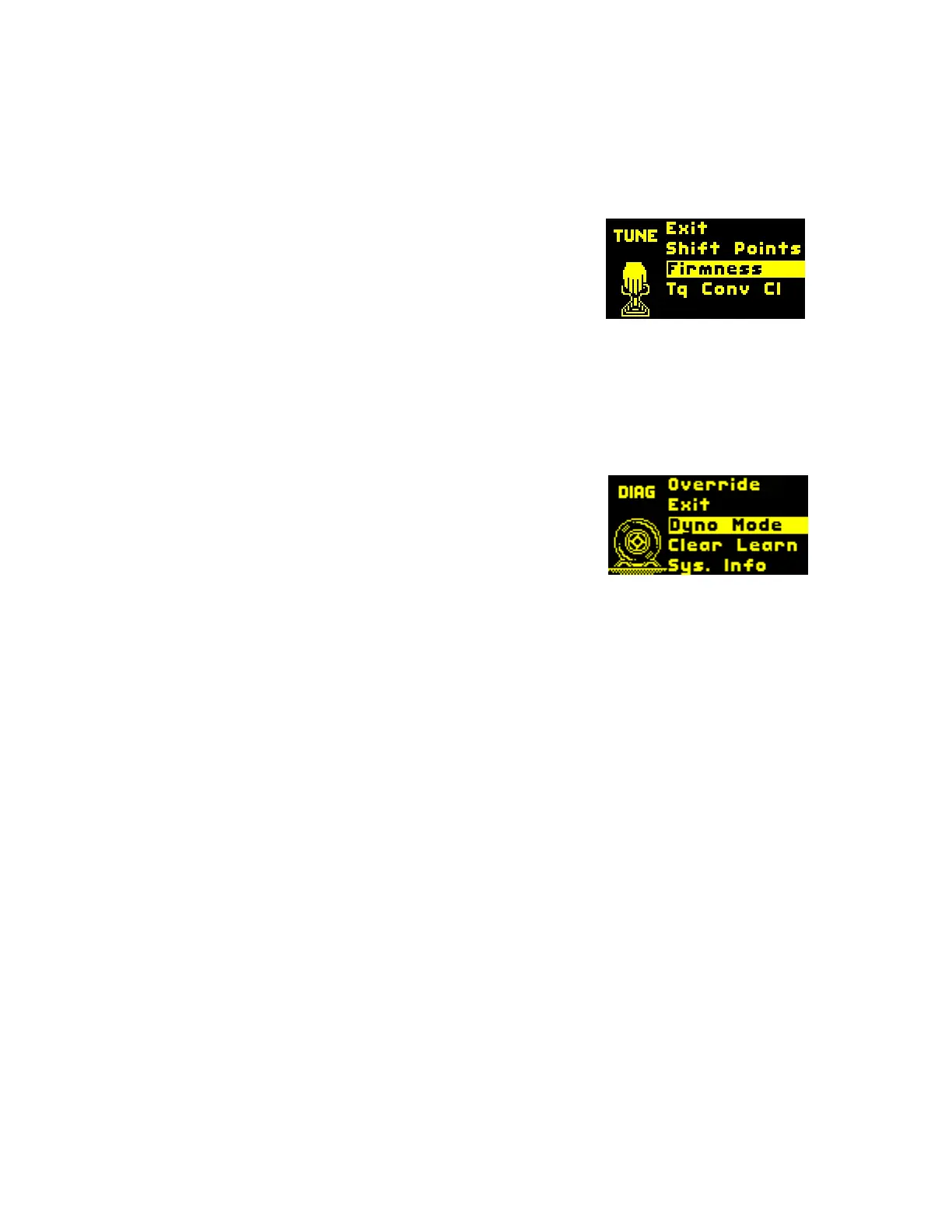
TUNE MENU
Shift Points = Sets the RPM at which shifts occur for all shifts or each individual
shift. Once you’ve chosen a shift to adjust, you will be presented with a menu
showing 10% throttle, 40% throttle, and Wide Open Throttle. Under each is
shown shift point RPM. You can adjust each throttle percentage individually.
Firmness = Set shift firmness for all shifts or each
individual shift. Once you’ve chosen a shift to adjust,
you will be presented with a menu showing 10%
throttle, 40% throttle, and Wide Open Throttle. Under
each is shown a number representing firmness. You
can adjust each throttle percentage individually.
Tq Conv Cl = This takes you to the torque converter clutch menu, allowing you
to adjust aspects of the TCC. This includes cruise gear, minimum RPM, and
WOT gear.
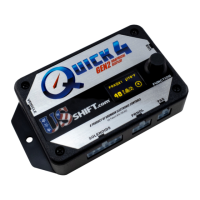
DIAGNOSTICS
Dyno Mode = Enable this mode if you are doing a
dyno test. While enabled, you can use the knob to
shift gears. Push the knob to access options, such as
enabling torque converter clutch (TCC) activation
above 1800 RPM, disabling the TCC, and exiting dyno
mode.
*Please note that it is not safe to use this mode while driving.
Clear Learn = Clicking on this item will allow you to chose which learned data to
clear. You might want to use this if something has changed with the vehicle or
transmission to allow the controller to re-learn the data. The options are "TCC
Learn", "Shift Timing", "All Learning", and "Exit".
Sys Info = Displays firmware version information as well as copyright and
patent information.
Override = Used to diagnose line pressure issues if instructed to do so by a
Baumann Electronic Controls technician.


 To Next Page