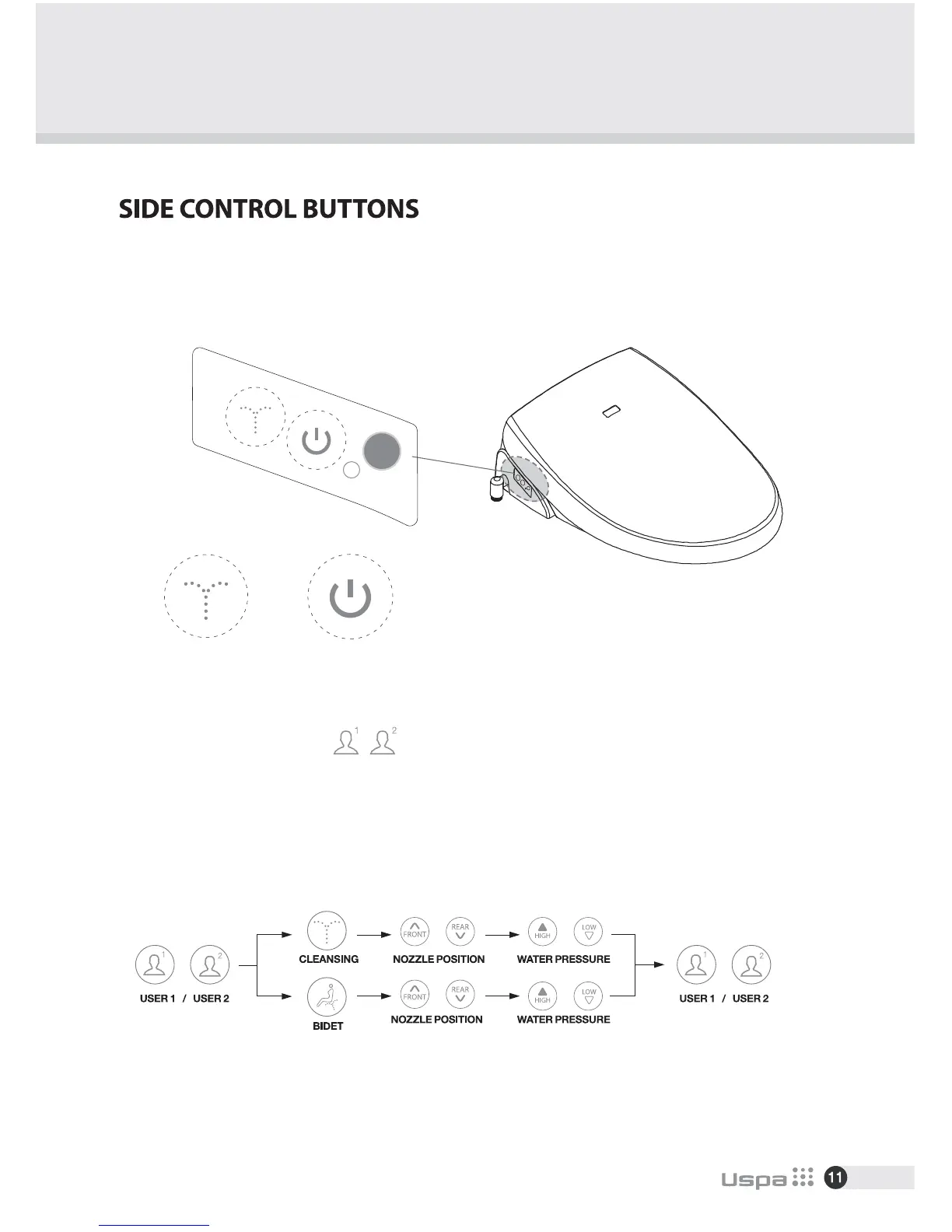
-Each button can save 2 setting.(Cleansing, Bidet)
-Press User 1 button and Cleansing or Bidet consecutively. Then Choose nozzle positon by pressing
FRONT / REAR button and water pressure level by pressing LOW / HIGH button.
Press User 1 again will save the setting with beep.
(※The same applies to saving User 2 setting.)
- Use side control buttons on unit when remote control is broken or its batteries are dead.
- Press “Cleansing” or “Bidet” to start.
- Press again to stop. Do not use sharp items to press buttons.
USER SETTING
-Press User 1 or User 2 While using Cleansing or Bidet will operate saved settings.
CLEANSING/STOP
BIDET/POWER
CLEANSING / STOP BIDET / POWER


 To Next Page