EasyManua.ls Logo

UTECH Smart Venus - Macro Functionality

UTECH Smart Venus
11 pages
Print Icon
To Next Page IconTo Next Page
To Previous Page IconTo Previous Page
Loading...
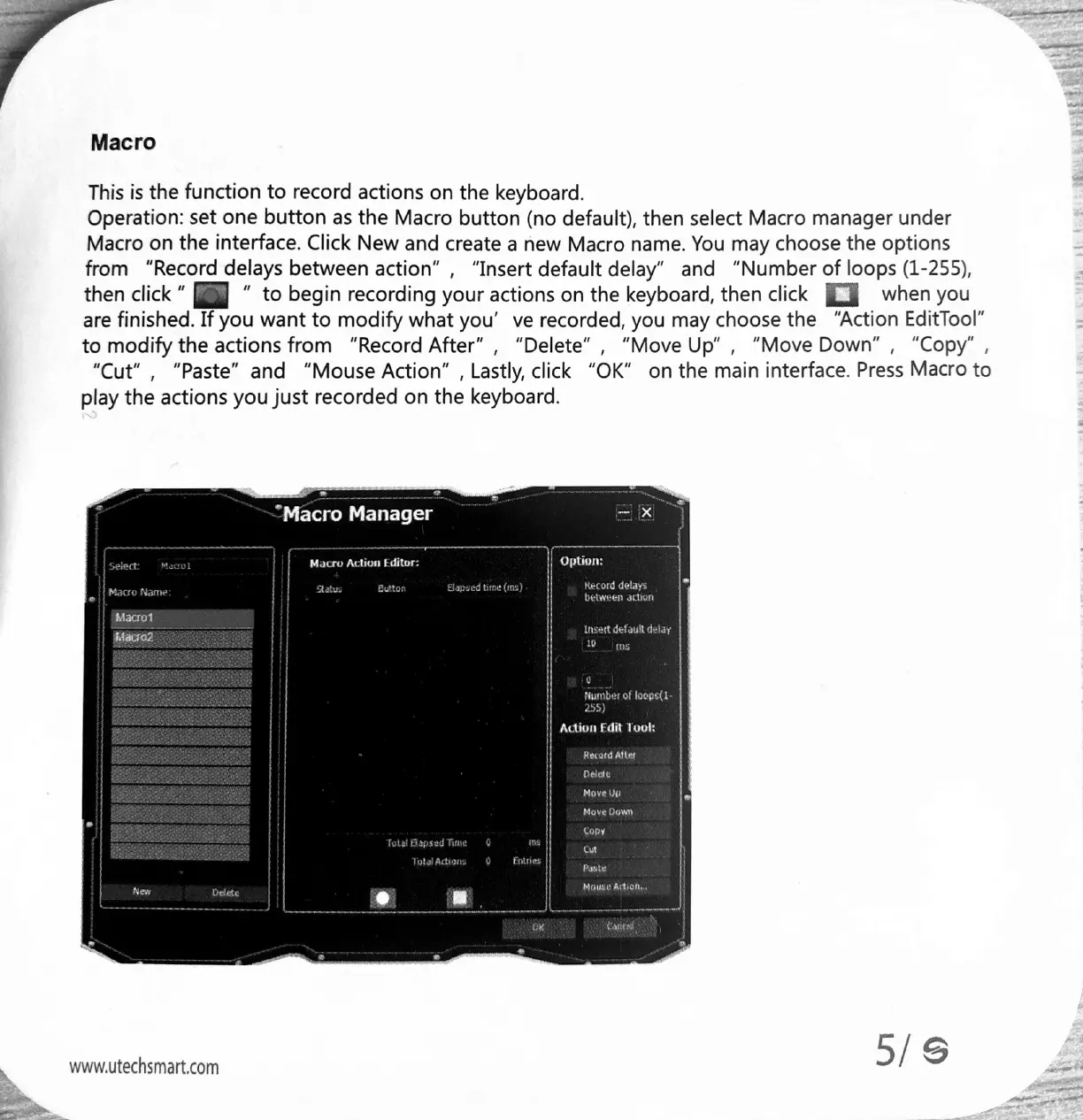
Macro
This
is
the
function
to
record
actions
on
the
keyboard.
Operation:
set
one
button
as
the
Macro
button
(no
default),
then
select
Macro
manager
under
Macro
on
the
interface.
Click
New
and
create
a
new
Macro
name.
You
may
choose
the
options
from
“Record
delays
between
action”
,
“Insert
default
delay”
and
“Number
of
loops
(1-255),
to
begin
recording
your
actions
on
the
keyboard,
then
click
when
you
are
finished.
If
you
want
to
modify
what
you’
ve
recorded,
you
may
choose
the
“Action
EditTool”
to
modify
the
actions
from
“Record
After”
,
“Delete”
,
“Move
Up",
“Move
Down”,
“Copy”
,
“Cut”
,
“Paste”
and
“Mouse
Action”
,
Lastly,
click
“OK”
on
the
main
interface.
Press
Macro
to
play
the
actions
you
just
recorded
on
the
keyboard.
then
click
*
(og
Macro
Action
Editor:
Eutor
ms,
i
www.utechsmart.com
g
255)
Adtion
Edit
Took
an