User Manual CP2-300
8
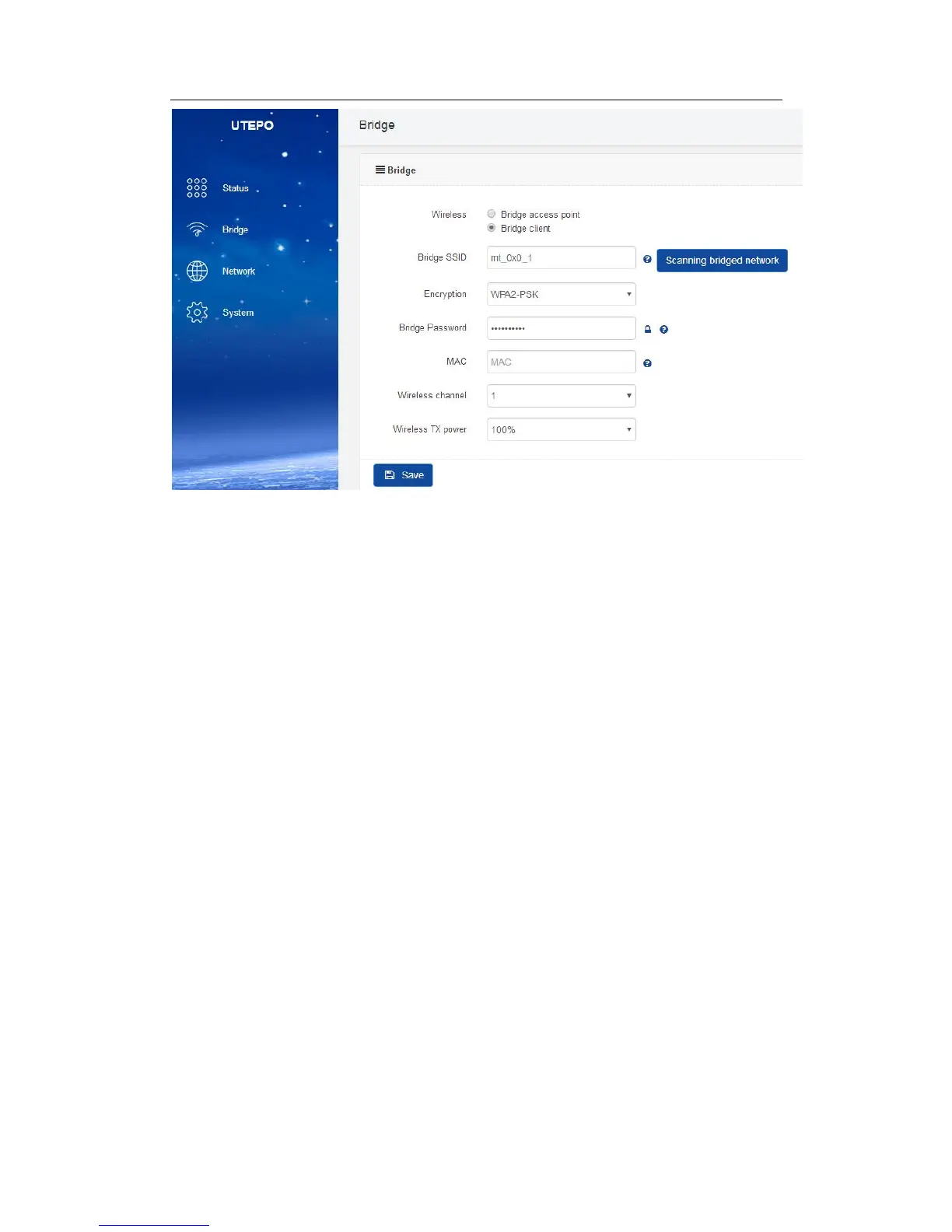
(2) Bridge Client
① Bridge SSID: Name of Bridged SSID, support manual filling or click “scanning
bridged network” to choose the SSID.
② Encryption: Encryption type of Bridged SSID (N/A, WPA2-PSK, WPA-PSK)
③ Bridge Password: Password of bridged device.
④ MAC: Used to bridge locked MAC address devices when the same bridge SSID
configuration exists
⑤ Wireless Channel: Same with bridged channel
⑥ Wireless TX Power: 100%, 75%, 50%, 25%, 10%, 5%
Network
1. Network Configuration
User can configure the access type of network in this page.



 To Next Page