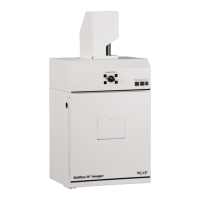
BioSpectrum Imaging System 2
Table of Contents
Introduction .................................................................................................................................................................. 3
Components ................................................................................................................................................................. 4
Darkroom Cabinet ..................................................................................................................................................... 5
Five Position Filter Wheel .......................................................................................................................................... 5
CCD Camera and Lens ............................................................................................................................................. 5
UV-Safe Gel Viewer Window..................................................................................................................................... 5
Lift Platform ............................................................................................................................................................... 5
Epi Illumination .......................................................................................................................................................... 6
LED White Light Illuminator ....................................................................................................................................... 6
Chemi Tray ................................................................................................................................................................ 6
UV Transilluminator ................................................................................................................................................... 6
VisionWorks
®
LS Software ......................................................................................................................................... 7
BioLite Access Ports ................................................................................................................................................. 7
Installation .................................................................................................................................................................... 8
Installing VisionWorksLS Software ............................................................................................................................ 8
Registering the Software ........................................................................................................................................... 8
Hardware Installation ................................................................................................................................................. 9
Camera Installation .................................................................................................................................................... 13
GelCam 310 Camera .............................................................................................................................................. 13
MegaCam 810, OptiChemi 610 and BioChemi 510 Cameras ................................................................................. 15
Operation .................................................................................................................................................................... 17
Using the System .................................................................................................................................................... 17
Capturing Images ....................................................................................................................................................... 20
Focusing the Lens Using Image Preview ................................................................................................................ 20
Capturing Images .................................................................................................................................................... 20
Service Procedures .................................................................................................................................................... 21
Return Procedure .................................................................................................................................................... 21
Troubleshooting ....................................................................................................................................................... 21
Replacement Parts and Accessories ....................................................................................................................... 21
Technical Support ................................................................................................................................................... 22


 To Next Page