5
6
Using Call/Music Control* Feature on iPhone
®
1. During music playback
• Clickplaybuttononcetopauseandagaintoresumeplayback
• Clickplaybuttontwicequicklytotrackforward
• Clickplaybuttonthreetimesquicklytotrackbackward
2. During calls
• Clickplaybuttononcetoanswerincomingcall,clickoncetoendcall
• Pressandholdplaybuttondownforabouttwosecondstodeclinean
incoming call
• Clickplaybuttononcetoswitchovertocallwaiting,clickagainto
switch back to original call
Protecting Your Headphones
• Minimizeexposuretomoisture.Notintendedforusewhile
swimming, bathing or showering
• Useprovidedcarryingcasewhileidle
• Keepheadphonescleanandfreeofdebris
• Do not pull on cable to disconnect plug from device
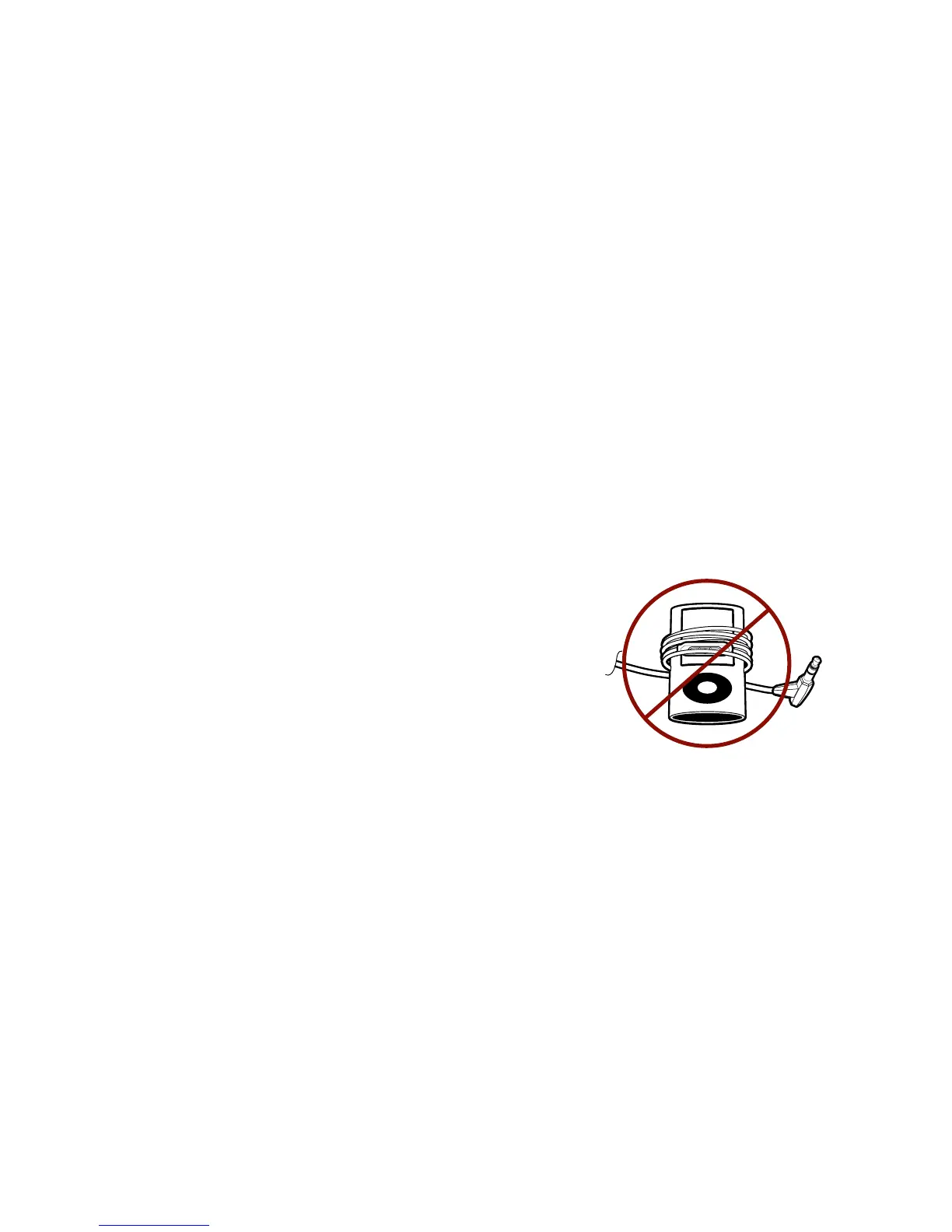
• Do not wrap cable around MP3 player while still plugged
in as it puts unnecessary pressure on plug-cord connection
Audio compatible with the iPod
®
, iPhone
®
, iPad™, tablets, CD, MP3, portable
gaming, computers and devices with a 3.5mm audio port.
*Mic + call control compatible with any iPhone and all smartphones with a
3.5mm port. (visit v-moda.com/compatibility as functionality may vary)


 To Next Page