verza manual v1.0 13
Listening to Music on Computer and devices with USB Audio in VERZA "USB DAC" Function
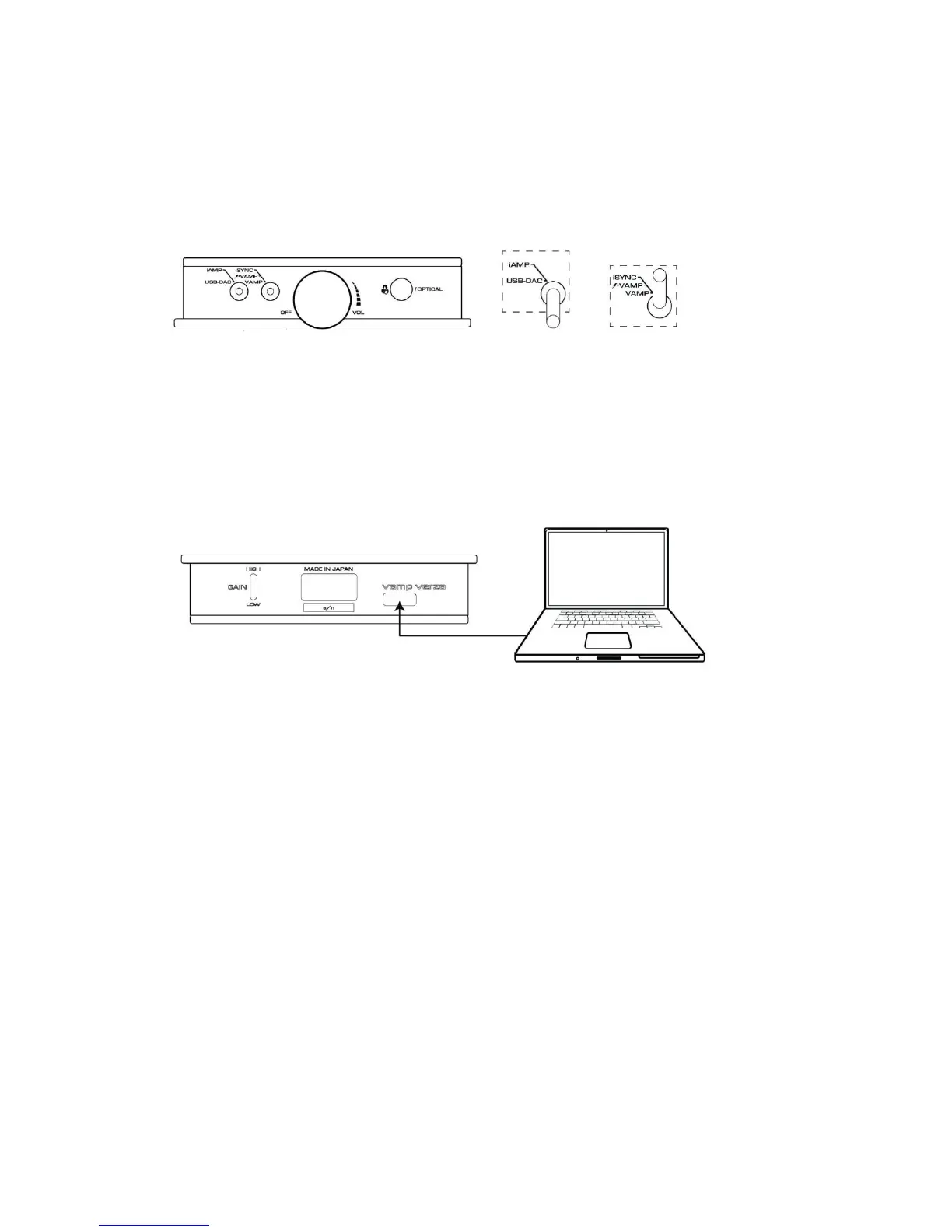
Perform the following procedures.
1 Turn the power switch volume knob clockwise until it clicks to turn the power ON.
2 Set the toggle switch (1) to USB DAC position.
3 Set the toggle switch (2) to iSYNC position.
4 Connect VERZA and computer with the supplied USB cable.
The device driver is automatically installed when VERZA is connected to computer for the first
5 Check the sound setting on computer and confirm a sound is coming. For volume control, adjust the
volume on computer.
* The built-in battery of VERZA will not be charged.


 To Next Page
 Loading...