四)Operation do normal fountain:
1
)
Press “power” to connect the machine.
2)Press “HEAT ON/OFF”start to heat till green indicator light always in lighting.
3
)
Press “HIGH1/HIGH2/HIGH3”do fountain.
五)Operation do special effects fountain:
1
)
Press “power” to connect the machine.
2
)
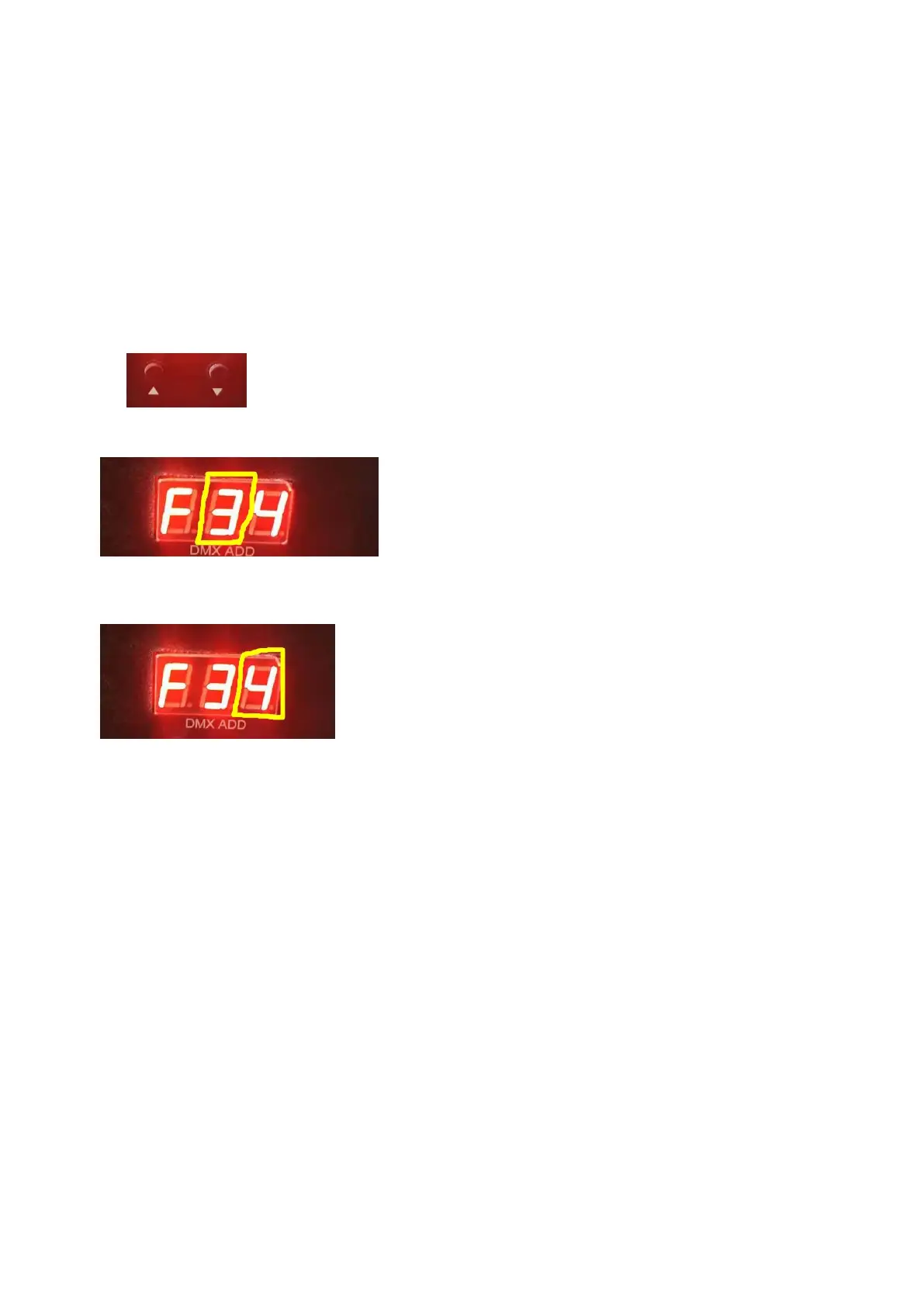
To adjust each machine special effects address code by address code button as picture
show ;the display will show the number or letter(A、B、C、D、E、F are
correspond number10 to 15 respectively), like below picture show “3” means this is the third
machine.
3
)
Press “+NO.-”adjust the number of machines be used, the display will show number or
letter(A、B、C、D、E、F are correspond number 10 to 15 respectively), as below picture show
the right number “4” means total machines qty.
4
)
Press “Heat ON/OFF” button start to heat, red indicator light will lighting, the display will
show heating temperature.
5
)
Press special effects A or B buttons will have related special effects,it should be do
based on finished heating,till the green indicator light always in lighting.
Eg:there have eight machines do special effects, then the programme
will show as below:
F18 F28 F38 F48 F58 F68 F78 F88



 To Next Page