Menu operation instructions 菜单操作说明
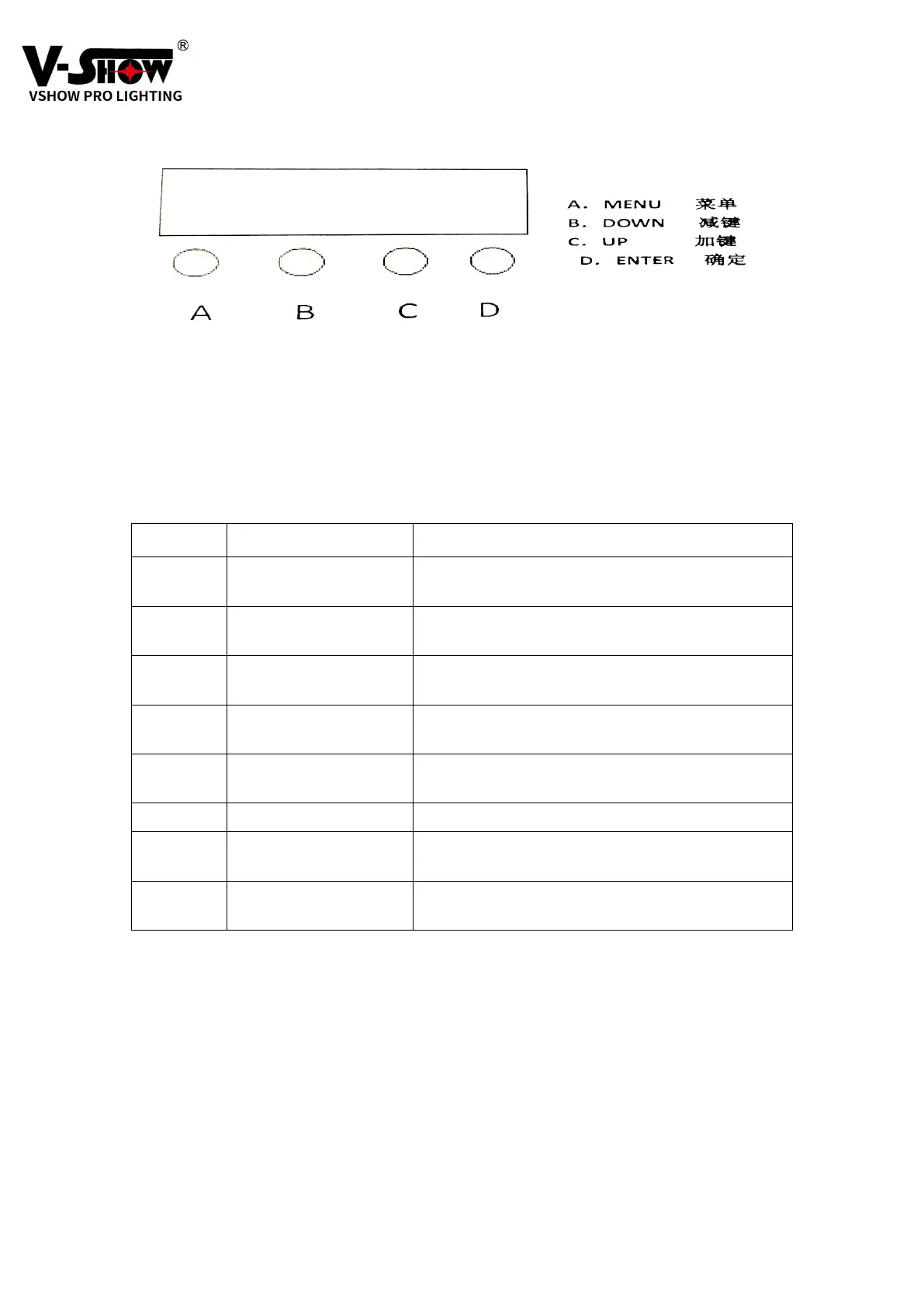
Operating instructions: Press the function key A to cycle out 8 different function effects, the
first two digits of the digital tube represent the current function (refer to the function table).
The last two digits represent the address code or speed parameter where the function is
located. Press B or C key to modify its parameter value. Press D to confirm.
操作说明:按功能键 A 会循环出 8 种不同的功能效果,数码管前两位数字代表当
前所处的功能(参照功能表)。后两位数字代表该种功能所处的.地址码.或速度、
的参数。按 B 或 C 键即可修改其参数值。按 D 键确认即可。
NO display Function
1 A001 6-channel address code, (001—512)
B, C key plus and minus address code value
2 d001 2-channel address code, (001—512)
B, C key plus and minus address code value
3 CC99 Jump (00-99)
B, C keys to modify the jump speed
4 CP99 Gradient, (00-99)
B, C keys to modify the gradual speed
5 dE99
B、Pulse (00-99)
C、C key to modify pulse speed
6 SOUd Voice control
7 U255 Single warm white (000—255)
C key to modify color selection
8 Y255
B、Single warm white (000—255)
C、C key to modify color selection


 To Next Page
 Loading...