Need help?
Do you have a question about the V-TAC VT-48160 and is the answer not in the manual?
Explains the meaning of various symbols used throughout the manual for clarity.
Covers essential safety measures and general requirements for safe operation.
Details personal protective equipment and immediate actions for safety during operation.
Provides step-by-step guidance for handling electrolyte leakage incidents.
Outlines procedures for extinguishing fires involving the battery system.
Specifies actions to take if the battery system is exposed to flooding.
Provides guidelines for the responsible disposal and recycling of used batteries.
Defines the qualifications and training needed for personnel handling the equipment.
Details crucial safety practices for electrical connections and operations.
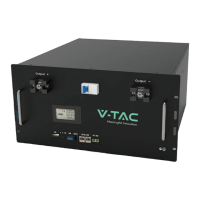
Overview of the Li-ion battery module's function and capabilities.
Details the physical components and their functional descriptions.
Illustrates the overall system architecture and connections.
Guides users through checking the product for completeness and damage upon arrival.
Specifies environmental and site preparation guidelines for installation.
Provides safety instructions for using ladders during installation.
Outlines safety precautions to be taken when drilling holes for installation.
Details safe practices for lifting and handling heavy battery components.
Step-by-step instructions for mounting the battery bracket and the unit.
Explains the procedures and types of cables for connecting the battery system.
Details the pin definitions for RS485, CAN, and RS232 communication lines.
Visual representation of the complete system wiring and component connections.
Illustrates single and parallel connection methods for multiple batteries.
Lists essential inspection items and acceptance criteria before activating the system.
Describes the operational functions of the battery, including buzzer and screen indicators.
Details the Human-Machine Interface (HMI) screen composition and data display.
Explains the function and operation of the Reset (RST) key.
Describes the system's low power consumption (sleep) and activation (wake up) modes.
Explains the status indicated by the RUN and ALM LEDs on the front panel.
Details the wireless kit modules (Bluetooth, WiFi, GSM) and app connection steps.
Specifies the PC operating system and software requirements for monitoring.
Guides on establishing a connection between the BMS and a computer.
Introduces the various functions available through the monitoring interface.
Enables viewing live data from the battery management system.
Allows monitoring of multiple batteries connected in parallel.
Covers reading, writing, and storing BMS time and recorded data.
Facilitates adjustment and configuration of various battery parameters.
Allows configuration of system-wide settings like voltage and current.
Enables exporting recorded battery data for analysis and record-keeping.
Instructions for changing inverter communication protocols for monitoring.
 General
| Brand | V-TAC |
|---|---|
| Model | VT-48160 |
| Category | Battery Pack |
| Language | English |


 To Next Page