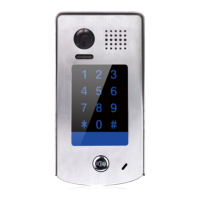
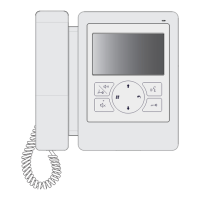
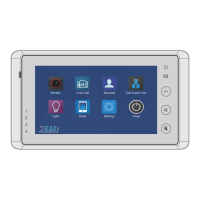
This document outlines the features, specifications, and usage instructions for the DT607C Series 2-wire system, which appears to be a door station or intercom system.
Function Description
The DT607C Series is a 2-wire door station system designed for communication and access control. It supports various configurations, including basic one-to-one connections, multi-door stations, and multi-monitor setups. The system integrates a microphone, speaker, camera lens, and call button for two-way communication and visual identification of visitors. It also includes an UNLOCK indicator, CALL indicator, and nameplate for user convenience.
Key functions include:
- Two-way communication: Allows occupants to speak with visitors at the door station.
- Visual identification: Equipped with a camera lens (1/4" CMOS, 520TVL, 105° wide angle) for video monitoring.
- Access control: Supports electric lock connection with both internal power and dry contact options, allowing for remote unlocking of the door.
- Motion detection: Features a PIR motion detector connect port for external motion detection, which can activate an operation to unlock or turn on a light when someone passes by.
- Night vision: Includes night view LED illumination mode for clear visibility in low-light conditions.
- Adjustable settings: Offers various customizable settings such as door station address, calling mode (Standard or Group), unlock mode (Normally opened or Normally closed), unlock time (1 to 99 seconds), nameplate illumination mode (On/Off/Auto), night view LED illumination mode (On/Off/Auto), and ring-back tone (Ringing one time, Ringing continuously, or No ring-back tone).
Important Technical Specifications
- Power supply: DC 24V
- Power consumption: Standby 0.8W; Working 3W
- Camera lens: 1/4" CMOS, 520TVL, 105° wide angle
- Lock power supply: 12Vdc, 250mA (Internal Power)
- Number of relay circuits: 2 (the second lock needs external device to support)
- Mounting: Surface wall-mount
- Working temperature: -20°C ~ +55°C
- Protection: IP54 (weather resistant)
- Material: Zinc alloy panel
- Wiring: 2 wires, non-polarity
- Dimension: 176(H)x90(W)x27(D)mm
- Maximum wiring distance: Limited in the DT system. Specific cable usages (twisted cable 2x0.75mm² and 2x1mm²) are provided for different configurations (Basic IN-OUT Wiring Mode and Star Topology Wiring Mode with DBC4A1) with corresponding maximum distances for various segments (A, B, C) and number of indoor monitors (≤2 IM, ≤16 IM). For example, with 2x0.75mm² twisted cable in Basic IN-OUT mode, segment A can be 60m for ≤2 IM and 100m for ≤16 IM, while segment B is 40m. In Star Topology mode with DBC4A1, for 2x0.75mm² twisted cable, segment A is 60m, B is 60m, and C is 30m.
Usage Features
The DT607C Series is designed for straightforward installation and operation.
Mounting:
- Suggested installation height is 145-160cm.
- Installation involves connecting the cable, drilling holes for screw stoppers, attaching the rainy cover and main unit to the wall (main unit and rain cover distance less than 3mm), installing the name plate, attaching the front panel, and securing with a special screwdriver.
Setting Up:
- Door Station Address: Total 4 addresses (0-3) can be configured. Default is 0. Addresses are set by pressing KEY_SET and then KEY_1, KEY_2, KEY_3, or KEY_4.
- Door Station Calling Mode: Two calling modes are available: Standard calling mode (addresses 01-04) and Group calling mode (all monitors in group address from 00-15 or 16-31). The default is Standard calling mode. Changing the mode involves pressing KEY_SET twice and then KEY_1.
- Unlock Mode: Two unlock modes: Normally opened and Normally closed. Default is Normally opened. Changing the mode involves pressing KEY_SET three times and then KEY_1.
- Unlock Time: Adjustable from 1 to 99 seconds. Default is 1 second. Setting involves pressing KEY_SET three times and then pressing and holding KEY_2.
- Nameplate Illumination Mode: Three modes: Normally on, Normally off, and Auto. Default is On. Setting involves pressing KEY_SET three times and then KEY_3.
- Night View LED Illumination Mode: Three modes: Normally on, Normally off, and Auto. Default is Auto. Setting involves pressing KEY_SET three times and then KEY_4.
- Ring-back Tone: Three options: Ringing one time, Ringing continuously, and No ring-back tone. Default is Ringing one time. Setting involves pressing KEY_SET four times and then KEY_1.
- LED Indicators: The UNLOCK indicator, TALK indicator, and LED_NAME indicator provide visual feedback on the system's status. The LED_NAME indicator blinks until exiting the setting mode.
Wiring:
- Connecting Electric Lock: Detailed instructions are provided for connecting electric locks with internal power (jumper on 2&3) and with dry contact (take off the jumper). The unlock mode should be set to 0 (by default) for internal power. For dry contact, power-on-to-unlock type (Unlock Mode=0) and power-off-to-unlock type (Unlock Mode=1) are supported. DT-RLC relay actuator is needed for 2nd lock connection.
- Connecting Basic One-to-one: The door station works in Standard mode (refer to Page 8). It is compatible with other monitors provided by the company.
- Connecting Multi Door Stations: Max. 4 door stations can be connected to the system. Each door station requires a correct address (ID=0, ID=1, ID=2, ID=3).
- Connecting Multi Monitors (Basic IN-OUT Wiring in Standard Mode): The door station is compatible with other monitors. If there are more than 4 monitors in a villa, group calling mode should be used. A distributor is unnecessary in full audio system, and IN-OUT mode is recommended. For the last monitor connected to the system, DIP6 should be set to ON. Optional functional modules (SCU camera module, GSM module, TPS module, QSW image quad splitter module) can be integrated.
- Star Topology Wiring With DBC4A1 in Standard Mode: This configuration allows for up to 3 slave monitors for each monitor, using extra distributors for extension. Optional functional modules such as BDU (bus amplifier module), RLC (staircase light controller module), and DBC4A1 (2/4 inputs branch distributor) can be used.
Maintenance Features
- Cleaning: The unit should be cleaned with a soft cotton cloth. Do not use organic impregnant or chemical cleaning agents. If necessary, use a little pure water or dilute soap water to clean the dust.
- Weather Resistance: The unit is weather resistant (IP54), but it is important not to spray high-pressure water on the access control keypad directly. Excessive moisture can cause problems.
- Right Adaptor: Only use the right adaptor supplied by the manufacturer or approved by the manufacturer.
- Professional Service: For high voltage inside the products, refer service only to a trained and qualified professional.
- Manual Reference: The manual emphasizes reading carefully to ensure safe and correct operation and keeping it for future reference.
The design and specifications can be changed without notice to the user. Right to interpret and copyright of this manual are preserved.

 Need help?
 General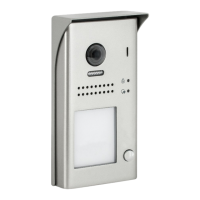

 To Next Page