FUNCTION BUTTONS
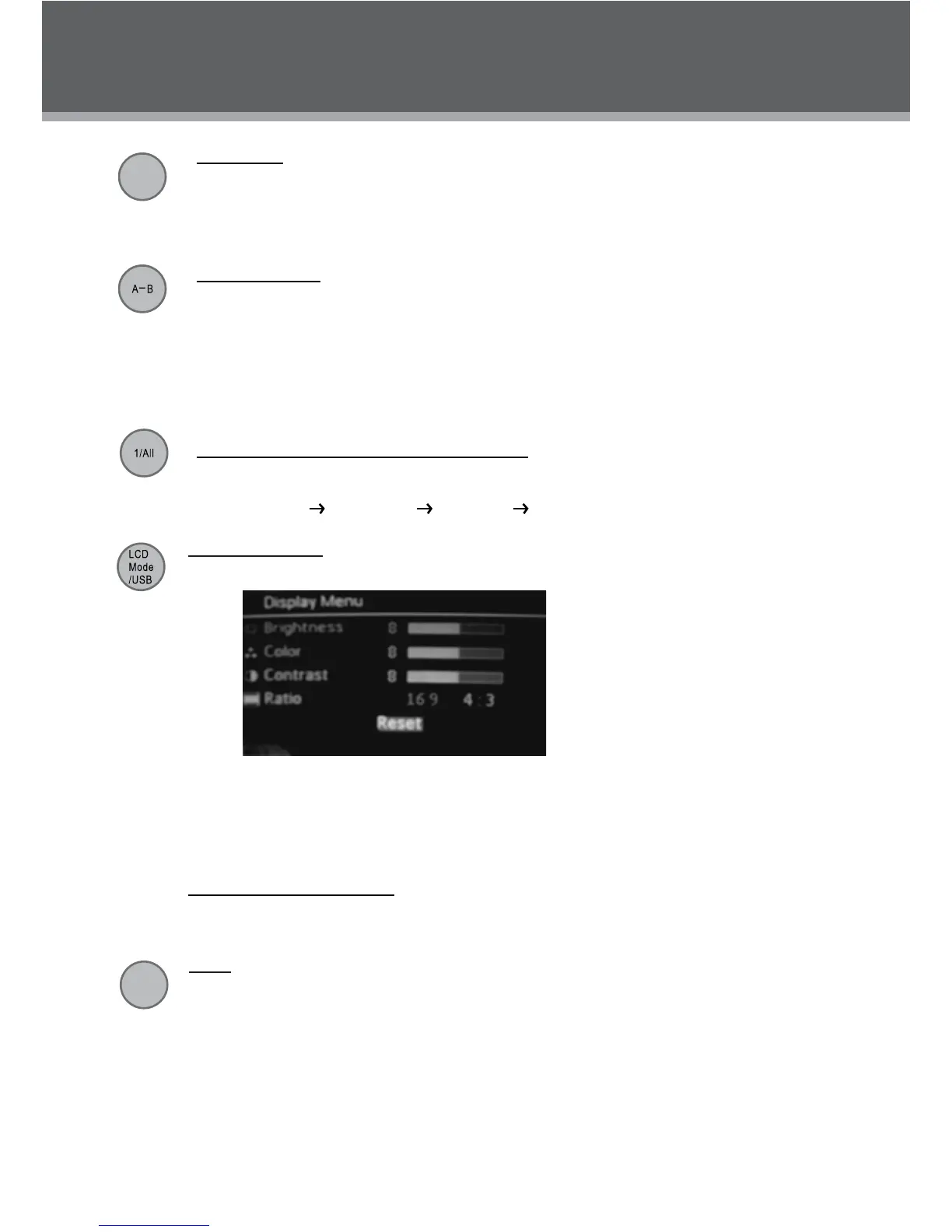
LCD Display Menu
Briey press this button to display the LCD display menu.
Press up/down direction button to highlight item and then make adjustment by left/right direc-1.
tion button.
Select RESET and press ENTER to return the settings of 2. brightness, contrast and color to
their factory default settings.
In 3D TO 3D mode, the aspect ratio can be set to 16:9 format only.3.
To access the USB/SD mode: insert a USB ash drive/SD card into the USB port/SD slot. Press
and hold this button for a short while to display the source mode, you can access a DVD/USB/SD
using this menu.
2D/3D
2D/3D
Press 2D/3D button to switch between 2D and 3D display modes. Please refer to the 2D/3D display
for details.
Menu / Title
Press the Menu/Title button during DVD playback to return to the DVD’s Main menu.
Press and hold the Menu/Title button during DVD playback to return to the DVD’s Title menu.
Repeat A-B Mode
To repeat playback of a specic section of a disc (loop):
Press A-B to set the desired start point (“A”) of the section to be repeated.1.
Press A-B again to set the desired end point (“B” )of the section to be repeated.2.
The section “A-B” will now play repeatedly as a loop. Press A-B again to resume normal 3.
playback.
Repeat Playback of Chapter/Title/ALL of a Disc
Press REPEAT to change the repeat mode of the player. Each successive press of REPEAT will
change the mode as follows:
Repeat Chapter
Repeat Title Repeat All Repeat Off
Menu
/Title



 To Next Page